Smart Lock Wifi Versus Bluetooth Models Compared
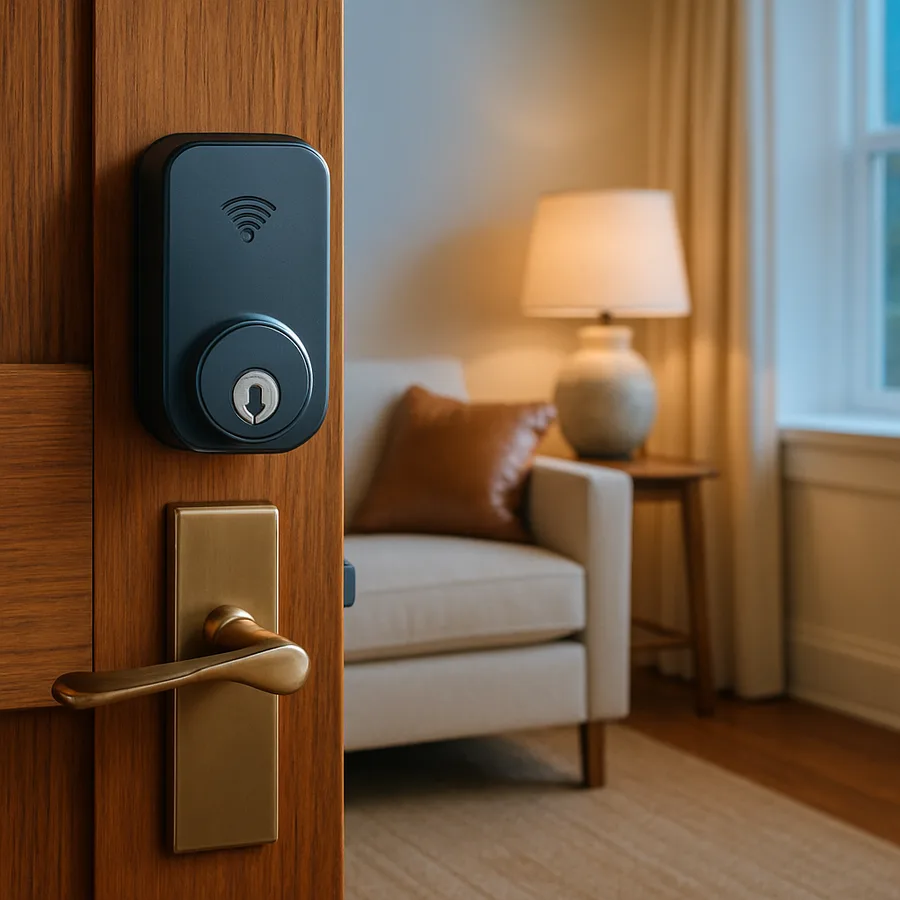
Walk into any hardware store smart-lock aisle and you'll see two boxes that look almost identical sitting next to each other. Same finish. Same keypad. Twenty dollars apart. The difference - and it matters more than the marketing suggests - is the radio inside. One talks to your phone within thirty feet. The other talks to your router from anywhere on Earth.
That single design choice ripples into battery life, security posture, what you can automate, and whether you'll ever curse the lock at 11pm from an airport. Here's how to choose.
What Bluetooth Locks Actually Do Well
Bluetooth-only smart locks like the August Wi-Fi Smart Lock (Bluetooth version) and most base-model Schlage Encode predecessors pair directly with your phone over Bluetooth Low Energy. When you're near the door, the app unlocks. When you're not, the lock is essentially offline as far as your network is concerned.
The upside is real. UL Solutions, which certifies smart-lock cybersecurity under UL 1023 and the related IoT framework, has noted that locks without persistent internet connectivity have a meaningfully smaller remote-attack surface - you can't hack what you can't reach. A Bluetooth lock doesn't appear on Shodan. It doesn't get scanned. It doesn't need a firmware patch when a cloud provider has an outage.
Battery life is the other win. The Z-Wave Alliance and various installer surveys peg average AA battery life for Bluetooth-only locks at 9 to 14 months, versus 4 to 8 months for the Wi-Fi versions of the same hardware. The Wi-Fi radio is the single biggest power draw in the device. If you live in a house where the lock is hard to reach - say, a tall door with an unusual cylinder - that extra six months matters.
The downside is equally real. No remote unlock. No real-time notifications when you're at work and a contractor needs to get in. No integration with most home-automation routines unless you add a separate Wi-Fi or Z-Wave bridge.
What Wi-Fi Locks Unlock In Return
A Wi-Fi smart lock - Schlage Encode, Yale Assure 2 with Wi-Fi, August with the built-in bridge - connects directly to your router over 2.4 GHz. No hub. No phone proximity required. You can grant a guest code from a hotel in Tokyo and revoke it before checkout.
This is the right pick if you do any of the following: rent a unit on Airbnb or Vrbo, share the home with adult kids or roommates on different schedules, work from home and constantly let in deliveries, or want the lock to actually participate in scenes ("when I say goodnight, lock the front door and turn off the porch light"). According to the National Association of Home Builders (NAHB), smart locks ranked as the second-most-requested smart-home feature among buyers in 2025, behind only video doorbells - and the value proposition is almost entirely about remote control, which Bluetooth can't deliver.
Trade-offs: battery life roughly halves. The lock is now part of your network's attack surface. Firmware updates matter. And if your Wi-Fi goes down, you fall back to keypad or key - which is fine, but if you forgot the backup code and you're locked out, "fine" feels different.
The Comparison That Actually Matters
Stripped of marketing copy, here's how they line up across the criteria buyers actually use:
Range and remote access. Wi-Fi wins, full stop. Bluetooth requires you to be physically present or have a separate bridge device.
Battery life. Bluetooth wins by roughly 2x. If your door is hard to access for battery swaps, this is decisive.
Security posture. Mixed. Bluetooth has a smaller remote attack surface. Wi-Fi has better-resourced manufacturer security teams and more frequent updates. Wirecutter's smart-lock testing has consistently favored the Wi-Fi models from established manufacturers (Schlage, Yale) over Bluetooth-only knockoffs from unknown brands - the brand matters more than the radio for real-world security.
Price. Wi-Fi runs $40 to $80 more than the Bluetooth equivalent in the same product family. Over a five-year ownership window, that's roughly $10 to $16 a year - trivial if you use the remote features daily, wasted if you don't.
Setup complexity. Bluetooth is dead simple - pair to phone, done. Wi-Fi requires entering your network credentials and sometimes troubleshooting 2.4 GHz versus 5 GHz on mesh networks. The Wi-Fi Alliance has pushed router manufacturers toward better dual-band handling, but on some systems you still have to temporarily separate the SSIDs to onboard a lock.
Integration. Wi-Fi locks generally support Google Home, Alexa, Apple Home, and SmartThings natively. Bluetooth locks usually need a hub or bridge for any of that. If you're already invested in a smart-home ecosystem, this is the tiebreaker.
Quick reader question: do you currently let anyone into your home when you're not there - a cleaner, dog walker, package delivery? If yes, get Wi-Fi. The remote unlock pays for itself within the first month of avoided coordination headaches.
What To Buy First
If you're shopping today, here's the decision tree I'd actually use:
Choose Bluetooth if: you live alone or with one partner on a similar schedule, you rarely have guests needing entry when you're away, you want the longest possible battery life, and your home network is unreliable or you don't want another device on it.
Choose Wi-Fi if: anyone other than household members regularly needs access, you travel and want to grant timed codes remotely, you already use Alexa/Google/Apple Home and want voice control or routine integration, or you rent the property on a short-term platform.
Whichever you pick, three rules apply: buy from a manufacturer with a real security program (Schlage, Yale, August, Level), enable two-factor authentication on the companion app, and set a calendar reminder to check firmware twice a year. The lock is only as good as the software running on it, and a $250 deadbolt running three-year-old firmware is a worse choice than a $150 mechanical lock with a good keyway.
A few practical points that don't fit neatly into the Bluetooth-versus-Wi-Fi axis but matter once you've made the call. First, look at the ANSI/BHMA grade of the actual lock body - Grade 1 is commercial, Grade 2 is the modern residential standard, Grade 3 is light-duty. Many smart locks ship at Grade 2, which is fine for most front doors but worth verifying. Second, check the keyway: if you keep traditional keys as backup, you want a keyway you can rekey easily, ideally SmartKey or compatible. Third, look at where the keypad lives - built into the lock body (Schlage Encode) or in a separate touchpad (Yale Assure 2 with optional keypad). Built-in is cleaner; separate gives you more flexibility on door geometries.
Battery type also matters more than you'd expect. Most smart locks run on 4 AA batteries, but some newer models use rechargeable Li-ion packs that you swap or recharge via USB-C. The rechargeable approach is more convenient but introduces a single point of failure - if the pack degrades after 3 years, you're buying a proprietary replacement instead of grabbing AAs at any store.
One last note on installation: most retrofit smart locks fit standard 2-1/8 inch borehole prep, but multipoint locks on European-style doors are a different category entirely. Measure before you order.
If you live in an HOA-managed community or a condo, check the rules before you install anything visible from the exterior. Some HOAs restrict hardware finishes; a few restrict any keypad device on a unit door. The Community Associations Institute has tracked a steady increase in smart-home related disputes since 2022, almost all resolved by reading the bylaws first.
Need help picking between specific models in your shortlist? Check the lock comparison archive on the site - we keep current models tagged by ecosystem compatibility so you can filter by what you already own.
One closing perspective on the broader category. Smart locks have matured to the point where the worst version is still pretty good - the keypad and Bluetooth fundamentals are solved. Where products still vary meaningfully is in software longevity. Manufacturers that have shipped consistent firmware updates for five-plus years (Schlage, Yale, August under Assa Abloy) are the safer long-term bets than newer brands offering aggressive prices but uncertain support roadmaps. Locks are a 7 to 10 year purchase. Buy accordingly.
If you're upgrading from an older mechanical deadbolt, also budget time for the small physical adjustments: strike plate alignment, latch tongue free travel, and door sag from settling can all cause a smart lock's auto-lock feature to misfire. A locksmith can address all three in under an hour and the result is a lock that engages cleanly every time. Skip this step and you'll end up disabling the feature you bought the lock for.
Authority references: UL Solutions - IoT Security Rating, NAHB - Smart-Home Features Buyers Want.
More Articles You May Like


Comments
Post a Comment