Home Theater Projector vs OLED TV Comparison for Bright Rooms
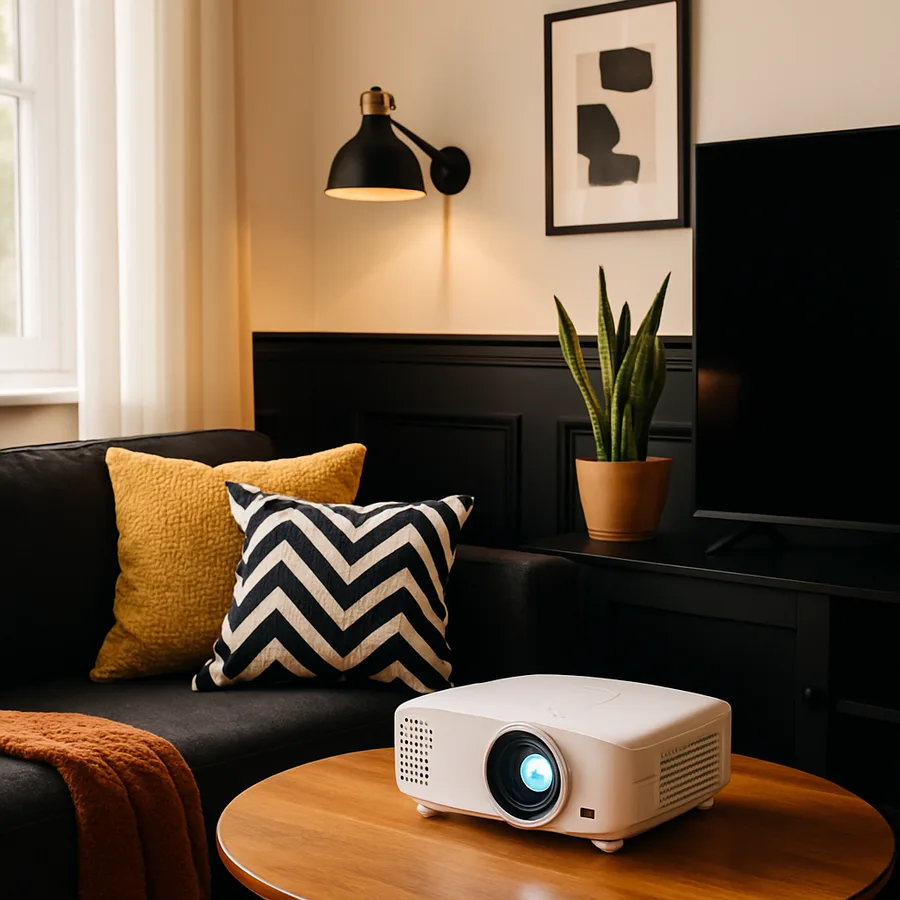
The classic home theater debate has shifted in the last several years. A decade ago, projection was the only path to a screen above 75 inches and OLED was a darkened-room display category. Both technologies have moved. Projectors with triple-laser engines now produce over 3,000 ANSI lumens with cinema-grade color, and OLED panels have crossed 1,500 nits of peak brightness with refined anti-reflection coatings. The result is that a 2026 home theater plan in a window-flooded great room is no longer a foregone conclusion in either direction.
This article puts the two display categories side by side in the specific scenario of a bright residential room, the open-plan family space with skylights, large windows, and ambient light that no homeowner is willing to fully blackout. We will compare brightness specifications, contrast under real-room conditions, screen and panel sizing limits, motion handling, longevity, integration with audio architecture, and total installed cost over a realistic ten-year ownership period.
Bright-Room Brightness: ANSI Lumens vs Peak Nits
The first apples-to-apples comparison concerns delivered brightness on the screen surface. Projectors are rated in ANSI lumens, a measure of total light output. A premium triple-laser projector in 2026 delivers between 2,500 and 3,500 ANSI lumens at the lens. By the time that light hits a 130-inch ambient-light-rejecting screen, multiplies through the screen gain factor of approximately 1.0 to 1.4, and reaches the viewer's eye, the perceived brightness is roughly 40 to 70 nits across the image, with the brightest specular highlights reaching perhaps 120 nits.
OLED TVs are rated in nits, also known as candelas per square meter, measured directly at the panel surface. A premium 2026 OLED panel delivers approximately 1,000 to 1,800 nits in a 10 percent window during HDR highlights, with sustained full-screen brightness of 200 to 400 nits. This is six to ten times brighter than projection on a per-pixel basis, which matters enormously when ambient room light approaches 200 to 300 lux from windows on a sunny afternoon.
The practical reading is that in a bright room, OLED wins the brightness war by a wide margin and projection wins the immersion war by a wide margin because the image is much larger. Have you measured the actual light levels in the room at the worst-case afternoon hour? A handheld light meter or a free smartphone app gives you the lux number that should drive this decision.
Contrast Under Real Ambient Light
Contrast in a sealed dark room is not the metric to compare. A bright living room produces 30 to 80 lux of ambient illuminance on the screen face during average use, and that ambient light reduces native contrast for both projection and OLED but in different ways. Projection contrast collapses much faster because the screen surface reflects ambient light into the viewer's eye in addition to the projected image. An OLED panel's anti-reflective coating absorbs much of that ambient light, preserving the deep blacks that define the technology's appeal.
The countermeasure for projection is the ambient-light-rejecting screen, which uses microscopic angular reflective layers to send projected light directly to the viewing position while sending ambient light from above into the floor. A premium ALR screen with a contrast-enhancement coating recovers most of the projection contrast lost in a bright room, though never fully matching OLED. According to test data summarized by writers for the Society of Motion Picture and Television Engineers, a properly matched ALR screen pairs with a triple-laser projector to deliver perceived contrast of roughly 800:1 in a bright room, while a matched OLED in the same room delivers perceived contrast above 5,000:1.
The tradeoff is that ALR screens produce a narrower preferred viewing angle, sometimes 30 to 40 degrees from the screen normal, beyond which the image dims rapidly. A wide family-room sofa with seats spread across an 8-foot arc may have outer seats that fall outside the bright cone of the ALR screen, while OLED maintains image quality at viewing angles up to roughly 60 degrees from normal. THX publishes recommended seating-cone geometry that addresses this tradeoff in detail for residential bright-room layouts.
Screen Size, Viewing Distance, and the Immersion Premium
The strongest argument for projection in any room is image size. Premium OLED panels in 2026 top out at approximately 88 inches in widely available sizes, with 97 inches available at a very high price tier. Projection delivers 100 to 150 inches comfortably with consumer hardware. The perceptual difference between an 83-inch OLED and a 130-inch projected image at typical living-room viewing distances of 10 to 14 feet is substantial; the projected image fills approximately 1.7 times more of the viewer's field of view.
The cinematic viewing-angle target adopted by the Society of Motion Picture and Television Engineers is approximately 36 degrees of horizontal viewing angle for the screen, which corresponds to roughly an 80-inch screen at 10 feet of viewing distance or roughly a 130-inch screen at 16 feet. An OLED in a typical great room can hit this number on the lower end at the closer seating position; a projector clears it easily at almost any practical seating distance.
The immersion premium is real and reproducible across viewers in side-by-side testing. According to consumer-perception studies cited in residential cinema integrator publications, viewers asked to rate immersion with content held constant rate a 130-inch projection roughly 30 to 45 percent more immersive than an 83-inch OLED at the same viewing distance, even when the OLED delivers superior brightness and contrast. The image-size benefit is large enough to overcome a meaningful technical disadvantage in other dimensions.
Motion, Refresh Rate, and Gaming
For households that play video games on the main display, OLED holds a clear technical advantage. Premium OLED panels support 120 hertz native refresh rates with response times under 1 millisecond, variable refresh rate via HDMI 2.1, and input lag under 10 milliseconds in game mode. Projection is improving rapidly but most consumer triple-laser units sit at 60 hertz native, with input lag in game-optimized modes around 25 to 35 milliseconds and response times in the 15 to 25 millisecond range due to the laser modulation cycle.
For households that primarily watch streaming and disc content, the motion advantage of OLED is less decisive. Cinematic content shipped at 24 frames per second plays back equally well on both technologies, and broadcast sports at 60 hertz is well within the comfort zone of any modern projector. The advantage tips back toward OLED for sports purists who care about motion sharpness during fast action, but the advantage is incremental rather than transformative for general entertainment viewing.
A second motion consideration is frame interpolation, the soap-opera effect that some displays apply by default. Both projector and OLED categories now offer cinema modes that disable interpolation, but factory defaults often turn it on. Confirm during setup that the cinema mode is selected and that the room's primary content sources output in their native cadence.
Longevity, Burn-In, and Calibration Stability
OLED's longstanding concern is burn-in, the permanent retention of static image elements such as channel logos, scoreboard graphics, or game HUDs after long exposure. Modern OLED panels include pixel-shift, brightness-limit, and panel-refresh algorithms that mitigate but do not eliminate the issue. According to consumer reliability surveys cited by the Consumer Technology Association affiliate organizations, the rate of perceptible burn-in on premium OLED panels after five years of mixed-content use is in the range of 3 to 7 percent of units, much lower than the 20 to 30 percent rate seen on early-generation OLED hardware but not zero.
Projection has no burn-in concern because the laser source is not pixel-fixed. The trade-off is that laser projection sources slowly dim over their service life, with most premium units rated for 20,000 to 30,000 hours to half-brightness. At three hours per day of average use this corresponds to roughly 18 to 27 years of service, longer than the typical replacement cycle for the rest of the room's electronics. OLED panels are typically rated for 30,000 hours to half-brightness in the worst-stressed sub-pixel, comparable in real-world terms.
Calibration stability favors OLED slightly. Once professionally calibrated to industry color standards, an OLED holds its color and gamma curve closely for the first several thousand hours of use. Projectors drift more visibly over the same period, particularly in color balance, and benefit from a recalibration every 18 to 24 months. CEDIA certifies residential calibrators in both technologies and homeowners with serious image-quality interest should plan for at least an initial professional calibration in either case.
Audio Integration and Room Architecture
Display choice interacts with audio architecture in ways that homeowners often discover too late. Projection enables the use of an acoustically transparent screen, behind which the front three speakers are mounted. This is the architecture standard in commercial cinemas and recommended by Dolby and others for reference reproduction of cinematic mixes. The center-channel speaker, in particular, sits directly behind the screen at the height where actor dialogue would originate from on-screen, which produces the most natural dialogue placement.
OLED installations cannot do this because the panel itself is opaque. The center-channel speaker must be mounted above or below the panel, which displaces dialogue from the on-screen mouth position. Premium OLED installations sometimes route the center channel through the panel's own speakers using high-end soundbar or wall-speaker bridges, but the result is acoustically inferior to an acoustically transparent screen with a discrete center channel behind it.
For households planning a Dolby Atmos installation with overhead height channels, the display choice has less direct impact because the height channels are above the listener regardless of front display geometry. Dolby publishes home installation guidance for Atmos channel layouts that work with either projection or OLED front-display technology.
Cable management deserves a planning note. A projector mounted near the ceiling requires a long HDMI run, often 25 to 50 feet, which favors active fiber-optic HDMI cables over passive copper at 4K resolutions and 120 hertz refresh rates. An OLED installed on a wall typically uses a much shorter HDMI run from a nearby AV rack, but the rack itself becomes a more visible architectural element because it is closer to the seating area. Plan the rack location with the same care as the display location, including ventilation, accessibility for service, and acoustic isolation from the listening zone.
Conclusion
The bright-room comparison between projection and OLED has tightened, but it has not become a tie. OLED wins on absolute brightness, daytime contrast, motion performance for gaming, and calibration stability. Projection wins on image size, immersion, audio architecture flexibility, and freedom from burn-in concerns. The right answer for a specific household depends on which of those categories dominate the use pattern, and on whether the room can sustain a 130-inch image without overpowering its own architecture.
A useful rule of thumb is that bright rooms with viewing distances under 12 feet and a strong gaming or daytime sports use case lean toward OLED, while bright rooms with viewing distances over 14 feet and a strong cinematic immersion priority lean toward projection with a quality ALR screen. Households on the boundary often benefit from a hybrid approach: a 77-inch OLED for daily television use and a drop-down projection screen for movie nights, which captures most of the upside of each technology at the cost of a more complex install.
Two questions help finalize the choice. First, what is the worst-case afternoon ambient lux level on the screen face, measured rather than estimated? Second, what is the household's expected mix of content categories across cinematic content, streaming, gaming, and sports across a typical month? Honest answers to these questions almost always identify a clear winner rather than a tie.
Whichever direction the answer points, schedule a calibration appointment with a CEDIA-certified imaging specialist within the first month of installation, ideally before the room sees its first heavy-use weekend. A calibrated display, regardless of technology, outperforms an uncalibrated display of the same model by margins that most homeowners do not realize until they sit through a side-by-side comparison. The investment is small relative to the cost of the hardware itself and pays back across every viewing session for the life of the room. Combine that calibration with a thoughtful audio plan, room-appropriate ambient lighting, and seating positioned for the chosen screen geometry, and the bright-room cinema you end up with will rival the experience of a dedicated dark-room theater for the vast majority of household viewing occasions.
More Articles You May Like



Comments
Post a Comment