Basement Media Room Layouts for Surround Sound and Projectors
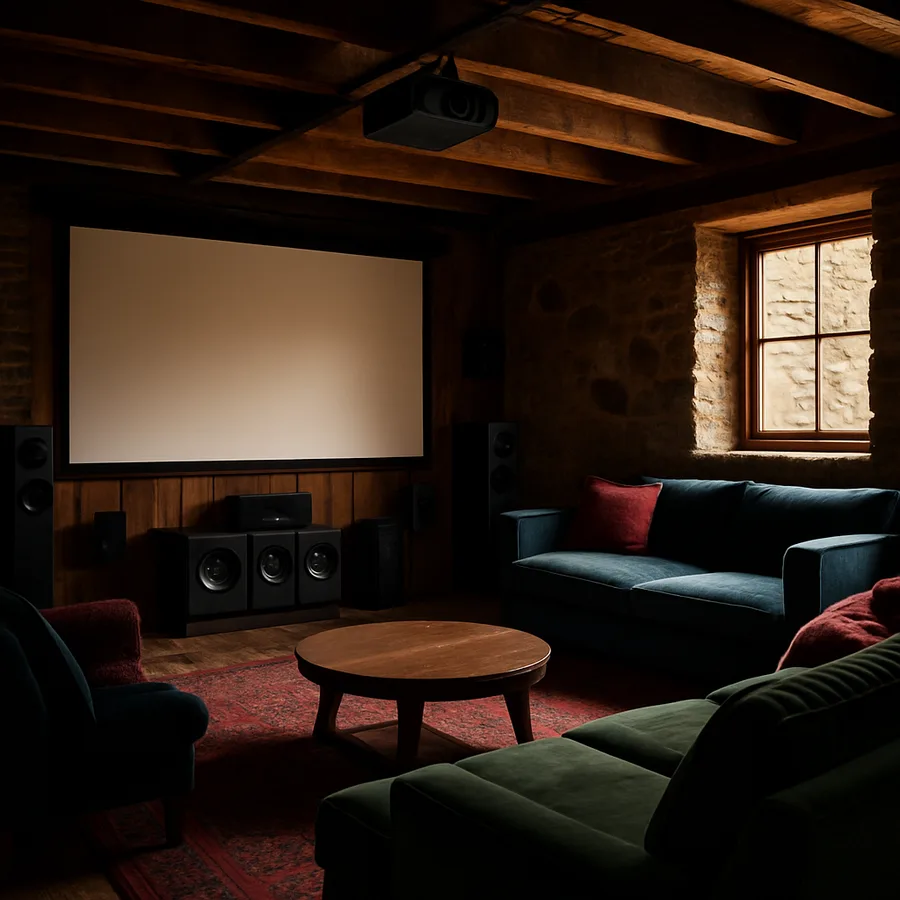
The difference between a basement "TV room" and a true home theater is geometry. A carefully planned media room respects three distances at once: the throw distance of the projector, the critical-distance triangle of the speakers, and the sightline angles to the screen. Get those right and even a modest 11-by-17-foot basement can rival a boutique cinema. Get them wrong and a $10,000 audio-video stack will underperform a $500 television in the living room. According to CEDIA, the global trade association for home technology integrators, well-designed dedicated theater rooms remain one of the fastest-growing residential categories, with installation volume rising steadily since 2019 as more families work and unwind at home.
This article takes a layout-first approach. Before we talk about specific projectors or speaker brands, we lay out how the room itself has to be shaped to support them. You will find practical rules of thumb for throw distance, seating rows, surround placement, acoustic treatment, lighting control, and the mechanical quiet that separates a demo-worthy theater from a noisy basement. Read it once end-to-end, then use it as a checklist when your plans get detailed.
Shape the Room Before You Shop the Gear
The ideal media room is a rectangle, not a square. Room-mode theory, taught in every Society of Motion Picture and Television Engineers (SMPTE) acoustics course, shows that square rooms pile low-frequency resonances on top of each other, creating boomy bass in some seats and thin bass in others. A width-to-length ratio near 1 to 1.5 (for example, 13 feet wide by 20 feet long) distributes those modes more evenly. If your basement is square, consider building a soffit wall or a tiered riser to break the cube acoustically even if the drywall still forms a square.
Ceiling height is the second critical dimension. A finished ceiling of 8 feet or more opens the door to a single-row layout with overhead Atmos speakers. At 7.5 feet, you can still do a great 5.1.2 system, but you will avoid protruding fixtures and drop the riser height to preserve headroom. The Acoustical Society of America (ASA) publishes excellent primers on how room ratios shape perceived sound quality, and any of them will repay an hour of reading before you start framing.
Ask yourself: is this a dedicated theater, a dual-purpose media and family room, or a flex space that also hosts a pool table? The answer changes everything about seating, lighting, and finish choices. A true theater goes dark and quiet; a flex space has to handle bright afternoon play and dim evening movies without compromise.
Projector Throw, Screen Size, and Viewing Distance
Projectors fall into three throw categories: long throw (typically 12 to 25 feet to a 120-inch screen), short throw (4 to 8 feet), and ultra-short throw (UST) (less than 2 feet). A long-throw unit mounted at the back of a rectangular basement delivers the best image quality per dollar, which is why most purpose-built theaters use them. Short-throw and UST units excel when ceiling structure, ductwork, or a noise-sensitive neighbor upstairs prevents a back-of-room mount.
Screen size follows a simple rule of thumb drawn from SMPTE recommendations: for 4K content, viewing distance should be 1.2 to 1.6 times the screen width. A 120-inch (104-inch wide) screen therefore wants the primary seats between roughly 10 and 14 feet away. Sit closer and you will see structure in the image on low-bitrate streams; sit farther and you give up the immersive field of view that justified the projector in the first place. The ENERGY STAR program also rates many modern projectors for power use, and choosing a certified laser model can cut standby and active draw by 20 to 30 percent versus older lamp-based units.
Ambient-light-rejecting (ALR) screens have transformed what is possible in a multi-use basement. Paired with a laser projector producing 3,000+ ANSI lumens, an ALR screen maintains contrast even with sconces on and a game of cards at the table behind the sofa. Fixed-frame screens look cleaner than motorized drop-downs and cost less to maintain, but a motorized option that retracts into a ceiling pocket can be the right call when the room also has to serve as a formal entertaining space.
Surround Sound Geometry That Actually Works
A 7.1.4 Dolby Atmos layout is the current reference for dedicated home theaters, and its geometry is well-defined by Dolby Laboratories' published guidelines. The front three speakers (left, center, right) sit behind or flanking an acoustically transparent screen, with the center channel angled slightly up toward the listening position. Surround speakers sit 90 to 110 degrees off the primary listening axis, rear surrounds at 135 to 150 degrees, and overhead "height" speakers form a rectangle above the main seats at 30 to 55 degrees of elevation.
Subwoofer placement is the dark art of home theater. A single sub in a front corner is the easy answer, but dual subwoofers placed along the midpoint of opposing walls deliver dramatically more even bass across every seat. Running a calibration pass with the built-in room-correction software on a modern AV receiver will flatten response by 5 to 10 decibels in problem frequencies, which is the difference between chest-thumping and cardboard-boomy. The Audio Engineering Society (AES) publishes peer-reviewed papers on multi-subwoofer optimization that are worth the download.
Have you considered how the primary seat will sound versus the seat next to it? Even in a great room, there is typically a one- to two-seat "sweet spot" where imaging is perfect. Riser height, seat spacing, and surround placement all conspire to widen or narrow that zone. Aim for three to four seats inside the sweet spot rather than obsessing over a single throne.
Seating, Risers, and Sightlines
Two rows of four recliners is a common basement theater target, and it requires careful riser math. The CEDIA Recommended Practices document calls for a sightline offset of at least 4 inches from the top of a front-row headrest to the bottom of the screen for viewers in the second row. In most rooms, that translates to a 12-inch riser spanning the entire second-row depth, with an illuminated nosing strip for safety in the dark. The riser also conveniently doubles as a cable chase for rear surrounds and subwoofers.
Seat depth matters too. Reclining theater chairs typically need 66 to 72 inches of front-to-back clearance when fully extended. Add 6 inches of walking space behind the back row and a 24- to 30-inch aisle between rows if you want guests to reach their seats without climbing over laps. An American Society of Interior Designers (ASID)-certified designer can lay the seating to scale with reclining envelopes included, which surfaces problems that flat CAD plans hide.
Material choices around the seats should absorb rather than reflect. Upholstered recliners, wool carpet over a plush pad, and fabric-wrapped side tables soak up mid-frequency energy that would otherwise smear dialogue. Avoid leather as the primary seating fabric in pure audio-focused rooms; its hard surface reflects more than upholstery. If leather is non-negotiable aesthetically, compensate with extra absorption on the opposite walls.
Acoustic Treatment, Lighting, and the Quiet Layer
Acoustic treatment is where amateur theaters separate from great ones. A balanced room uses absorption at first-reflection points on side walls and ceiling, diffusion on the back wall to preserve spaciousness, and bass traps in the corners to tame low-frequency modes. A good starting budget is roughly 20 percent of the wall-and-ceiling surface area covered in rated acoustic panels, with at least four 4-foot corner traps. The CEDIA Technology Pavilion maintains product directories that simplify sourcing professionally rated panels.
Lighting needs to disappear on cue. Install a four-scene control system: "entry" at 60 percent for finding seats, "preview" at 20 percent for trailers, "feature" at 2 to 5 percent for the film, and "intermission" at 40 percent for bathroom breaks. Recessed fixtures with anti-glare black baffles prevent light spill onto the screen, and step lights on the riser nosings keep travel safe without polluting the visual field. Keep the color temperature at 2700K throughout the theater; cooler light reads as clinical in a dark space.
The quiet layer refers to the mechanical systems most basements ignore. Oversize the ductwork to the theater and line it with acoustic duct liner, install a dedicated mini-split head with a remote compressor to eliminate blower noise, and spec a return-air path through a labyrinth plenum rather than a door undercut. Target an ambient noise floor under NC-25 (roughly 30 dBA); below that threshold, whispered dialogue and subtle score cues emerge clearly. The U.S. Department of Energy (DOE) has useful guides on matching HVAC equipment to small, enclosed rooms without overventilating.
Wiring, Calibration, and the Long Tail of Ownership
Pull more wire than you think you need. During rough-in, run two CAT6A cables, one HDMI 2.1 fiber-optic run, and a pair of speaker cables to every potential equipment rack and display location, even the ones you might never use. Running a single extra cable during framing costs five dollars in material; fishing it through a finished wall three years later costs hundreds. Label every cable at both ends with a printed tag, not a Sharpie.
The equipment rack deserves its own vented closet with a return-air path and a dedicated 20-amp circuit per the NEC. AV receivers and amplifiers dump serious heat under load, and running them in an unventilated cabinet is one of the top causes of premature failure according to service data from CEDIA-certified integrators. A 4-inch inline duct fan on a thermostat is cheap insurance.
Finally, budget for calibration. A professional calibration pass using tools certified by the Imaging Science Foundation (ISF) or THX typically costs $400 to $900 and can extract 10 to 20 percent more perceived image and sound quality from the exact same hardware. Plan to recalibrate every two to three years, or sooner if you change the screen, upgrade the projector, or rearrange seating.
Conclusion
A basement media room earns its name when the room itself is doing the heavy lifting. Rectangular geometry, proper seating math, disciplined acoustic treatment, and mechanical quiet add up to an experience that a better speaker or a bigger projector cannot replicate on its own. Every detail in this guide is within reach of a determined homeowner working with a qualified integrator, and each one compounds the others: quiet rooms reveal better sound, which makes better calibration worthwhile, which justifies the investment in a great screen.
Start the project by asking what the room is truly for. A dedicated cinema for weekend movies is a different design than a daily family hangout or a gamer's paradise. Once you know the mission, let the geometry drive the rest. Consult a CEDIA-certified integrator early, not late, and coordinate with your electrician and HVAC subcontractor before any drywall goes up. Small framing changes during the rough-in phase can save enormous effort later.
Remember that a home theater is as much about ritual as it is about specifications. Dimming lights, settling into a reclined seat, and feeling a subwoofer articulate a distant explosion are the moments that make the room irreplaceable. Design for that ritual and the technical choices tend to fall into place. Neglect it and even world-class equipment will feel flat within weeks.
Book a design consultation with a CEDIA-certified professional this month, bring a scaled drawing of your basement, and ask them to mark up the first-reflection points, riser height, and cable paths in real time. That single meeting will reshape the project from an electronics shopping list into a true architectural plan worth building.
More Articles You May Like



Comments
Post a Comment