Doorbell Camera Subscription Versus Local Storage Choice
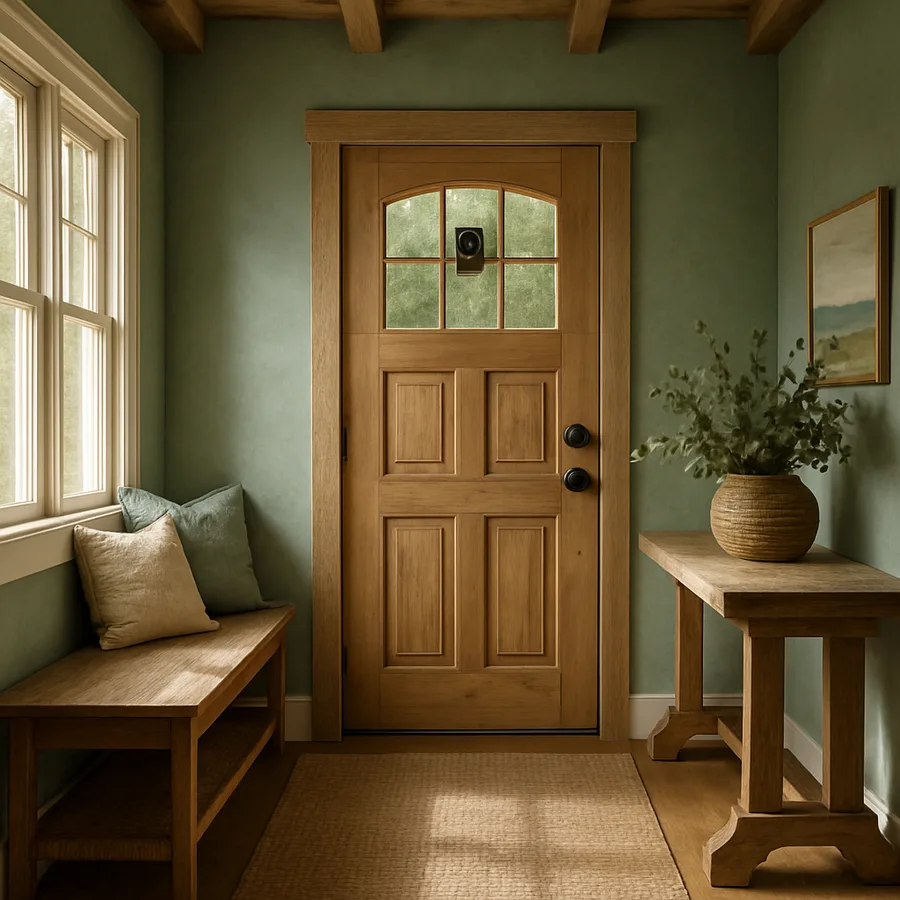
The doorbell costs $150. The subscription that makes it actually useful costs $40 to $100 a year, forever. That math catches a lot of buyers off guard, and it's the single biggest reason the smart-doorbell category has fractured into two camps: cloud-subscription cameras and local-storage cameras that promise no recurring fees.
Both work. Both have meaningful downsides. The right pick depends on how often you actually review footage, how much you trust a third party with video of your front door, and whether you already run any home-network infrastructure.
What A Subscription Actually Buys You
The big names - Ring, Nest, Arlo, Eufy's cloud tier - all sell the doorbell cheap and recover margin on monthly recordings. A typical $4 to $10 monthly plan covers 30 to 60 days of event-based cloud video, person and package detection driven by their machine-learning models, rich notifications with thumbnails, and shared access for multiple household members.
The convenience is genuine. The camera detects motion, uploads a clip to the cloud within seconds, the ML pipeline classifies it as "person at front door" versus "car passing on the street," and you get a notification that's worth tapping. Without the subscription, most of these cameras still send motion alerts - but the clip itself often isn't saved, or is saved only briefly, and the classification quality drops noticeably.
According to the Consumer Technology Association's smart-home tracking, video doorbells now ship in roughly 1 in 4 US households, up from less than 5% in 2018. The Federal Trade Commission has noted in multiple enforcement actions that consumers frequently misunderstand how long cloud footage is retained and who at the manufacturer can access it - a useful prompt to read the actual data-handling policy before you buy, not after.
The downsides of subscription cameras are predictable. The monthly fee is forever. If the manufacturer pivots, raises prices, or discontinues the product line, your camera can become a paperweight. And your video lives on someone else's servers, subject to their security practices and law-enforcement request policies.
What Local Storage Gets You In Return
Local-storage doorbells - Eufy's local tier with HomeBase, Reolink, UniFi Protect doorbells, and some Aqara models - record to a microSD card, a network video recorder (NVR), or a dedicated hub on your own network. No cloud account required for basic operation. No monthly fee.
The privacy upside is real and underrated. Footage of every visitor to your home is footage of every visitor to your home. Keeping that locally means it's not part of a corporate data breach, not subject to subpoena of a third party, and not part of a partnership program with local law enforcement that you might or might not have opted into.
Cost over time is the other win. A $200 doorbell with a $40 microSD card is $240 once. Five years of a $5/month cloud plan is $300 on top of the hardware. For households that never review footage anyway, paying monthly for retention you don't use is hard to justify.
What you give up: the ML quality, mostly. Local cameras have gotten dramatically better at on-device person/vehicle/package detection in the last two years - Eufy and Reolink both ship competent on-device models - but the cloud players still have an edge on subtle stuff like facial recognition (where permitted), familiar-face notifications, and noise-resilient classification in heavy rain or low light. You also typically give up easy multi-user sharing and clean remote access from outside your home network. Some local systems handle remote access well; others require you to set up a VPN or a dynamic DNS, which is fine if you enjoy that work and a barrier if you don't.
The Decision Framework I Use With Friends
When someone asks me which to buy, I work through four questions in order.
How often do you actually review footage? If the answer is "only when something happens" - a package theft, a stranger at the door at 2am, a delivery dispute - the cloud subscription is paying for retention you rarely use. Local storage with a 64 GB or 128 GB card covers two to four weeks of motion events, which is plenty for incident review.
Do you want the doorbell to be useful from your office or while traveling? Cloud cameras handle this transparently. Local cameras can do it too, but require either the manufacturer's remote-access service (which often costs money or has been the source of past security incidents) or your own VPN. Be honest about whether you'll set that up.
How do you feel about a manufacturer holding video of every visitor to your home? Not a paranoid question - a practical one. If the answer is "fine, the convenience is worth it," subscription cameras are mature and well-supported. If the answer is "not great," local storage exists for exactly this reason.
What's your network like? Local cameras assume you have a stable home network with adequate Wi-Fi at the door. If your front door is at the edge of your Wi-Fi coverage and the signal drops in winter when the leaves are gone (yes, that's a real thing), a cloud camera with cellular backup options may be more reliable.
Wirecutter's reviews of the doorbell category have been steady on this point: there's no single "best" pick because the question is structural, not technical. The Ring Battery Doorbell Plus is excellent if you want subscription convenience. The Eufy E340 is excellent if you want local storage. Neither is wrong.
What To Buy First
If you're buying your first smart doorbell and you're not sure which camp you're in, I'd suggest this: start with a local-storage model from a manufacturer that also offers an optional cloud tier. That way you can run on the microSD card initially, see whether you actually miss the cloud features, and upgrade only if you do. Going the other direction - starting on subscription and then trying to migrate years of footage to a local system - is much harder.
Three buying rules that hold regardless of which camp you pick: choose 1536p or higher resolution (1080p shows you a person but not always their face clearly), prioritize a wide vertical field of view (so you can see packages on the ground), and check that the model supports HDR for backlit porch scenes where the sun is behind a visitor. These three matter more for daily usefulness than any subscription feature.
Power delivery is the other variable that quietly determines reliability. Hardwired doorbells (16 to 24V from your existing transformer) keep the camera awake and recording 24/7 without battery degradation. Battery doorbells are easier to install - no transformer wiring - but introduce a recurring chore and worse motion-response latency. If your home already has a hardwired doorbell, replacing the transformer with a higher-VA unit (most smart doorbells want at least 10 VA at 16-24V) is a 15-minute job and pays back in years of avoided battery swaps.
Field-of-view geometry also matters more than the spec sheet suggests. A 180-degree horizontal view that's only 90 degrees vertical will show you a wide swath of the street but not the package at your feet. A 150 by 150 view is usually more useful at a residential entry. Look at sample footage on review sites before you buy, not just the headline FOV number.
Reader question worth thinking about: have you actually used cloud footage in the last twelve months? If you can't remember the last time you scrubbed back through a saved clip, you're paying for an insurance policy you don't file claims on. That's fine if you value the peace of mind. It's worth interrogating if you don't.
One more consideration that I rarely see in reviews: notification fatigue. A doorbell camera that pings you every time a car drives by becomes a doorbell camera you mute, and a muted doorbell camera is just a hardware purchase. Both the subscription and local-storage camps have improved here, but the cloud-side ML still has a meaningful edge on filtering out non-relevant motion. If you live on a busy street, weight this factor heavily.
Two-way audio quality also varies more than expected. Some doorbells have noticeable audio delay that makes conversation awkward; others are nearly real-time. If you plan to actually talk to delivery drivers or visitors from your phone, test this before committing - many retailers accept return on cameras within 30 days.
Want a side-by-side of specific current models with subscription cost projected over five years? Check the camera comparison archive - the spreadsheet handles the math for you.
Authority references: FTC - Connected Devices Privacy Guidance, Consumer Technology Association - Smart Home Research.
More Articles You May Like


Comments
Post a Comment