
Smart Plug Selection For Lamp Automation Without Smart Bulbs
Smart Plug Selection For Lamp Automation Without Smart Bulbs
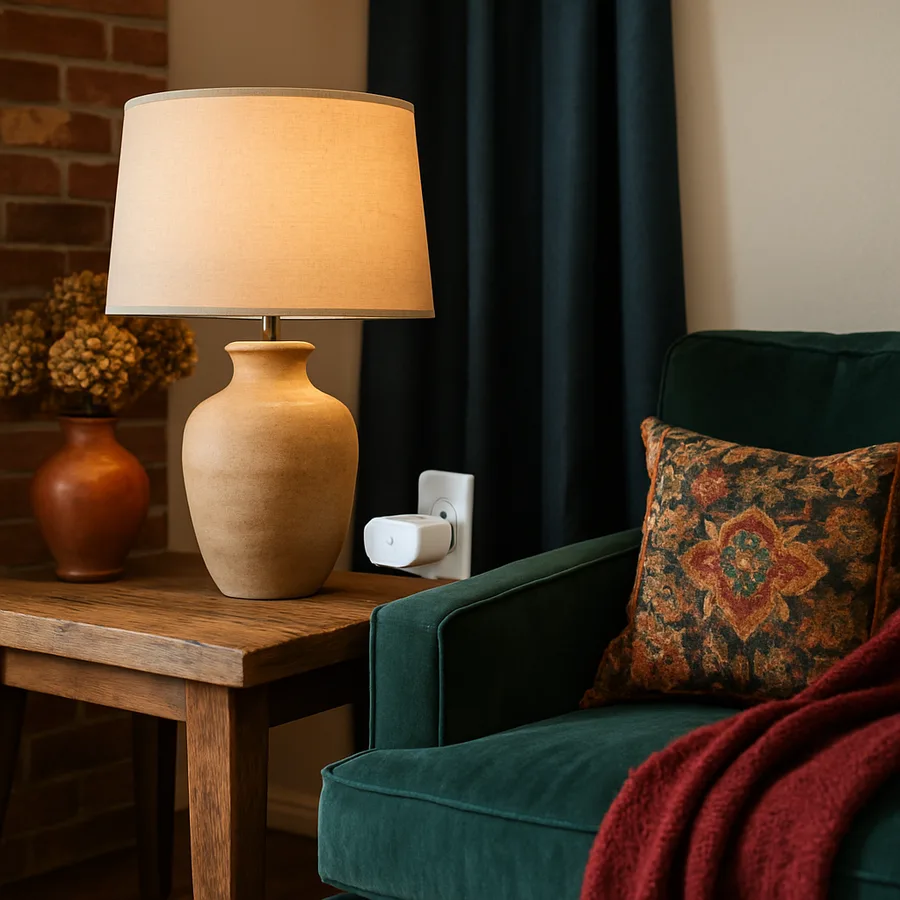
Smart bulbs get most of the headlines, but they are not always the right tool for automating the lamps you already own. A well-chosen smart plug can deliver the same convenience, often at a lower cost, while letting you keep the warm halogen, vintage incandescent, or carefully matched LED bulbs that make your lighting plan feel intentional. The catch is that not every plug is designed for the loads, environments, or schedules a serious lamp automation routine demands. Pick poorly, and you end up with a device that drops off the network, runs hot, or refuses to play nicely with the rest of your home.
This guide walks through how to evaluate smart plugs the way a thoughtful homeowner or interior designer would: by looking at safety listings, wireless protocols, electrical capacity, ecosystem fit, and the small ergonomic details that decide whether a device disappears into daily life or becomes a daily annoyance. By the end, you should be able to walk into any retailer or browse any catalog and confidently spot the plug that will reliably switch your table lamps, floor lamps, and accent fixtures for years to come.
Why Smart Plugs Often Beat Smart Bulbs For Lamps
Smart bulbs are wonderful when you want tunable color temperature, dimming curves, or accent effects, but they come with real trade-offs. They cost more per fixture, they fail more often than passive bulbs, and they often rely on the lamp's mechanical switch staying in the "on" position, which family members forget. A smart plug sidesteps those issues by automating power at the outlet, leaving your existing bulb choice untouched. That matters when you have spent time matching color rendering across a room.
There is also a stylistic argument. Many designers prefer the warm glow of a 2700K halogen or a high-CRI incandescent over the cooler, sometimes uneven spectrum of an inexpensive smart bulb. According to a 2024 consumer survey by the American Lighting Association, more than 60% of homeowners say bulb appearance and color rendering matter more to them than app features. A plug lets you keep that visual quality and still get scheduling, voice control, and away-from-home access.
Cost adds up quickly too. If you have five lamps in a great room, replacing every bulb with a name-brand smart bulb can run several hundred dollars, while five quality plugs typically cost a fraction of that. Have you actually counted how many lamps you would need to convert? Most people are surprised when they walk through their home with a notepad.
There is also the question of long-term reliability. Smart bulbs sit inside a hot fixture and cycle through thousands of micro-events as Wi-Fi or Zigbee radios receive commands. The heat from a closed lamp shade accelerates the aging of the bulb's internal driver electronics, which is why so many homeowners report smart bulbs failing in two or three years rather than the decade their packaging suggests. A smart plug sits in a cooler wall outlet and powers a passive bulb, so each component lives in conditions it was actually designed for. That separation of duties usually translates to fewer late-night replacements and less e-waste.
Understanding Wireless Protocols And Hubs
The protocol your smart plug speaks determines how reliable, fast, and future-proof it will be. The four common options today are Wi-Fi, Zigbee, Z-Wave, and Matter over Thread. Wi-Fi plugs are the easiest to set up because they connect directly to your router, but they can add congestion to a network that already serves laptops, phones, and streaming devices. They also tend to draw slightly more standby power.
Zigbee and Z-Wave plugs use low-power mesh networks and require a hub, such as a SmartThings, Hubitat, or Amazon Echo with a built-in radio. The upside is rock-solid range as you add devices, because each plug acts as a repeater. Matter, the newer cross-industry standard backed by the Connectivity Standards Alliance, aims to unify these ecosystems so that a single plug works across Apple Home, Google Home, Amazon Alexa, and Samsung SmartThings without bridging. Matter-over-Thread plugs are especially attractive for new buyers planning to grow their system.
Before you buy, list the voice assistant or hub you already use. Then check the plug's certifications. The Connectivity Standards Alliance maintains a public list of certified Matter products, which is a good sanity check. If you ever plan to switch ecosystems, Matter compatibility is the single best hedge against being locked in.
Electrical Ratings And Safety Listings That Actually Matter
Lamps look low-power, but the right rating still matters. Most U.S. smart plugs are rated for 15 amps at 120 volts, which is plenty for a typical 60- to 150-watt lamp. Problems start when you plug in something the plug was never designed for, such as a space heater or a high-wattage halogen torchiere. Heat builds up inside the housing, contacts pit over time, and you eventually get nuisance trips or, in the worst case, a fire risk.
Look for plugs that carry a recognized safety listing such as UL, ETL, or CSA. These marks indicate the device has been tested by a Nationally Recognized Testing Laboratory. The Electrical Safety Foundation International notes that home electrical fires cause an estimated 51,000 fires annually in the United States, and unlisted accessory devices are a recurring contributor. A small premium for a properly listed plug is cheap insurance.
Pay attention to the physical form factor as well. A plug that is too tall can block the second outlet on a duplex receptacle, which is annoying behind a sofa where you also need to charge a phone. Some manufacturers now make low-profile or side-entry designs specifically so they do not cover the partner outlet. If you are working with a tamper-resistant outlet, confirm the plug's blades insert smoothly without forcing.
Dimming, Energy Monitoring, And Other Useful Features
Not every smart plug is a simple on/off switch. Some offer energy monitoring, which reports real-time wattage and cumulative kilowatt-hours through the app. That is genuinely useful for lamps because you can confirm whether your LED retrofit actually delivered the savings the package promised. ENERGY STAR data shows that LED lamps use about 75% less energy than incandescent equivalents, and energy-monitoring plugs let you verify that figure in your own home.
A subset of plugs supports trailing-edge dimming for compatible bulbs, though this is less common than dedicated smart dimmers. If dimming is important, a wall-installed smart dimmer is usually a better choice. For pure lamp control, prioritize plugs with offline schedules, sunrise/sunset triggers, and "vacation mode" randomization that simulates occupancy. The ENERGY STAR program has highlighted scheduled automation as one of the easiest ways to reduce household phantom loads.
Think about how often you actually open the app. The best smart plug is one you mostly forget about because the schedules, scenes, and voice commands handle 95% of interactions. Does your favorite plug let you set up routines without opening a separate manufacturer app? If the answer is no, you may end up with friction every time you adjust a schedule.
Indoor Versus Outdoor And Lamp-Specific Considerations
Indoor plugs are designed for dry locations. If you want to automate a porch lamp, a string of patio lights, or a pathway fixture, you need an outdoor-rated plug with a weatherproof enclosure and a gasket. These are typically marked as suitable for damp or wet locations and conform to a specific IP rating such as IP44 or higher. Using an indoor plug outside, even on a covered porch, is a common shortcut that violates the device's listing and exposes the contacts to humidity.
For floor lamps with heavy bases, choose plugs with a firm grip. Some inexpensive models have soft contacts that loosen over time, especially if pets or vacuum cleaners tug on cords. A plug that pops partially out of the wall is both a connectivity issue and a small arc-flash risk. Look for reviews that specifically mention long-term plug retention. If you have small children, confirm that any cord arrangement does not create a tripping or pulling hazard.
Bulb compatibility matters too. Most modern LED lamps work fine with simple on/off plugs, but some cheaply made LED drivers can buzz when switched by relays with snubber circuits sized for incandescent loads. If you hear a faint hum after installing a new plug, try a different bulb before assuming the plug is faulty. A quick swap usually identifies the culprit.
Pay attention to the inrush current of larger lamps, especially those with multiple bulbs or older transformer-driven low-voltage halogens. The momentary spike when the plug closes can be many times the steady-state current. Quality plugs use relays rated for sustained inrush. Inexpensive ones may eventually weld the contacts together, leaving the lamp permanently on. If you intend to switch a large fixture frequently, prioritize plugs that explicitly list inrush handling in their specifications, or step up to a model with a higher amperage rating than you strictly need.
Setting Up A Reliable Lamp Automation Routine
Once you have the right hardware, the automation itself deserves the same care as the bulb selection. Start by mapping every lamp on a simple floor plan and labeling it with a clear name like "Reading Nook Lamp" rather than the manufacturer's default. Group lamps into scenes that match how you actually live: a "Wind Down" scene that turns on warm low fixtures at sunset, a "Morning" scene that lights the entry and kitchen counter lamps, and an "Away" scene that randomizes a few key fixtures while you travel.
Use sunrise and sunset offsets rather than fixed clock times. Because daylight shifts throughout the year, a 7 p.m. trigger that feels right in January is jarring in June. Most major platforms let you say "30 minutes before sunset" or "at civil dusk," which keeps the lighting feeling natural year-round. The National Sleep Foundation has linked consistent evening lighting cues to better sleep onset, so this is more than an aesthetic detail.
Finally, build in fallback behavior. If your internet goes down, do your plugs still run their schedules locally? Plugs with local control will. Test by briefly unplugging your router and confirming that a scheduled event still fires. Have you actually tried this yet? Most people discover gaps only when they are away from home and the lights stay dark.
Conclusion
Smart plugs are the unglamorous workhorses of a thoughtful lighting plan, and choosing the right one is more about discipline than novelty. By focusing on recognized safety listings, the wireless protocol that fits your ecosystem, honest wattage capacity, and a few quality-of-life features like energy monitoring and local schedules, you can automate a roomful of lamps without replacing a single bulb. The result is convenience that respects the design choices you have already made about color, texture, and atmosphere.
Treat your purchase as a small infrastructure decision rather than a gadget impulse. Read the labels, confirm the certifications from organizations like UL or ETL, and verify that your hub or voice assistant of choice supports the plug natively or through Matter. A few minutes of diligence at the store saves hours of troubleshooting and, more importantly, protects the people and possessions in your home from preventable electrical issues.
If you are ready to start, walk through your home tonight and count the lamps you would automate first. Make a short shopping list, set a budget that allows for properly listed devices, and stage the rollout one room at a time so you can refine your scenes as you go. Your future self, settling into a perfectly lit reading chair without ever touching a switch, will thank you for taking the time to choose well.
Lamp automation is one of the friendliest entry points into a smarter home because it touches everyday comfort without rewiring a wall. Done thoughtfully, it lets older fixtures earn a second life and lets new ones integrate quietly into your routines. Done carelessly, it adds clutter and risk. The difference, almost always, is the plug you chose at the very beginning.
One last practical reminder: keep your plug firmware updated. Manufacturers periodically patch security vulnerabilities, improve scheduling reliability, and add support for newer ecosystems. A plug that hasn't been updated in two years may be running outdated code with known issues. Most companion apps surface available updates clearly, and the entire process takes only a minute or two per device. The Cybersecurity and Infrastructure Security Agency has highlighted unpatched consumer IoT devices as a recurring weak point in home networks, so building a quarterly update habit protects both your lighting and the broader network. Whether you manage three plugs or thirty, that small recurring habit keeps the system feeling new long after the boxes have been recycled.


Comments
Post a Comment