Ergonomic Office Chair Selection For Long Work-From-Home Days
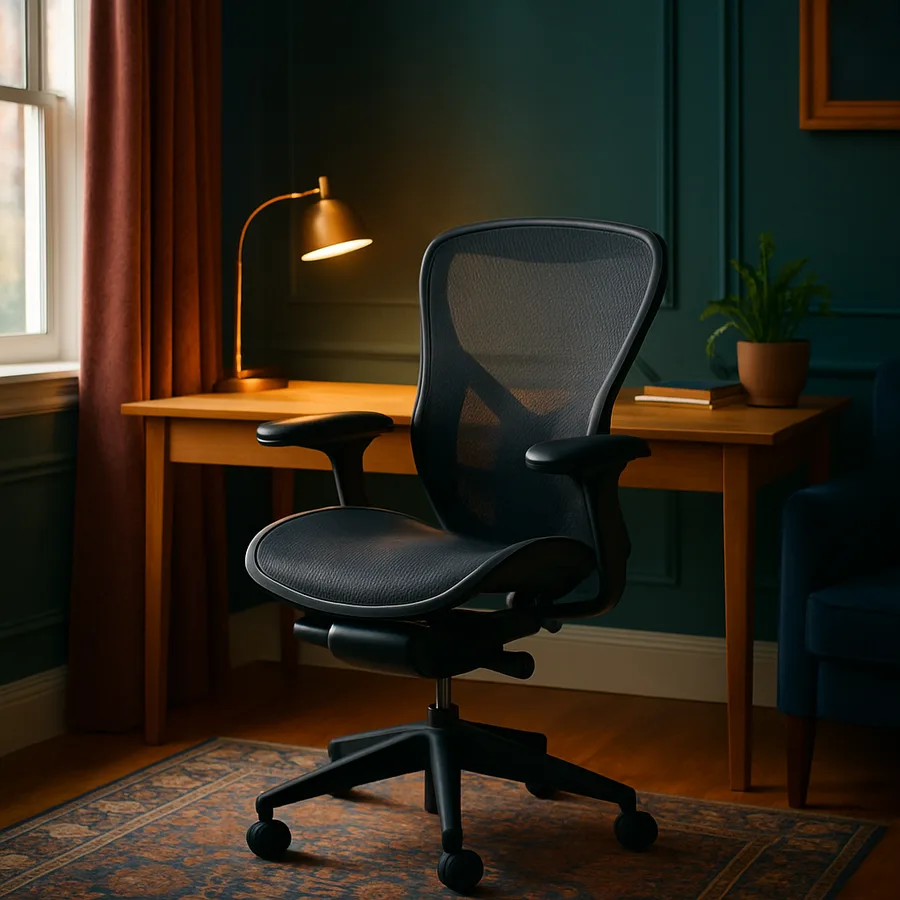
An office chair is the single piece of furniture in a home that, for many remote workers, gets more use than the bed. A typical work-from-home day puts a person in their chair for somewhere between six and ten hours, which means a chair that is merely "fine" produces a body that is merely "fine" by Friday afternoon. The good news is that the chair industry has matured to the point where genuinely ergonomic seating is available across a wide price band, from roughly $300 task chairs to four-figure flagship models. The bad news is that the marketing language used to sell those chairs has become so noisy that it is genuinely difficult to know what to look for.
This guide is structured around the adjustments and design features that demonstrably affect comfort over an eight-hour day, in roughly the order they should rank in your decision. We will end with a buying framework you can apply in a showroom or at a return-friendly online retailer. The goal is not to recommend a specific model; the goal is to make you a better shopper.
Lumbar Support Is The Headline, Not The Footnote
The single most important feature of an ergonomic chair is how it supports the lower back, and specifically the natural inward curve of the lumbar spine. A chair that flattens the lumbar curve over the course of a day is the chair that produces the dull ache by Wednesday, the burning by Thursday, and the appointment with a physical therapist by the following Monday. Whatever else you compromise on, do not compromise here.
There are three valid implementations of lumbar support. The first is a mesh back with a built-in lumbar prominence shaped into the frame; flagship task chairs from contract-furniture manufacturers use this approach, and it works well for users whose lumbar curve falls within a typical range. The second is an adjustable lumbar pad that slides up and down on a vertical track and forward and back on a depth screw; this accommodates a wider range of body shapes and is the safer bet if multiple people will share the chair. The third is a pneumatic or air-bladder lumbar that inflates against the back; it is the most adjustable but tends to wear out first.
How do you test it in a showroom? Sit in the chair for a full 15 minutes, ideally with your laptop, doing real work. The lumbar prominence should feel present but not pushy at minute two; if it feels overly aggressive at minute two it will feel intolerable at minute 90. The Cornell University Ergonomics Web has long published guidance on this point (see Cornell Ergonomics resources), and the consistent message is that adjustability matters more than absolute firmness.
Seat Depth And Width: The Adjustment Most People Skip
Seat depth is the distance from the back of the seat pan to the front edge. If the seat is too long for your femur, the front edge cuts into the back of your knee and reduces circulation to your lower legs; if the seat is too short, your thighs are unsupported and your weight loads disproportionately onto your sit bones. A general rule of thumb is that two to three fingers of clearance should fit between the front of the seat and the back of your knee when you are seated with your back against the lumbar support.
The best chairs offer a slider that adjusts seat depth by 50 to 75 millimetres, which is enough to accommodate roughly the 5th-percentile woman to the 95th-percentile man. Cheaper chairs offer a fixed seat depth, which is fine if you happen to fall in the middle of the height distribution and a problem otherwise. If you are notably tall (above 6'2") or notably short (below 5'4"), seat depth is the adjustment that will make or break the chair for you.
Seat width is less variable but matters for hip comfort. Look for a seat at least 480 millimetres wide for an average user and 510 millimetres or more for a larger user. The seat edge should be waterfall-contoured, meaning it slopes gently downward at the front rather than ending in a hard edge, which is what makes the difference between a chair that is comfortable for an hour and one that is comfortable for eight.
Armrests: 4D Or Don't Bother
Armrests sound like a minor feature until you spend a year using a chair whose armrests cannot be moved. Static armrests force your shoulders into whatever default position the manufacturer chose, which is rarely the position your body prefers. The result is shoulder tension that builds slowly and is hard to attribute to its actual cause. Adjustable armrests fix this for the cost of a slightly more expensive chair.
The industry shorthand is "4D armrests," meaning armrests that adjust in four directions: up and down, forward and back, side to side, and rotational pivot. A 4D armrest can be set so that your forearms rest comfortably while your hands are on the keyboard, with your elbows at roughly 90 degrees and your shoulders relaxed. A 2D armrest (height and width only) handles roughly 70 percent of users acceptably; 3D adds depth and handles roughly 90 percent; 4D handles essentially everyone.
Have you ever noticed that your shoulders are halfway up your neck by 4 p.m.? That is almost always an armrest problem, not a stress problem. Per guidance from the U.S. Occupational Safety and Health Administration on computer workstation setup (see OSHA computer workstation eTool), forearm support during keyboard work meaningfully reduces upper-body muscle activation, which in plain English means your shoulders stop trying to hold themselves up.
Recline And Tension: The Underrated Pair
A good ergonomic chair allows you to recline through a meaningful arc, typically 95 to 130 degrees from horizontal, with a tension control that lets you tune how much resistance the recline offers. Why does this matter? Because static seated postures, no matter how perfectly tuned, fatigue the same muscles for hours on end. Periodic reclining, even for a minute or two between tasks, redistributes load and gives the spinal discs a chance to redistribute fluid.
The tension knob under the seat should let you set the resistance so that a deliberate lean back is met with reassuring resistance and a passive lean back does not happen accidentally. A common error is to set the tension too low, which produces a chair that feels like it is constantly trying to dump you backwards. A common second error is to set it too high, which means you never recline at all. Spend ten minutes the first week tuning it to your weight.
Look for a chair with a synchronised tilt mechanism, in which the back reclines roughly twice as far as the seat tilts. This keeps your eyes at a usable angle relative to the screen even when you are reclined, which is what lets you actually keep working in a recline rather than treating it as a break. According to Mayo Clinic guidance on prolonged sitting, brief posture changes throughout the day are a meaningful contributor to spine health (see Mayo Clinic prolonged sitting guidance).
Materials And Build Quality: The Eight-Year Question
A chair is not an annual purchase. A well-built ergonomic chair should last eight to twelve years of full-time use, which means the cost per day of even a $1,200 flagship model works out to less than a fancy coffee. Materials and build quality determine whether your chair makes it to year eight or quietly falls apart at year three.
For the seat foam, look for moulded high-density foam rated above 50 kilograms per cubic metre; cheap chairs use cut foam blocks that compress permanently within the first year. For mesh backs, look for woven polymer mesh from a known supplier rather than the unspecified "elastic mesh" common in budget chairs; the quality difference is dramatic at year three. For the base, a die-cast aluminium five-star base will outlast a glass-filled nylon base by a wide margin and tips less easily on uneven flooring.
The most reliable proxy for build quality is the warranty. A brand willing to offer a 12-year warranty has done the durability testing to know it will not lose money on the offer. A chair sold with a one-year or two-year warranty is telling you exactly how long the manufacturer expects it to last. The Business and Institutional Furniture Manufacturers Association maintains the BIFMA X5.1 standard for office chair durability, and any chair worth your money should be certified to it; flagship models are tested to multiples of the standard.
The Showroom Test And The Return Window
A chair that feels great for ten minutes can feel awful for ten hours, and there is genuinely no way to know which one you have bought until you have used it for a full work week. Plan your purchase around this reality. Either visit a showroom that lets you sit in real chairs for at least 30 to 45 minutes before deciding, or buy from an online retailer with a generous in-home trial period of at least 30 days. Anything less is gambling.
During the showroom test, bring your laptop. Do real work. Adjust every adjustment, ideally with the salesperson explaining each one rather than guessing. Pay attention to the parts of your body that start complaining first; for most people that will be either the lower back, the shoulders, or the back of the thighs. The chair that produces the least complaint at minute 30 is usually still the better chair at minute 300.
If you are buying online, take photographs of the chair from the side on day one, with you seated in your normal posture. Repeat at day 14. Compare the photos. Slumping that develops over two weeks is a sign that the chair is not actually supporting you, even if it feels acceptable in the moment. Industry surveys from the American Home Furnishings Alliance suggest that more than half of buyers who returned a chair within a trial window did so within the first 14 days, which is a useful timeline to keep in mind.
Conclusion: The Decision Framework In Five Lines
The framework reduces to five questions, asked in this order. First, does the lumbar support meet your back at the right height and depth? Second, does the seat depth let you sit fully back without your knees touching the front edge? Third, can the armrests be set so your shoulders are relaxed during typing? Fourth, does the recline mechanism let you periodically change posture without losing your screen? Fifth, is the warranty long enough that the per-day cost is genuinely modest? A chair that earns five yes answers is a chair worth buying. A chair that earns three or four is a chair worth negotiating. A chair that earns fewer is a chair worth walking away from.
The temptation, particularly when shopping online late at night, is to sort by price and pick the cheapest chair with a high star rating. Resist that temptation. Star ratings tell you about the first 30 days; they do not tell you about year three. Long-form professional reviews, hands-on showroom time, and an in-home trial period are collectively worth more than any aggregated rating. Your back is the asset; the chair is the maintenance cost.
If you are working from home five days a week, your chair is doing more for your long-term physical health than any single piece of exercise equipment you could buy. Treat the purchase accordingly. Block out a Saturday for a showroom visit this month, write the five questions on a sticky note before you go, and refuse to make a same-day purchase. The right chair will still be there next week, and the wrong chair will not have followed you home.
One last note. A great chair is necessary but not sufficient. You also need the desk at the right height, the monitor at the right distance, and the discipline to take a real break every 50 to 60 minutes. The chair removes obstacles to good posture; it does not enforce good posture by itself. Used together with a sensibly arranged workstation, the right ergonomic chair is the difference between ending the workday tired and ending it injured.
More Articles You May Like



Comments
Post a Comment