Automatic Blinds Smart Home Schedule Setup
Automatic Blinds Smart Home Schedule Setup
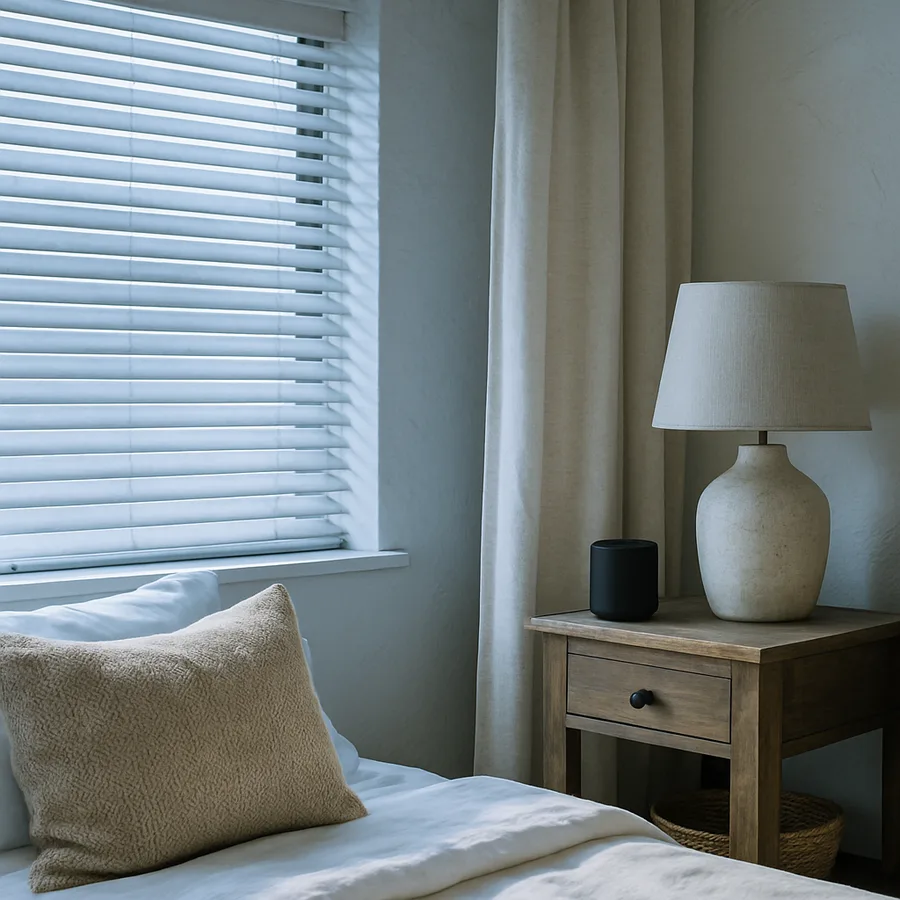
Few smart home upgrades transform a room as quickly as motorized window treatments running on a thoughtful schedule. When you wake to soft morning light easing into the bedroom, return to a cool living room after work, or watch the den dim itself for movie night, the schedule is doing the design work. The American Society of Interior Designers notes that daylighting strategy is one of the most underrated tools in residential comfort planning, and automation is what turns that strategy into a habit you never have to think about.
This guide walks you through a complete automatic blinds schedule setup for a smart home, with concrete timing recommendations, integration tips, and the small tweaks that separate a setup that delights from one that quietly annoys. Whether you are starting with one motorized roller in a bedroom or wiring up an entire house of cellular shades, the framework below works the same.
Why Schedules Beat Manual Control
The promise of motorized shades is not the motor. It is the predictability. A 2024 consumer survey by the Window Covering Manufacturers Association found that roughly 68% of homeowners who installed motorized shades stopped using the wall remote within three months, defaulting instead to schedules or voice commands. The motors became invisible infrastructure, doing their job without involvement.
A good schedule replaces dozens of micro-decisions per day: when to lower the west-facing kitchen shade against afternoon glare, when to lift the bedroom shade to nudge a partner awake gently, when to drop the home-office shade for a video call. Each individual decision is small. Stacked over a year, they consume attention that you would rather spend elsewhere.
Schedules also unlock benefits you cannot get manually. Pre-cooling a room by closing shades thirty minutes before peak sun reduces HVAC load measurably. Lowering blinds at dusk before lights come on protects privacy without a single window left exposed. These are timing problems, and computers solve timing problems better than humans.
Choosing the Right Trigger Type
Smart home platforms typically offer three trigger types for shades: fixed clock time, solar events, and conditional logic. Each has a place, and the best schedules combine all three.
Fixed clock time is the simplest. The kitchen shade lifts at 7:00 AM regardless of season. This works well for routines tied to human behavior, like coffee or school prep. The downside is that it ignores actual daylight, so in midsummer the shade may rise long after the room is already bright, and in midwinter it may rise before sunrise and waste the privacy benefit.
Solar events track sunrise and sunset based on your home's coordinates. "Open at sunrise minus 15 minutes" gives you a gentle pre-dawn lightening year-round. "Close at sunset plus 10 minutes" handles privacy automatically as days shorten. Most major platforms - Apple Home, Google Home, SmartThings, Home Assistant, and Lutron Caseta among them - support solar offsets natively.
Conditional logic layers in sensors and modes. The west-facing living room shade lowers at 2:00 PM only if the outdoor lux sensor reads above a threshold. The bedroom shade stays down past sunrise if your sleep tracker reports you are still asleep. Conditions add intelligence but also fragility, so use them sparingly and only where they pay off.
A Reliable Default Schedule by Room
If you are setting up shades for the first time, start with the schedule below and adjust over two weeks. The biggest mistake new users make is over-engineering on day one. Live with simple rules first, then refine.
For primary bedrooms, raise shades to 30% at sunrise plus 20 minutes on weekdays and sunrise plus 90 minutes on weekends. Full open at 8:30 AM weekdays, 10:00 AM weekends. Close fully at sunset minus 10 minutes for privacy before lights come on. This rhythm balances natural waking light with weekend rest.
For kitchens and breakfast areas, open fully at 6:30 AM or sunrise, whichever is later. These rooms benefit from maximum morning light. Close to 50% during peak sun if the windows face south or west to manage heat gain. Reopen after 5:00 PM so evening light fills the cooking zone.
For living and family rooms, open at 8:00 AM. Tilt or partially lower west-facing shades at 2:00 PM to control glare on screens. Close at sunset for privacy. Add a "movie mode" scene that drops all shades fully when triggered by a remote or voice command.
For home offices, open at 7:45 AM on weekdays. Maintain partial position during typical video call windows (consider 10:00 AM to 11:30 AM and 1:00 PM to 3:00 PM) to avoid backlight problems. Have you ever tried to look professional on a call while the camera shows nothing but a glowing white window behind you? A simple shade schedule fixes that permanently.
Integration With Lights, Climate, and Scenes
Shades feel like magic when they coordinate with the rest of the home. A morning scene that opens shades, ramps the bedroom lights from 0% to 40% over five minutes, and starts the coffee maker is significantly more pleasant than any single one of those actions alone. Build scenes that combine shades with other devices, then trigger the scenes from your schedule rather than scheduling each device individually.
Climate integration is the highest-value pairing. Many smart thermostats expose a "home is preparing to cool" signal. Wire that into a shade automation: when the thermostat begins a cooling cycle and outdoor temperature exceeds 80°F, drop sun-facing shades to 70% closed. The National Renewable Energy Laboratory has documented HVAC savings in the 5-15% range from coordinated shade and climate control in single-family homes.
Are you wondering whether all this orchestration is worth the setup time? For most homeowners the answer becomes clear after one full season - usually summer, when the cooling savings and glare control compound daily. Track your electricity bill against the prior year for an honest comparison.
Handling Edge Cases and Overrides
Every schedule needs an escape hatch. Guests, illness, vacations, and the occasional weekend sleep-in all break the assumptions baked into your automations. Plan for overrides from the start instead of fighting your own system.
Create a "Do Not Disturb" mode that pauses all bedroom shade automations until manually cleared. Bind it to a bedside button or a phrase like "stay dark." Create a "Vacation" mode that runs shades on a randomized schedule mimicking occupancy - slight variations of plus or minus 15 minutes around your normal times confuse pattern-watchers without confusing your plants.
For seasonal drift, review your schedule at the equinoxes. The pre-sunrise offset that works beautifully in March may feel too aggressive in June, when sunrise creeps before 5:30 AM in many regions. A quarterly review of fifteen minutes catches drift before it becomes frustration.
Hardware Considerations That Affect Scheduling
Battery-powered shades typically last 6-12 months between charges if scheduled for two cycles per day. If your schedule pushes a shade to move more than four times daily, plan for shorter battery life or run wired power. The Bureau of Labor Statistics tracks electrician rates by metro area, and pre-wiring during a remodel almost always costs less than retrofitting later.
Signal reliability matters as much as battery life. Shades that miss a "close" command at sunset because the hub was rebooting create more annoyance than no automation at all. Choose a protocol - Z-Wave, Zigbee, Thread, or hardwired - with proven local execution so schedules survive internet outages. Cloud-only shades will betray you on the worst day, which is the day your internet drops during a heatwave.
Finally, calibrate end positions carefully. A shade scheduled to "open" should reach a position that actually feels open, not a manufacturer default that leaves the bottom rail four inches below the window frame. Walk through every shade once after installation and tune the limits. Five minutes of calibration prevents months of low-grade dissatisfaction.
Common Setup Mistakes and How to Avoid Them
After working through the topic with hundreds of homeowners, a handful of mistakes appear over and over. Recognizing them in advance saves the kind of weekend tinkering nobody wants to repeat.
The first mistake is scheduling every shade individually rather than in groups. A house with twenty motorized shades does not need twenty unrelated automations; it needs three or four scene-driven groups - bedrooms, sun-facing daytime spaces, privacy-sensitive ground floor, and special rooms like media spaces. When you change your schedule six months from now, updating four scenes is easy and updating twenty rules is exhausting. Plan for the maintenance, not the initial setup.
The second mistake is relying on cloud-only execution for time-critical automations. If your shade schedule lives entirely on a manufacturer's server, every routine outage between your home and that server breaks the schedule. Whenever possible, choose a platform that runs automations locally and uses the cloud only for remote control. Home Assistant, Apple Home with a HomePod hub, and SmartThings with a local Edge driver all support local execution for most major shade brands.
The third mistake is building rules around exceptions rather than defaults. New users frequently start by automating the unusual cases - "if it's raining and a Tuesday and after 4:00 PM, do X" - before they have a solid baseline schedule. The right order is reversed: build the boring everyday schedule first, run it for two weeks, then layer exceptions only where the baseline visibly fails. Most homeowners discover that the baseline handles 90% of days perfectly, and the exception logic they originally planned was unnecessary.
A final, often-overlooked mistake is ignoring family members who will live with the schedule. The person who sets up the automation often loves it; the partner, kids, or roommates may not. Before locking in a schedule, walk every household member through what will happen at what time, and ask for one tweak each. Buy-in costs nothing and dramatically improves long-term satisfaction. The U.S. Department of Energy publishes useful background on residential daylighting impact that can help frame the energy conversation if family members are skeptical of the time invested in setup.
A subtler version of the same problem affects households with pets. A schedule that opens a sunny shade at 2:00 PM may push a sleeping dog out of its preferred patch of warm floor, or rouse a cat that has settled into a routine of its own. Watch how your animals use the room for a week before locking in the schedule. The kindest setups acknowledge the household as it actually lives, not the household the automation imagined.
Finally, document your final schedule somewhere outside the smart-home app. A simple printed cheat sheet taped inside a kitchen cabinet - listing each room, each trigger, and each scheduled time - saves frustration when a partner asks why the blinds are doing something unexpected and you have forgotten the answer yourself. Six months from now you will be glad the answer is on paper rather than buried five menus deep in an app.
Conclusion
A well-tuned automatic blinds schedule is one of those rare home upgrades that you stop noticing precisely because it works. The morning lightens gently. The afternoon glare never arrives. The evening privacy snaps into place without a thought. That invisibility is the goal, and you reach it by starting simple, layering solar events on top of fixed times, and integrating with the rest of your smart home in scenes rather than isolated rules.
The biggest gains come not from the most sophisticated automation but from the most consistent one. A schedule that runs every day, including the days you forget you set it up, beats a brilliant set of conditions that breaks twice a month. Lean toward reliability over cleverness, and revisit the schedule each season as light patterns shift around your home.
If you take one habit from this guide, make it the quarterly review. Fifteen minutes at each equinox and solstice - checking sunrise offsets, adjusting climate-linked rules, retiring scenes you no longer use - keeps your shade system fresh and aligned with how you actually live. The American Society of Interior Designers and the Window Covering Manufacturers Association both publish updated guidance on daylighting and motorized treatments worth bookmarking for your next refresh.
Ready to start? Pick one room today - usually the bedroom or kitchen - and build a three-rule schedule before lunch. Open in the morning, partial close at the peak-sun hour, full close at sunset. Live with it for a week before adding anything else. That single room will teach you more about your home's light patterns than any guide can, and the rest of the house will fall into place from there.


Comments
Post a Comment