Standing Desk Converter vs Full Standing Desk for Posture
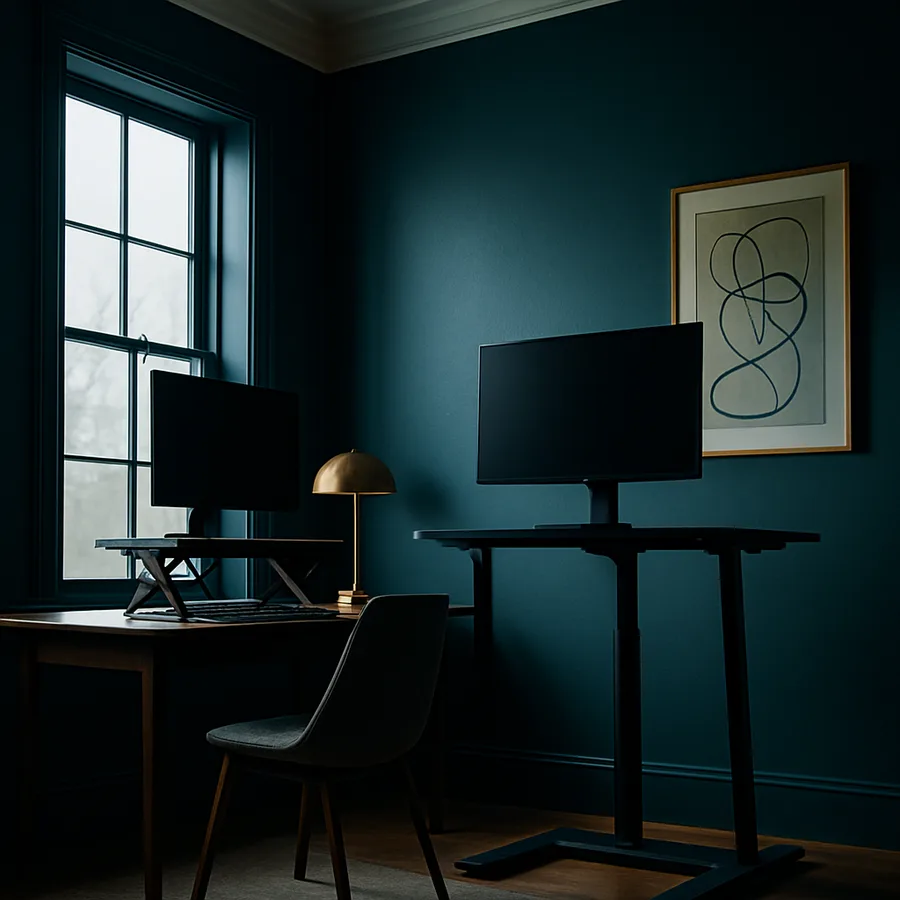
Office workers who switch from a fixed seated workstation to a sit-stand setup often expect immediate posture relief, yet the equipment they choose determines whether that relief actually arrives. The two main paths are a desktop converter that perches on top of an existing desk and a full electric standing desk that replaces it entirely. Each option carries a distinct ergonomic profile, footprint, and budget, and each one rewards a different kind of user. Understanding those differences in detail prevents the common mistake of buying a unit that looks adjustable on paper but locks the user into a single uncomfortable height in practice.
Posture is not a fixed pose. The American National Standards Institute and the Human Factors and Ergonomics Society describe healthy desk posture as a series of neutral positions cycled throughout the day, and the equipment must support that cycle. A converter and a full desk both promise that flexibility, but they deliver it through completely different mechanisms. The sections below walk through the trade-offs that actually affect spinal alignment, shoulder loading, wrist angle, and long-term comfort, so you can match the hardware to the body that has to use it for forty hours a week.
Defining the Two Categories Before You Compare Them
A standing desk converter, sometimes called a desktop riser, is a self-contained unit that sits on your existing desk surface and lifts a keyboard tray and monitor shelf upward when you want to stand. Most converters use a Z-frame or X-lift gas piston mechanism with squeeze handles on either side. The desk underneath stays put, so your traditional surface remains usable for paper work, books, or laptops that you do not want to elevate.
A full standing desk, by contrast, is the entire desk. The legs themselves telescope, usually driven by one, two, or three electric motors that move the surface from a low seated height to a tall standing height in a smooth vertical line. The whole work surface, including monitors, keyboard, mouse, lamp, and clutter, rises and lowers together. This is the category that includes Uplift, Fully Jarvis, Vari, Flexispot, and similar brands.
The third option, often forgotten, is a fixed-height standing desk with no adjustment at all. These exist but are rarely the right answer for posture work because they remove the ability to alternate, which is the whole point of a sit-stand setup. The Business and Institutional Furniture Manufacturers Association classifies adjustable height as a primary ergonomic feature in its BIFMA G1 ergonomic guideline, so any serious posture solution needs adjustment built in.
Have you measured the elbow-to-floor distance you actually need? Most adults require a standing surface between 38 and 46 inches off the ground to keep elbows at ninety degrees, and that single measurement decides which converters will even work for your body before any other comparison matters.
Range of Motion and Why It Decides Posture Outcomes
The single biggest ergonomic difference between the two categories is height range. A typical converter, sitting on a 29 inch desk, raises the keyboard tray about 16 to 17 inches at full extension, putting your typing surface near 45 inches. That is workable for users between roughly 5 feet 6 inches and 6 feet 1 inch. Outside that band, the converter either stops too low to support standing posture or, when collapsed, sits too high to allow proper seated typing. The Occupational Safety and Health Administration's computer workstation guidance emphasizes that elbow angle and shoulder relaxation must be neutral in both modes, and a converter forces a compromise on at least one of them for users at the tall or short end of the bell curve.
A full standing desk solves this by adjusting the entire work surface rather than stacking a riser on top of a fixed-height desk. Quality electric frames travel from about 22 to 49 inches, which covers users from roughly 5 feet 0 inches to 6 feet 7 inches without compromise. The motors typically lift between 220 and 355 pounds depending on the model, so monitors, dual-arm mounts, and even small treadmills do not exceed capacity. This range is the reason ergonomists tend to recommend full desks for households where two people of different heights share the same workstation.
Range also affects something subtler than reach: the willingness to actually transition. A converter that takes ten seconds to clamp down and lift, with cables that snag, will be transitioned two or three times per day. A full electric desk with a memory keypad transitions on a single button press and is typically used six to eight times a day, which is the cadence that posture researchers associate with reduced lower back fatigue.
Stability, Wobble, and Monitor Behavior at Standing Height
Stability matters more than buyers expect, because a desk that vibrates with each keystroke transmits that motion straight to the monitors and to the user's wrists. Converters tend to wobble more at full extension because the lift mechanism is a cantilevered hinge rather than a fixed column, and the unit is balancing the weight of monitors over a relatively narrow footprint. Heavier converters with steel construction wobble less than lightweight aluminum units, but very few converters match the stability of a well-made full desk at typing height.
Full desks distribute weight across two or three legs that descend straight to the floor. Dual-motor frames are noticeably more stable than single-motor budget units, and triple-motor frames with a center support beam are the most stable of all. Lateral racking, the side-to-side sway that ruins video calls and shakes monitors, is the metric to watch. Reputable manufacturers publish lateral stability test results, and BIFMA X5.5 certification offers a benchmark you can compare across brands rather than guessing from marketing copy.
Monitor behavior follows from stability. If you use a single 24 inch monitor, almost any converter or desk will hold it without trouble. Add a 34 inch ultrawide on a heavy VESA arm, plus a laptop riser, plus a webcam, and total clamp weight can climb past 30 pounds. Many converters list a maximum monitor weight of 20 to 35 pounds, while full desks routinely accept 220 pounds or more on the surface itself. If your setup is dense, the full desk almost always wins on this category.
Footprint, Workspace, and the Forgotten Cost of a Converter
A converter sounds space-efficient because it adds capability to your existing desk, but in practice it consumes more usable surface than buyers anticipate. The base of a 36 inch converter occupies a roughly 24 by 32 inch zone of your desktop even when collapsed, and that zone is no longer available for paper, sketchbooks, or a second laptop. If your desk is 60 inches wide, you have effectively lost a third of your work surface to the converter base.
A full desk has the opposite property. The entire surface remains usable at all times because nothing is mounted on top of it that you cannot move freely. A 60 inch electric desk gives you 60 inches of monitor and accessory real estate at any height. For users who spread out reference materials, sketch by hand, or assemble physical prototypes, that uninterrupted surface matters more than any other factor.
There is also a hidden vertical cost to converters. Because the monitor shelf sits on top of the riser, the maximum monitor height is constrained by ceiling, by overhead cabinets, and by sightlines to whoever sits behind you in an open office. Tall users frequently discover that a converter will not lift their monitor high enough to put the top edge at eye level, which is the position the American Optometric Association recommends for reduced neck flexion. A full desk avoids this because the monitor mounts rise with the surface as a single unit.
Are you working in a rented apartment where you cannot replace the desk, or a corporate cubicle where the surface is bolted to a partition? In those cases the converter wins by default, because a full desk is simply not an option regardless of its ergonomic advantages.
Budget, Lifespan, and Warranty Coverage
Converters span a wide price range, from roughly $150 for a basic two-tier model to $600 for a heavy steel pneumatic unit with a wide keyboard tray. Most users land in the $250 to $400 zone for a unit that will hold a dual-monitor setup without flexing. The mechanical parts, mainly gas pistons and pivot hinges, have a typical service life of five to seven years before the lift becomes uneven or the lock weakens.
Full electric desks start near $400 for budget single-motor frames and climb to $1,200 or more for triple-motor commercial-grade units with cross-bracing and quality tops. Mid-tier dual-motor desks from established brands cluster in the $700 to $900 range, and these are the units most ergonomists recommend for serious daily use. Warranty length is the cleanest signal of expected lifespan: a five-year warranty on the frame is the floor for a quality unit, and the best brands offer ten to fifteen years on the structural components and seven years on the motors.
The American Society of Interior Designers, in materials available through ASID's professional resources, notes that workspace furniture is one of the categories where the ten-year amortized cost is far more relevant than the sticker price. A $900 desk used for eight years amortizes to less than thirty cents per workday, while a $300 converter replaced twice in the same period costs the same in absolute dollars but delivers worse ergonomics throughout.
Matching the Right Choice to Your Specific Situation
The clean rule is this. Choose a converter if you cannot replace your desk, if your daily standing time is less than two hours, if you are between 5 feet 6 inches and 6 feet 1 inch, and if your monitor setup is light. Choose a full standing desk if you stand more than two hours daily, if you share the workstation with someone of a different height, if you have heavy or multiple monitors, or if you have any history of low back pain that benefits from frequent posture cycling.
For users in the gray zone, the deciding factor is usually transition frequency. Research published by the Cornell Human Factors and Ergonomics group suggests that the optimal cadence is roughly 30 minutes seated and 10 minutes standing, repeated through the day. That cadence implies eight to twelve transitions per workday, and only a single-button motorized desk supports that cadence comfortably over months of use. A converter, no matter how well engineered, eventually accumulates enough small frictions, snagged cables, sticky levers, awkward monitor arm angles, that transitions slow to the two or three per day where ergonomic benefits start to evaporate.
One useful test before you buy: stand at your kitchen counter for thirty minutes while you type on a laptop placed at counter height. If your shoulders, neck, and lower back feel acceptable, a basic converter at the same height will probably serve you. If they ache within fifteen minutes, you need either a better mat, a fully adjustable surface, or both, and the full desk becomes the safer purchase. The Better Homes and Gardens home office workspace planning guides recommend testing standing posture at counter height precisely because it surfaces problems early.
Conclusion
The honest summary is that a full electric standing desk is the more ergonomically capable solution for almost every user who has the budget, the floor space, and the freedom to replace their existing desk. It offers a wider height range, better stability under load, an uninterrupted work surface, and the kind of one-button transition speed that turns a sit-stand setup from an aspiration into an actual daily habit. For long sessions, mixed-height households, or anyone with an existing back complaint, the full desk earns its higher price through years of compounded posture benefit.
The converter still has a real place in the lineup. Renters, cubicle workers, occasional standers, and budget-constrained buyers can get genuine ergonomic improvement from a well-built converter that fits their height range. The trick is to be honest about transition frequency. If you find yourself standing twice a day instead of eight times, the converter is not failing you, but it is also not delivering the full posture benefit that the category promises in its marketing.
Either way, the equipment is only half the equation. A standing surface paired with a poor monitor height, a wrong-height keyboard, or a hard floor without an anti-fatigue mat will create new problems faster than it solves old ones. Take an afternoon to measure your elbow height seated and standing, your sightline to the top of the monitor, and the depth of your existing surface before you order anything. Bring those numbers to the spec sheet and you will buy once instead of twice.
Ready to upgrade your workspace? Measure your seated elbow height, standing elbow height, and monitor sightline tonight, then read the BIFMA G1 ergonomic guideline before you click buy. The fifteen minutes of measurement and the thirty minutes of reading will save you from a return shipment and protect your spine for the next decade of work.
More Articles You May Like



Comments
Post a Comment