Stylish and Functional: Best Laptops for Interior Design Professionals
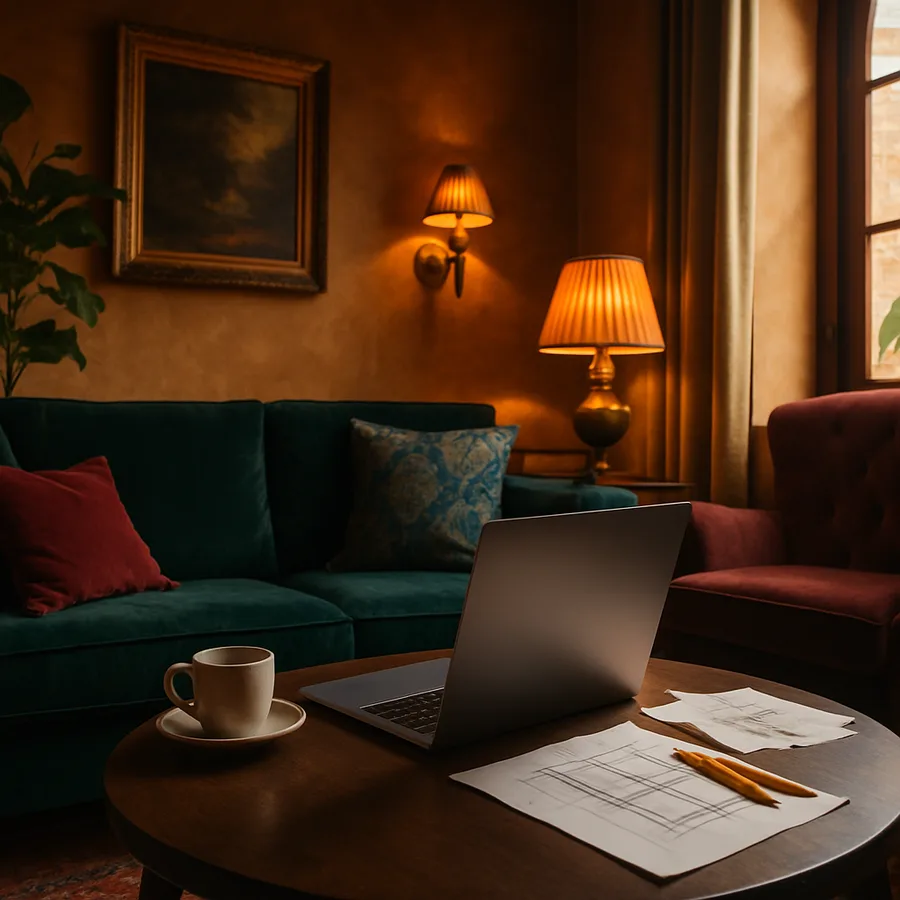
Interior design is a profession that demands both creative vision and technical precision, and the laptop an interior designer carries must reflect and support both qualities equally. The days of sketching concepts exclusively on paper and presenting them in printed portfolios have given way to a digital-first workflow where three-dimensional renderings, virtual walkthroughs, and real-time client presentations define professional competence. A laptop that cannot keep pace with this reality becomes a liability rather than a tool. The American Society of Interior Designers (ASID) reports that technology proficiency is now among the top five skills clients evaluate when selecting a designer, placing laptop capability in direct service of business development. The IIDA further notes that designers who invest in professional-grade technology command fee premiums of 15 to 25 percent compared to peers relying on consumer-grade equipment, because their presentations and deliverables demonstrate a higher standard of professional commitment. This guide addresses the specific requirements that interior design professionals face when selecting a laptop that is simultaneously a creative instrument, a presentation platform, and a statement of professional identity.
Understanding the Unique Software Demands of Interior Design
Interior design software spans a remarkably broad spectrum of computational requirements, from lightweight mood board creation to processor-intensive photorealistic rendering. A designer's typical day might begin with email and project management in browser-based tools, move to space planning in AutoCAD or Revit, shift to material selection using digital swatch libraries, proceed to three-dimensional visualization in SketchUp or Chief Architect, and conclude with presentation assembly in Adobe InDesign or Keynote. Each of these applications places different demands on processor, memory, graphics, and storage, and the laptop must handle all of them without requiring the designer to close one application before opening another. Multitasking is not a luxury in interior design -- it is the fundamental operating mode.
Rendering engines represent the peak computational demand in most interior design workflows. Applications like V-Ray, Enscape, and Lumion transform three-dimensional models into photorealistic images and animations that clients use to evaluate design proposals before construction begins. A single high-quality rendering can take anywhere from five minutes to several hours depending on scene complexity, lighting conditions, and material detail. The difference between a laptop that completes a rendering in fifteen minutes and one that requires ninety minutes is not merely a convenience issue -- it determines how many design iterations a designer can present in a client meeting, directly impacting the quality and responsiveness of service. Designers certified through the NCIDQ are expected to demonstrate competency with digital visualization tools, making rendering performance a professional qualification requirement.
Cloud-based design tools are supplementing but not replacing locally installed software for most interior design professionals. Applications like Morpholio Board for digital mood boards, Planner 5D for quick space visualization, and various manufacturer-specific product specification tools operate through web browsers or lightweight apps. However, the core professional tools -- AutoCAD, Revit, SketchUp Pro, and the Adobe Creative Suite -- still run most effectively as local installations with full access to hardware acceleration. Have you found yourself waiting for software to load while a client watches? That experience erodes professional credibility in ways that are difficult to recover, and it is entirely preventable with appropriate hardware selection.
Display Technology That Serves the Design Eye
The display is where interior design work lives, and no other specification category carries as much weight for design professionals. Color accuracy is the paramount consideration -- a display that misrepresents colors leads to material specifications that disappoint when realized in physical space. The minimum acceptable standard for professional interior design work is 100 percent sRGB color space coverage with a Delta E color accuracy rating below 2.0, meaning the average person cannot perceive the difference between the displayed color and the true color. Premium displays covering the wider DCI-P3 color gamut provide additional accuracy for rich, saturated tones commonly found in textiles, accent walls, and decorative accessories.
Panel technology choices have expanded significantly, with OLED displays now available in professional laptop configurations. OLED technology offers perfect black levels, infinite contrast ratios, and vibrant color reproduction that makes design presentations genuinely stunning. The trade-off involves potential burn-in risk from static interface elements displayed for extended periods, though modern OLED panels include mitigation technology that has largely addressed this concern. Mini-LED backlit LCD panels offer an alternative with excellent contrast, high brightness, and no burn-in risk, making them a pragmatic choice for designers who prioritize longevity. The Houzz professional community forums consistently rank display quality as the single most important laptop specification for practicing designers, above processor speed, memory quantity, or brand reputation.
Screen size presents a genuine dilemma for interior designers who need both workspace and portability. A 16-inch display provides generous room for design applications with their extensive tool palettes, properties panels, and canvas areas. A 14-inch display offers better portability for site visits, client meetings, and showroom presentations. The resolution partially compensates for size -- a 14-inch 4K display packs more pixels per inch than a 16-inch 2K display, rendering finer detail in a smaller space. Many designers resolve this tension by selecting a portable 14-inch laptop for fieldwork and connecting to a larger external monitor in the studio. The ASID recommends that designers maintain both a mobile and a studio display configuration, treating them as complementary rather than competing investments.
Performance Architecture for Design Workflows
Processor selection for interior design laptops should prioritize sustained performance over peak benchmark scores. Design software runs for extended periods, and a processor that delivers impressive short-burst performance but throttles under sustained load due to thermal limitations will frustrate during the long rendering sessions that define professional work. Current-generation processors from both Intel and AMD offer excellent sustained performance in well-cooled chassis designs, but the laptop's cooling system is as important as the processor itself. Thin, ultralight designs may house powerful processors but lack the thermal headroom to let them perform at full capability for extended periods. Reading professional reviews that test sustained performance rather than peak benchmarks provides more relevant information for design workflows.
Dedicated graphics processing is non-negotiable for interior designers who work with three-dimensional visualization. Integrated graphics solutions, while increasingly capable, cannot match the rendering performance of a dedicated GPU when processing complex scenes with realistic lighting, reflections, and material properties. An NVIDIA RTX-series GPU with at least 6 GB of dedicated memory provides the foundation for productive three-dimensional work, while 8 GB or more ensures headroom for increasingly detailed scenes. The ray-tracing capabilities of modern GPUs produce dramatically more realistic renderings by simulating actual light behavior, a feature that transforms client presentations from approximations into convincing previews of the finished space. According to IIDA research, designers who present ray-traced renderings secure project approval 40 percent faster than those using traditional rendering methods.
Memory and storage specifications should reflect actual file sizes and multitasking patterns. A single Revit project file can exceed 500 megabytes, while the associated texture library, rendering outputs, and reference images may consume several gigabytes more. Running Revit alongside Photoshop and a web browser with multiple product specification tabs open routinely requires twenty gigabytes or more of active memory. Thirty-two gigabytes of RAM provides comfortable headroom for this workload, while sixteen gigabytes forces careful application management that interrupts creative flow. Storage of one terabyte minimum on a fast NVMe solid-state drive ensures responsive file operations, with two terabytes preferred for designers who maintain extensive material and product libraries locally.
Portability Versus Performance: Finding Your Balance Point
Interior designers work in more varied physical environments than almost any other profession -- client homes, commercial construction sites, furniture showrooms, material libraries, design studios, and home offices all feature in a typical week. The laptop must perform credibly in each of these contexts, which creates genuine tension between the power needed for rendering and the lightness needed for all-day carry. Understanding your personal balance point requires honest assessment of how much time you spend at each location type and what tasks you perform there. A designer who renders exclusively in the studio but needs only presentation capability on-site can optimize differently from one who renders on location.
Battery endurance is the hidden dimension of portability that specification sheets often misrepresent. Manufacturer claims of twelve or fourteen hours of battery life are measured under artificially light workloads that bear no resemblance to running design software. Real-world battery life under design workloads typically falls between four and eight hours depending on task intensity, display brightness, and GPU utilization. A laptop that delivers six honest hours of mixed design work on battery provides sufficient endurance for a client meeting and site visit without requiring a power outlet. USB-C power delivery has simplified charging logistics, as compact GaN chargers weighing under 300 grams can deliver full laptop charging power from any available outlet.
The physical durability of a laptop carried between environments deserves more consideration than it typically receives. A laptop that travels in a bag alongside material samples, measuring tapes, and printed specifications faces more physical stress than one that sits permanently on a desk. Military-grade durability ratings, while partially marketing language, do indicate testing against drops, vibrations, temperature extremes, and humidity. Spill-resistant keyboards protect against the inevitable coffee mishap during a long design session. Quality carrying cases designed specifically for laptops add an additional protection layer. What would the financial and professional impact be if your laptop suffered damage during a critical project phase? The answer should inform how much you invest in build quality and protective accessories.
Professional Presentation and Client-Facing Considerations
For interior designers, the laptop is not just a tool but a component of professional presentation that clients evaluate consciously and unconsciously. The physical appearance of the laptop communicates design sensibility, attention to detail, and professional investment. A sleek, well-maintained aluminum laptop presented during a consultation creates a different impression than a scuffed plastic machine with sticker residue and a cracked hinge. This observation is not superficial -- the NCIDQ's professional practice examination includes questions about professional presentation and client communication, recognizing that every visible element contributes to client confidence. The laptop you open in a client meeting is a design object in its own right.
Presentation capability extends to the practical matter of screen sharing and client collaboration. A laptop with a bright, color-accurate display that remains visible from multiple viewing angles enables informal presentations where designer and client view the screen together. Touch-screen capability allows designers to annotate renderings and floor plans collaboratively, creating an interactive consultation experience that static presentations cannot match. The ability to connect wirelessly to client-provided displays or projectors for formal presentations requires reliable wireless display protocols or a compact adapter kit. Designers should rehearse their presentation setup to ensure seamless transitions between design software, rendering galleries, and material specification sheets -- technical fumbling during a client meeting undermines the confidence you are there to inspire.
The audio and video quality of built-in components matters for the growing proportion of client interactions conducted via video conference. A webcam that produces grainy, poorly lit video conveys a lack of professionalism regardless of the design quality being discussed. Current laptops with 1080p cameras and computational photography features produce video quality that rivals dedicated webcams, eliminating the need for an external camera in most situations. Microphone arrays with background noise suppression ensure clear communication even from home offices with ambient noise. Houzz reports that 58 percent of initial design consultations now occur via video call, making these specifications directly relevant to business development. Invest in the technology that presents you as competently as your design work deserves, and contact an ASID-affiliated practice consultant for guidance on building a technology strategy that supports both your creative capabilities and your professional brand.
Long-Term Value and Technology Lifecycle Planning
A professional laptop is a depreciating asset that must be planned for within the broader context of design practice management. The optimal replacement cycle for an interior design laptop is three to four years, after which advancing software requirements, battery degradation, and accumulated wear typically reduce the machine's productivity contribution below an acceptable threshold. Planning for this cycle from the point of purchase ensures that replacement is a strategic upgrade rather than an emergency response to hardware failure. Establishing a monthly technology reserve of $75 to $125 builds a replacement fund that covers a professional-grade laptop within a three-year accumulation period.
Selecting a laptop with upgrade potential extends its useful life and improves long-term value. Some professional laptops allow memory upgrades from sixteen to thirty-two or sixty-four gigabytes, enabling the machine to grow with your workflow demands. Storage can often be expanded or upgraded to faster drives as prices decrease over the machine's lifespan. However, processors and graphics cards are permanently fixed in laptop designs, making these the specifications most important to future-proof at the time of purchase. A laptop with a powerful current-generation processor and GPU but only sixteen gigabytes of RAM can be upgraded later, while a laptop with thirty-two gigabytes of RAM but a weak processor cannot be meaningfully improved.
The residual value of a well-maintained professional laptop provides partial offset against replacement cost. Premium brands retain value more effectively than budget alternatives, with three-year-old professional laptops typically commanding 25 to 35 percent of their original purchase price in resale markets. Maintaining the original packaging, keeping the machine in clean condition, and preserving battery health through good charging practices all contribute to higher resale value. Interior designers, who understand better than most professionals how quality materials and careful maintenance preserve value in physical objects, should apply the same principles to their technology investments. The laptop you select today is the foundation of your professional capability for the next several years -- choose it with the same intentionality you bring to selecting materials for your clients' spaces, and consult with IIDA resources on technology planning for design practices to ensure your investment supports your professional growth.
More Articles You May Like



Comments
Post a Comment