Revolutionize Your Home with These Must-Have Interior Design Apps
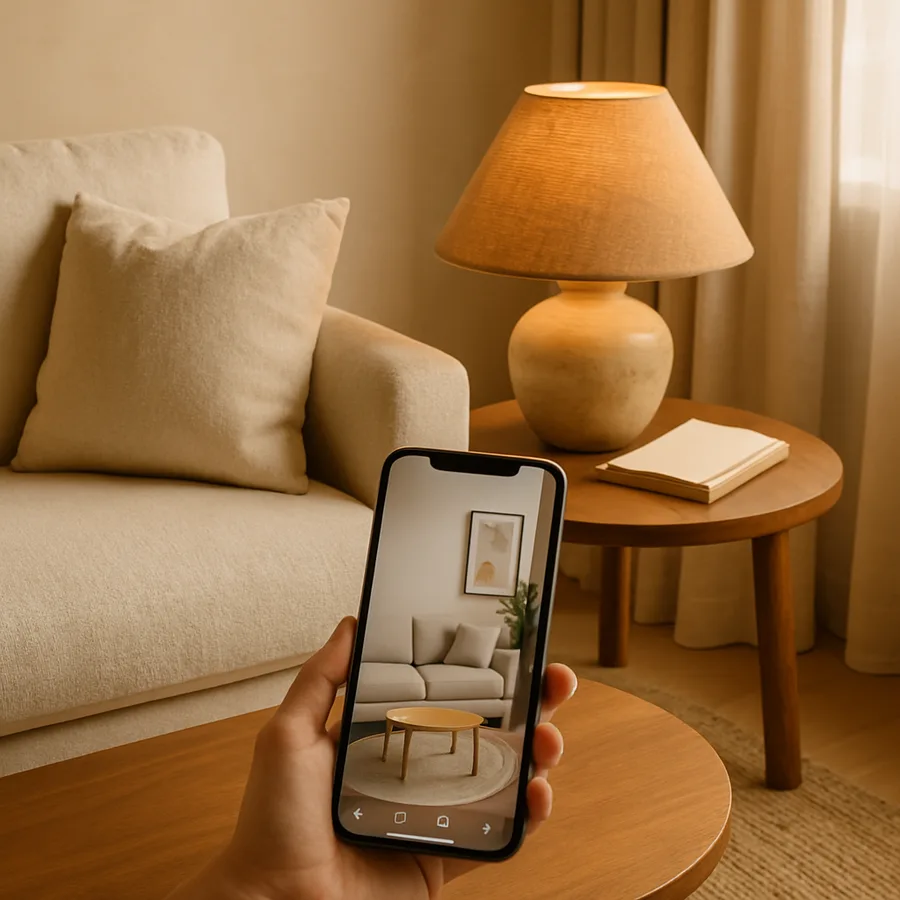
Interior design apps have moved far beyond simple mood boards and color wheels, evolving into sophisticated platforms that harness artificial intelligence, augmented reality, and machine learning to deliver design experiences that rival what was possible only through professional consultation a decade ago. The American Society of Interior Designers (ASID) has tracked this evolution closely, noting that the most advanced consumer design apps now incorporate capabilities, such as photorealistic rendering, real-time material simulation, and contextual style recommendation, that were once confined to expensive professional software suites. For homeowners who want to transform their living spaces but are not ready to engage a professional designer, these apps represent a genuine revolution in accessibility, empowerment, and creative possibility.
The numbers tell a compelling story about adoption and impact. According to a report by Statista, the global home improvement app market has experienced compound annual growth of more than 15 percent, driven by consumer demand for tools that reduce the risk and friction of design decisions. Houzz alone reports more than 65 million monthly unique users, and the platform's data shows that homeowners who use digital design tools spend an average of 14 percent more on their projects but report 28 percent higher satisfaction with the results. The International Interior Design Association (IIDA) interprets these figures as evidence that technology is not replacing the design impulse but amplifying it, giving more people the tools and confidence to invest in their living environments. The National Council for Interior Design Qualification (NCIDQ) has observed a parallel trend among professionals, with an increasing number of certified designers integrating consumer-facing apps into their client engagement process.
This article explores the must-have interior design apps that are reshaping how we envision, plan, and execute home transformations. Rather than providing a simple ranked list, we examine the capabilities that matter most at each stage of the design process and identify the apps that deliver those capabilities most effectively. Whether you are starting from scratch in a new home, refreshing a room that has grown stale, or preparing to sell and wanting to stage effectively, these tools can help you make decisions that are more informed, more confident, and more likely to produce results you love. Let us explore the apps that are putting the power of professional design into the palm of your hand.
AI Room Transformation Apps That Deliver Real Results
The most transformative category of interior design apps uses artificial intelligence to reimagine existing rooms in entirely new styles, giving homeowners a vivid preview of what their space could look like with different design choices. Apps in this category, including RoomGPT, Interior AI, and ReRoom, accept a simple photograph of any room and return photorealistic renderings of that same room redesigned in styles ranging from Scandinavian minimalism to maximalist bohemian to industrial chic. The technology underlying these apps, primarily diffusion-based generative models, has improved so rapidly that current outputs are often indistinguishable from professional interior photography. The ASID has described this technology as a "democratizing force" that empowers homeowners to explore design possibilities they might never have considered without visual prompting.
The practical utility of AI room transformation extends beyond aesthetic exploration into concrete project planning. When you can see exactly how your living room would look with a different sofa, a new paint color, and replaced flooring, you can make purchasing and renovation decisions with far greater confidence. According to the National Kitchen and Bath Association (NKBA), design-related regret is one of the top three sources of dissatisfaction among renovating homeowners, and visualization tools directly address this problem by making potential outcomes visible before any money is spent. The IIDA has noted that professional designers have always used visualization, in the form of sketches, renderings, and sample boards, to manage client expectations and build consensus. AI room transformation apps bring this same expectation-management capability to homeowners who are managing their own projects.
To get the best results from AI room transformation apps, follow three simple guidelines. First, photograph your room from a corner to capture the maximum amount of spatial context, as the AI performs better with more visual information. Second, ensure even lighting by turning on all lights and opening curtains, because dark or unevenly lit photographs produce less accurate renderings. Third, clear away clutter before photographing, as excess objects in the frame can confuse the AI's spatial analysis. Have you ever been curious about how your home would look in a completely different design style? These apps make that curiosity actionable, and the experience of seeing your own space transformed is genuinely exciting, even if you ultimately decide that your current style is the right one. The exercise itself builds design literacy and sharpens your ability to articulate what you do and do not like.
Augmented Reality Apps That Let You Try Before You Buy
Augmented reality (AR) interior design apps solve one of the oldest and most expensive problems in home furnishing: the inability to know how a piece of furniture will look and fit in your space until you have already purchased and delivered it. Apps like IKEA Place, Houzz's "View in My Room," and the AR features built into Amazon and Wayfair overlay three-dimensional product models onto your live camera feed, rendered at accurate scale and with realistic lighting. The result is a live preview that shows you exactly how a specific product will look in your specific room, from any angle, before you spend a cent. The NCIDQ has recognized AR visualization as a significant advance in consumer design tools, noting that the technology reduces the information asymmetry between retailers and consumers that has historically led to purchasing regret.
IKEA Place deserves special recognition as a pioneer in AR furniture placement. The app, which is free and does not require an IKEA purchase to use, offers three-dimensional models of more than 2,200 IKEA products, all rendered at true-to-life scale. The models include accurate material textures, which means you can evaluate not just whether a piece fits dimensionally but also whether its visual character, the grain of the wood, the sheen of the fabric, the finish of the hardware, harmonizes with your existing decor. According to IKEA, the app has been downloaded more than 35 million times, and users who engage with AR features return products at roughly half the rate of users who shop without AR assistance. The ASID has cited IKEA Place as evidence that technology and traditional design values, such as material quality, proportional harmony, and contextual fit, are not in tension but can reinforce each other when thoughtfully integrated.
The next frontier for AR design apps is real-time material and finish customization, which would allow you to not only place a virtual sofa in your room but also change its upholstery fabric, leg finish, and cushion style while viewing it in context. Several apps are already offering early versions of this capability, and the technology is advancing rapidly. What piece of furniture are you most afraid of getting wrong? Whether it is a sofa that dominates your living room, a dining table that sets the tone for family gatherings, or a bed frame that anchors your most personal space, AR tools can transform that fear into confidence by giving you the visual information you need to choose wisely. The IIDA advises professional designers to present clients with contextual visualizations whenever possible, and AR apps bring that same best practice to the self-directed homeowner.
Smart Color Tools That Eliminate Guesswork
Choosing paint colors remains one of the most stressful aspects of interior design for homeowners, and the stakes are genuinely high: a poorly chosen color can make a room feel smaller, darker, colder, or more chaotic than intended, and the cost of repainting is both financial and emotional. Smart color tools powered by AI and augmented reality have emerged as the antidote to this stress, offering real-time visualization, intelligent palette suggestion, and contextual color matching that dramatically reduce the risk of a bad choice. The NCIDQ includes advanced color theory in its certification curriculum, reflecting the depth of knowledge required to use color effectively, and the best color apps distill this expertise into accessible, intuitive interfaces.
Benjamin Moore's Color Portfolio app exemplifies the state of the art in consumer color tools. The app allows you to photograph any room and apply any of Benjamin Moore's 3,500-plus paint colors to specific surfaces in the image, producing a realistic visualization that accounts for the room's lighting, existing colors, and material context. Its "Color Match" feature can extract color values from any photograph, fabric swatch, or natural object, and identify the closest Benjamin Moore paint match, which is invaluable for homeowners who want to incorporate a specific hue they have encountered in a magazine, hotel lobby, or natural setting. According to Benjamin Moore, Color Portfolio users report 40 percent higher satisfaction with their color choices compared to customers who rely exclusively on in-store color chips.
For homeowners who struggle not with choosing a single color but with building a harmonious multi-color palette, apps like Coolors and Adobe Color offer powerful palette generation tools based on established color theory principles. These apps can generate complementary, analogous, triadic, and split-complementary palettes from any starting color, and they allow you to fine-tune individual hues while maintaining the overall harmonic relationship. Do you know which color theory principle governs the palette in the room you are sitting in right now? Most people do not, and that lack of awareness often leads to instinctive color choices that feel "off" without the homeowner understanding why. Palette generation apps make the underlying theory visible and actionable, empowering you to create color schemes that are not only pleasing but structurally coherent. The ASID has published extensive resources on color theory for consumers, and palette generation apps serve as interactive companions to that educational content.
Space Planning Apps for Functional Design
Beautiful design that does not function well is not truly good design, and space planning apps ensure that your layout decisions serve daily life as effectively as they please the eye. Apps like Planner 5D, MagicPlan, and Floor Plan Creator allow you to create dimensionally accurate models of your rooms and experiment with furniture placement, traffic flow, and spatial relationships in a low-stakes virtual environment. The IIDA has identified space planning as one of the core competencies that distinguishes professional designers from amateur enthusiasts, and the best space planning apps encode professional planning principles into their recommendation engines. According to the American Institute of Architects (AIA), spatial dysfunction, rooms that are difficult to navigate, furniture that impedes flow, or layouts that waste usable area, is the most common complaint among renovating homeowners, exceeding even dissatisfaction with materials or finishes.
MagicPlan stands out for its measurement capabilities, using your phone's camera and sensors to create accurate floor plans by simply walking around a room. The app detects walls, corners, doors, and windows automatically, generating a scaled plan that can be exported, annotated, and shared with contractors or design professionals. Once you have an accurate floor plan, MagicPlan's layout planning tools allow you to drag and drop furniture pieces from a comprehensive catalog, testing different arrangements until you find one that optimizes both function and aesthetics. Houzz research indicates that homeowners who create floor plans before purchasing furniture are 45 percent less likely to return items due to fit issues, which represents significant savings in both money and time.
The most sophisticated space planning apps incorporate principles from environmental psychology, the study of how physical environments affect human behavior and well-being. For example, research has shown that rooms with clear sight lines to entry points feel safer and more welcoming, that conversation areas work best when seating is arranged in a rough circle at a distance of four to eight feet, and that natural light exposure should be maximized in rooms used during daytime hours. Have you ever walked into a room and felt immediately comfortable without being able to articulate why? The answer almost certainly involves space planning principles that the room's designer, whether professional or intuitive, implemented effectively. Space planning apps make these principles explicit and testable, allowing you to evaluate your own layouts against established standards. The NCIDQ tests candidates extensively on space planning, and the best consumer apps make those same principles accessible to everyone.
Community and Inspiration Platforms for Design Learning
Design skill development is an ongoing journey, and community-driven platforms provide the inspiration, education, and peer feedback that accelerate learning and build confidence. Houzz leads this category with its combination of the world's largest interior photography database, an active Q&A forum, a professional directory, and editorial content produced by design journalists and practicing designers. The platform's community features create a virtuous cycle: homeowners share their completed projects, other homeowners draw inspiration from those projects, and professional designers use the platform to showcase their work and connect with potential clients. The ASID has partnered with Houzz on multiple initiatives, recognizing the platform's role in expanding public engagement with professional-quality interior design.
Beyond Houzz, platforms like Apartment Therapy, Design Milk, and the design sections of Instagram and TikTok offer diverse perspectives on interior design that range from aspirational to accessible. The democratization of design content means that you can find inspiration at every budget level, from the luxury showroom to the thrift store makeover. The IIDA has observed that exposure to diverse design content is one of the most effective ways to develop personal style, because it forces you to confront the full spectrum of aesthetic possibilities and identify where your own preferences fall. According to a study by the Design Management Institute, individuals who regularly engage with design content make faster and more confident design decisions compared to those who engage only when a specific project demands it.
To build your design skills using community platforms, adopt an active rather than passive approach. Instead of simply scrolling through beautiful images, analyze what makes each room work: notice the color palette, evaluate the proportional relationships between furniture pieces, observe how lighting creates mood and hierarchy, and consider how the layout supports the room's intended function. What is the single most important lesson you have learned from browsing design content online? The answer to that question reveals your design development edge, the area where your taste has matured beyond the default. Lean into that edge, explore it more deeply, and let it guide your design decisions. The NCIDQ encourages this kind of reflective practice among design professionals, and community platforms provide the raw material for self-directed design education at every level.
Integrated Workflows: Combining Apps for Maximum Impact
The true power of interior design apps emerges not from any single tool but from the strategic combination of multiple tools in a deliberate workflow. A recommended workflow for a room transformation project proceeds in five phases: inspiration gathering, style definition, spatial planning, product selection, and execution. In the inspiration phase, browse Houzz and Pinterest to collect images of rooms that resonate with you. In the style definition phase, use an AI room transformation app to visualize your own space in the styles that emerged from your inspiration research. In the spatial planning phase, scan your room with MagicPlan and experiment with layouts in Planner 5D. In the product selection phase, use AR tools to test specific furniture and decor items in your space. In the execution phase, use a color visualization app to finalize paint selections and a shopping platform to purchase products with confidence. The ASID recommends a similar phased approach for professional design projects, and this app-based workflow translates that methodology into a self-directed format.
Documentation throughout this workflow is essential. Save your Houzz inspirations to themed ideabooks, export your AI-generated room visualizations, screenshot your AR furniture tests, and keep your floor plans and layout experiments organized in a dedicated folder. This documentation serves as a living design brief that captures your evolving vision and provides a visual reference for every decision you make. If you decide to engage a professional designer at any point, your documentation will dramatically accelerate the consultation process, because the designer can see your thought process, understand your preferences, and identify areas where professional expertise will add the most value. The IIDA has noted that clients who arrive at initial consultations with visual documentation receive more targeted and efficient design advice.
A word of caution about app overload: using too many tools simultaneously can create decision paralysis rather than clarity. Limit yourself to one or two apps per workflow phase, and resist the temptation to re-explore earlier phases once you have moved forward. This discipline mirrors the "design freeze" principle used by professional designers and architects, who establish clear milestones at which decisions become final to prevent scope creep and project stagnation. Do you tend to over-research and under-decide when it comes to home design? If so, give yourself a deadline for each workflow phase and commit to making a decision by that deadline using the information you have gathered. The apps profiled in this article provide more than enough information to make confident decisions; the challenge is not information scarcity but information management. The NCIDQ tests candidates on project management skills for exactly this reason, recognizing that even the most talented designer must be able to move from exploration to execution decisively.
Conclusion
The interior design app revolution is not a promise about the future; it is a reality that is available to you right now, at little or no cost, on the device you carry every day. AI room transformation apps let you see your space reimagined in seconds. Augmented reality tools let you test purchases before you make them. Smart color tools eliminate the anxiety of palette selection. Space planning apps ensure that beauty and function work in harmony. Community platforms provide endless inspiration and peer support. Together, these tools constitute a design ecosystem that empowers homeowners to create spaces that are more beautiful, more functional, and more personally meaningful than ever before. The ASID, IIDA, NCIDQ, and Houzz community have all embraced this technological shift, recognizing that it elevates the entire field by expanding participation and raising expectations.
The most important takeaway from this guide is that technology is a catalyst, not a substitute, for your own creative vision. The apps do the heavy lifting of visualization, measurement, and product discovery, but the design decisions remain yours. Your taste, your lifestyle, your emotional response to a room, these are the inputs that no algorithm can replicate, and they are the inputs that matter most. Use the technology to expand your options, reduce your risk, and build your confidence, but always trust the final judgment to your own eyes and your own experience of living in the space you are designing.
Begin your design revolution today by choosing the one room in your home that frustrates you most. Download an AI room transformation app and generate five alternative visions for that room. Save the one that excites you most, then work backward: what specific changes would move your room from its current state toward that vision? Identify one change you can make immediately, one that requires planning, and one that requires saving. Write these three changes on a card and place it where you will see it daily. Then take the first step, whether it is rearranging furniture, painting a sample patch on the wall, or scheduling a consultation with an NCIDQ-certified designer. The apps are ready, the inspiration is infinite, and your transformed space is waiting to be created.
More Articles You May Like


Comments
Post a Comment