The Future of Home Makeovers: Must-Have Interior Design Apps
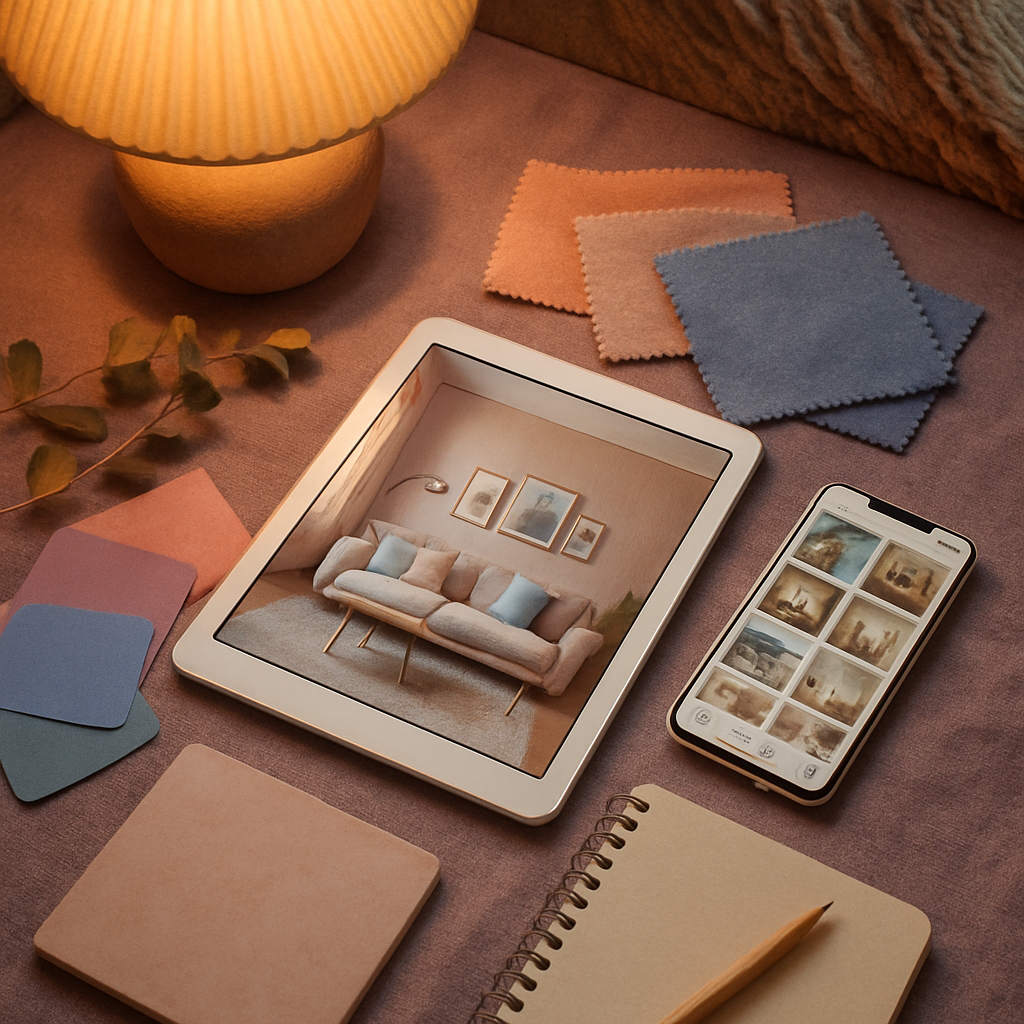
Picture this: you walk into your kitchen, hold up your tablet, and within seconds you see a photorealistic rendering of new countertops, updated cabinetry, and a reconfigured island layout superimposed onto your existing space. No contractor visit, no design consultation fee, no weeks of waiting for concept drawings. This is the present reality of interior design technology, and the apps driving it forward are becoming more capable with every update. The International Interior Design Association (IIDA) has identified digital fluency as a core competency for the next generation of design professionals, signaling that these tools are not a passing trend but a permanent evolution in how spaces are imagined and built. From AI-generated room concepts to collaborative platforms that keep every stakeholder aligned, the apps covered in this article represent the leading edge of home makeover technology. Read on to discover which tools belong in your digital toolkit and how each one addresses a distinct challenge in the renovation process.
AI-Generated Room Concepts That Spark Fresh Ideas
Artificial intelligence has reached a point where you can describe a room in plain language and receive a fully rendered concept image within seconds. Apps leveraging generative AI allow you to type a prompt such as "mid-century modern living room with walnut furniture, olive green accents, and large windows overlooking a garden" and receive multiple visual interpretations to choose from. This capability democratizes the ideation phase of design, giving homeowners access to the kind of rapid concept generation that was previously available only through costly design consultations. The images serve as conversation starters rather than final blueprints, helping you articulate what you want before engaging a professional.
ASID has observed that AI-generated concepts are increasingly appearing in initial client presentations, where designers use them alongside hand sketches and curated reference images to communicate direction. The technology is particularly effective for exploring styles that a homeowner has never experienced in person. Someone curious about Japandi aesthetics but unfamiliar with how that style translates to a small urban apartment can generate a dozen variations tailored to their room dimensions and existing architectural features. The speed of iteration means you can explore biophilic design, quiet luxury, industrial minimalism, and coastal modern in a single sitting, comparing each against the same room footprint to see which resonates most strongly.
The limitations of AI-generated imagery are important to acknowledge honestly. These tools excel at establishing mood and direction but lack the precision needed for construction documents or product specification. A generated image might show a beautiful floating vanity, but it will not tell you whether your bathroom's plumbing configuration can support that installation. This is where the handoff to a qualified designer or contractor becomes essential. Think of AI room generators as the first chapter of your makeover story: they set the tone and establish the characters, but the plot details require human expertise to resolve. How many different styles have you considered for your home, and have you ever felt stuck choosing between two very different directions?
Material Sourcing Apps That Simplify Specification
Specifying materials for a renovation is a process that traditionally involves visiting multiple showrooms, requesting samples, waiting for deliveries, and comparing options under the specific lighting conditions of your space. Material sourcing apps compress this timeline dramatically. Material Bank, for example, allows designers to order samples from hundreds of manufacturers through a single platform, with next-morning delivery and free returns. For homeowners, apps like BuildDirect and Floor and Decor provide extensive catalogs with augmented reality features that let you preview flooring, tile, and stone surfaces in your actual room before ordering.
The sustainability angle of material sourcing apps deserves particular attention. Many platforms now include environmental certifications, recycled content percentages, and carbon footprint estimates alongside traditional product specifications. For designers and homeowners committed to responsible sourcing, this transparency makes it possible to compare a locally quarried natural stone against an imported engineered alternative not just on aesthetics and cost but also on environmental impact. NCIDQ-certified designers are expected to understand material properties and their implications for indoor air quality, and these apps provide the data needed to make informed, health-conscious selections, including low-VOC adhesives, formaldehyde-free engineered wood, and antimicrobial surfaces.
The integration of material sourcing apps with floor planning and visualization tools creates a powerful workflow. You select a tile pattern in the sourcing app, drop it into your floor plan, and see a rendered preview of how it will look installed in your bathroom, all without leaving your couch. Some platforms maintain pricing histories that show seasonal fluctuations, helping budget-conscious renovators time their purchases to coincide with manufacturer promotions. For professionals managing projects with budgets that can run from modest refreshes to comprehensive overhauls billed at $150 to $500 per hour, the ability to compare, specify, and order materials from a single interface saves hours of logistical coordination on every project.
Real-Time Collaboration Tools for Designers and Clients
The relationship between designer and client thrives on clear, timely communication, and the latest generation of collaboration apps eliminates many of the friction points that have historically strained that relationship. Platforms like Gather and Mydoma Studio create shared digital workspaces where mood boards, floor plans, product selections, and budgets live in one place. Both parties can see updates in real time, leave comments on specific elements, and track the status of orders and deliveries without resorting to long email chains or phone calls that interrupt productive work. The transparency reduces misunderstandings and builds the trust that is essential for a successful design engagement.
Houzz Pro has expanded its collaboration tools to include client approval workflows where each selection requires a formal sign-off before it can be ordered. This feature protects both the designer, who has documented proof of client approval, and the homeowner, who knows that nothing will be purchased without their explicit consent. For high-value items like custom upholstery or imported stone, this approval layer prevents the kind of costly disputes that can sour an otherwise positive working relationship. AD PRO has reported that firms using structured approval workflows experience fewer client-initiated changes after the ordering phase, which translates directly into more predictable project timelines and budgets.
Remote collaboration has also expanded the geographic reach of design professionals. A designer based in a major metropolitan area can now serve clients in suburban or rural markets without the overhead of travel, making professional design services accessible to a broader audience. Video walkthroughs recorded within design apps allow the designer to annotate specific areas of the client's home with suggestions, and the client can review these recordings at their convenience rather than scheduling a synchronous meeting. This asynchronous model respects both parties' time and often produces more thoughtful feedback than the pressure of a live conversation allows. Have you ever wished you could get professional design input without the commitment of a full in-person consultation?
Renovation Planning Apps That Manage Timelines and Permits
A beautiful design means little if the renovation to achieve it descends into scheduling chaos, and several apps now focus specifically on the project management side of home makeovers. Apps like Buildertrend and CoConstruct, originally designed for contractors, have expanded their features to include homeowner-facing dashboards that show daily progress, upcoming milestones, and any delays that might affect the completion date. The visibility into the construction process reduces the anxiety that many homeowners feel when their home is torn apart and they have no clear sense of when it will be put back together.
Permit management is an often-overlooked aspect of renovation planning that these apps address effectively. Depending on your municipality, even a seemingly simple project like converting a closet into a powder room may require plumbing permits, electrical permits, and a final inspection. Apps that integrate local building code databases can flag potential permit requirements early in the planning phase, preventing the costly surprise of discovering mid-project that you need approval you did not obtain. ASID recommends that homeowners verify permit requirements before any structural or systems work begins, and these digital tools make compliance significantly easier to manage.
Timeline management features within renovation apps use dependency tracking to show how delays in one trade affect subsequent work. If your tile installation is pushed back by a week because of a shipping delay, the app automatically adjusts the schedule for grouting, fixture installation, and final cleaning, giving you an updated completion date without requiring manual recalculation. For homeowners who are living in their home during the renovation, or who have arranged temporary housing with a fixed end date, this dynamic scheduling is invaluable. The stress of a renovation is never entirely avoidable, but knowing exactly where you stand at every moment transforms uncertainty into manageable expectations.
Accessibility-Focused Design Apps for Universal Living
An important and growing segment of the design app market focuses on accessibility and universal design principles. Apps like AccessAble and Universal Design Living Laboratory help homeowners and designers plan spaces that accommodate mobility limitations, visual impairments, and aging-in-place considerations. These tools go beyond basic ADA compliance checklists to offer spatial simulations that show how a wheelchair user would navigate a proposed kitchen layout or how adjustable-height countertops could serve both a standing adult and a seated user. The result is design that is inclusive by intention rather than accessible by afterthought.
IIDA has been a vocal advocate for universal design education within the profession, and apps that make accessibility planning intuitive and visual are advancing that mission. A common challenge in accessibility design is balancing functional requirements with aesthetic preferences. No homeowner wants their home to feel clinical or institutional, and the best accessibility-focused apps demonstrate that grab bars can be beautiful, that roll-in showers can be luxurious, and that wider doorways create a sense of openness that benefits everyone regardless of mobility status. Studies show that homes designed with universal principles retain higher resale value because they appeal to a broader range of potential buyers, including the growing demographic of older adults who prefer to remain in their homes rather than transition to assisted living.
Smart home integration adds another dimension to accessible design. Voice-controlled lighting, motorized window treatments, and touchless faucets are features that originated in accessibility contexts but have since become mainstream luxury amenities. Design apps that incorporate smart home planning alongside accessibility features help homeowners see these technologies not as medical equipment but as sophisticated lifestyle enhancements. A biophilic design approach combined with smart home automation can create a living environment that responds to the occupant's needs throughout the day, adjusting light levels, temperature, and even ambient sound without requiring physical interaction with switches or controls. What accessibility features would make your daily routine easier, even if you do not currently have a mobility limitation?
Data Privacy and Security Considerations in Design Apps
As design apps collect increasingly detailed information about your home, including room dimensions, photographs, product preferences, and purchase histories, data privacy becomes a legitimate concern that deserves attention. A three-dimensional scan of your home's interior is sensitive information that reveals layout details, valuables, and security system placements. Reputable apps address this by encrypting data both in transit and at rest, providing clear privacy policies, and giving users control over what information is stored and for how long. Before downloading any design app, reviewing its privacy policy and understanding its data practices is a prudent step that too few users take.
The design community has begun to address these concerns proactively. ASID has published guidelines recommending that design professionals discuss data handling practices with clients before using apps that store project information in the cloud. The guidelines suggest that designers should use platforms with enterprise-grade security, enable two-factor authentication, and ensure that client data is deleted from third-party servers when a project is completed. For homeowners using consumer-grade apps, the same principles apply: choose apps from established companies with transparent privacy practices, avoid granting unnecessary permissions like continuous location tracking, and periodically review and delete data you no longer need stored.
Cloud-based collaboration, while convenient, introduces additional considerations when multiple parties have access to a project file. A design project might involve the homeowner, the lead designer, an assistant, a contractor, and several subcontractors, each of whom can see the shared workspace. Granular permission controls allow the project owner to restrict who can view financial information, download high-resolution images, or export floor plans. These controls are not merely theoretical concerns; they reflect the practical reality that design projects involve sensitive information about how people live, what they own, and how much they spend. The future of home makeover technology depends on maintaining user trust, and that trust rests on a foundation of responsible data stewardship that respects the intimate nature of home design information.
Conclusion
The future of home makeovers is being shaped by apps that address every phase of the design and renovation process, from initial inspiration through material specification, project management, accessibility planning, and data security. Organizations like IIDA, ASID, and NCIDQ are integrating digital competency into their professional standards, recognizing that these tools are as fundamental to modern design practice as a tape measure and a sketchbook. For homeowners, the practical benefit is clear: you can explore more options, make more informed decisions, and maintain better control over timelines and budgets than was possible even a few years ago. The apps highlighted in this article represent the strongest offerings available, but the market continues to evolve rapidly. Take time to explore the options that align with your specific project needs, experiment with free trials before committing to paid subscriptions, and approach your next home makeover with the confidence that comes from having powerful, intuitive tools at your fingertips. Your future space is waiting to be imagined, and now you have the technology to bring that vision to life.
More Articles You May Like



Comments
Post a Comment