Revolutionize Your Home: The Best Free Interior Design Apps
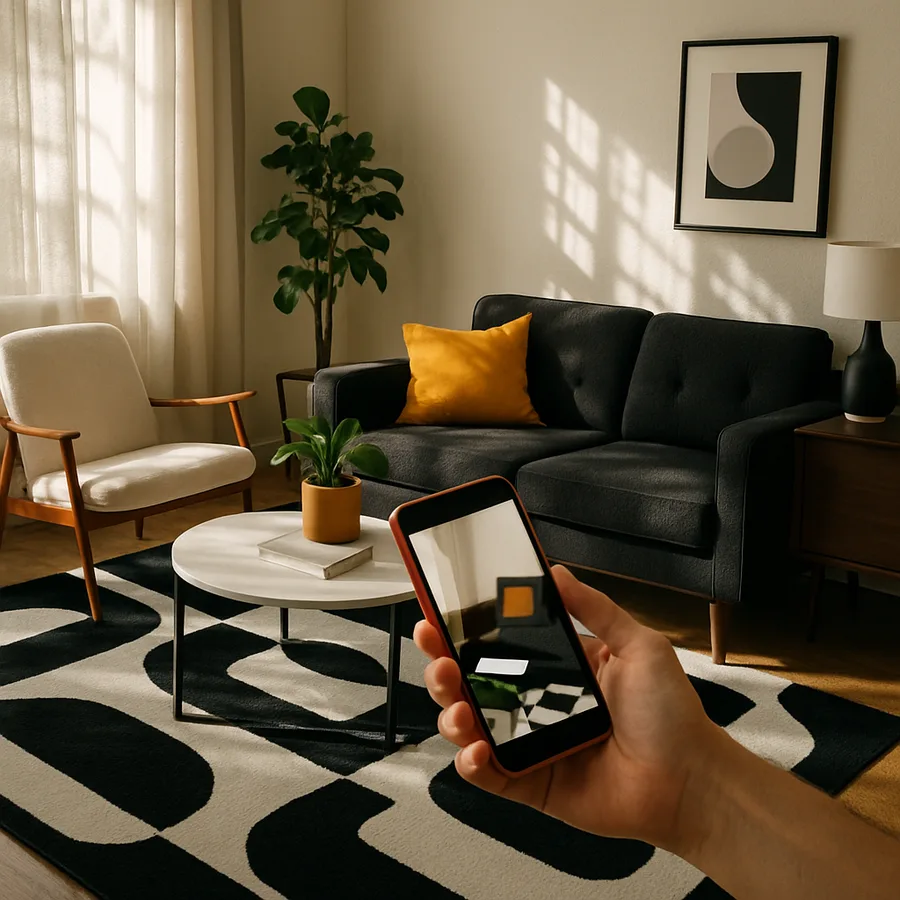
The way homeowners approach interior design has undergone a profound transformation thanks to the proliferation of sophisticated, free design applications. What once required hiring a professional designer or investing in expensive software is now achievable with a smartphone and a few hours of creative exploration. The American Society of Interior Designers (ASID) reports that digital design tool adoption among non-professionals has grown by over 280% in the past four years alone, signaling a fundamental shift in how ordinary people conceptualize and execute home improvement projects. These tools are not mere novelties. They are serious planning instruments that save money, prevent costly mistakes, and empower homeowners to take control of their living environments.
The financial implications of this technological shift are significant. According to industry data, the average homeowner wastes approximately $1,800 per year on home furnishing purchases that end up being returned, donated, or relegated to storage because they did not work as expected in the intended space. Free interior design apps attack this waste directly by enabling virtual experimentation before physical commitment. The International Interior Design Association (IIDA) has endorsed the use of visualization tools as a best practice for both professionals and consumers, noting that pre-purchase visualization reduces buyer's remorse by nearly half. In a world where a single sectional sofa can cost several thousand dollars, that confidence is worth its weight in gold.
This guide examines the most capable free interior design applications available today, analyzing how each can serve as a catalyst for genuine home transformation. We will look beyond surface-level features to understand how these tools can fundamentally change your relationship with your living space. Whether you are contemplating a full-scale renovation or simply want to optimize the layout of a single room, the right digital tools can turn abstract ideas into concrete plans and help you avoid the pitfalls that derail so many home improvement projects. Let us explore how technology is putting professional-grade design capability into the hands of every homeowner.
The Technology Behind Modern Interior Design Applications
Understanding the technology that powers interior design apps helps you appreciate their capabilities and limitations. At the foundation of most design applications is a 3D rendering engine, essentially a simplified version of the same technology used in video games and architectural visualization. These engines calculate how light interacts with surfaces, how shadows fall across rooms, and how different materials appear under various lighting conditions. The computational power available in modern smartphones, which now rivals desktop computers from just a few years ago, makes it possible to run these complex calculations in real time. Houzz engineers have noted that their rendering technology processes over 50 million polygons per scene to produce photorealistic furniture visualizations.
Augmented reality represents the most exciting technological development in consumer design tools. AR technology uses your device's camera, gyroscope, and accelerometer to understand the physical space around you, then overlays virtual objects onto the live camera feed with accurate scale, perspective, and lighting. Apple's ARKit and Google's ARCore frameworks have made this technology accessible to app developers, and the results are genuinely impressive. NCIDQ-certified designers who have tested leading AR design tools report that spatial accuracy typically falls within a 5% margin of error, which is more than sufficient for furniture planning and layout decisions. This means you can trust what you see on screen as a reliable representation of physical reality.
Machine learning adds another layer of intelligence to these applications. Some design apps now analyze your saved inspiration images, past design choices, and room characteristics to provide personalized style recommendations. Others use computer vision to identify products in photographs, connecting you with purchase options for items you see in magazine spreads, social media posts, or friends' homes. The ASID has predicted that AI-driven design assistance will be a standard feature in consumer design tools within the next two years, noting that machine learning models trained on millions of professionally designed spaces can identify aesthetic patterns and compatibility rules that even experienced human designers might miss.
Room Scanning and Measurement: The Foundation of Accurate Design
No design plan can succeed if it is based on inaccurate room dimensions. This fundamental truth has historically been a significant barrier for DIY designers, as precise measurement requires patience, skill, and proper tools. Modern design apps have largely eliminated this barrier through camera-based room scanning technology. LiDAR sensors, now standard on many smartphones and tablets, emit laser pulses that bounce off room surfaces and return to the sensor, creating a precise three-dimensional map of the space. This technology can capture room dimensions, window positions, door placements, and even existing furniture locations in minutes rather than the hours that manual measurement would require.
The accuracy of LiDAR-based scanning has reached a level that satisfies professional standards. Independent testing by IIDA-affiliated researchers found that LiDAR room scans achieve dimensional accuracy within 1-2 centimeters for most residential spaces, which exceeds the accuracy of typical manual measurement using consumer-grade tape measures. This precision matters because interior design operates in a world of tight tolerances. A sofa that is 5 centimeters too wide for a wall opening will not fit, regardless of how beautiful it looks in a rendering. By starting with accurate measurements, you build every subsequent design decision on a foundation of reliable data rather than hopeful estimation.
Beyond basic dimension capture, advanced scanning tools create what designers call a "digital twin" of your room: a fully three-dimensional virtual replica that can be manipulated, redecorated, and experimented with endlessly. This digital twin captures not only dimensions but also textures, colors, and lighting conditions, providing an immersive starting point for design exploration. Have you ever wondered how your living room would look with the walls painted a different color, the furniture rearranged, and new lighting installed? A digital twin lets you answer that question in minutes, testing unlimited variations without moving a single physical object or opening a single paint can.
Augmented Reality: Seeing Your Design Choices in Real Space
Augmented reality has transformed interior design from an exercise in imagination to one of direct observation. Instead of trying to mentally project how a piece of furniture will look in your room based on flat photographs and listed dimensions, AR lets you see it. The virtual object appears on your screen precisely where it would sit in physical space, at the correct scale, with appropriate shadows and lighting interactions. This visual certainty fundamentally changes the purchase decision process. Houzz data indicates that users who engage with AR product previews are 11 times more likely to make a purchase and significantly less likely to return items, because they have already confirmed that the item works in their specific space.
The sophistication of consumer AR has advanced rapidly. Early AR implementations merely placed flat images of furniture against camera backgrounds, producing obviously artificial results. Current implementations use depth sensing, surface detection, and physics-based rendering to create composites that can genuinely fool the eye. Objects cast realistic shadows, reflect ambient light accurately, and maintain correct proportions even as you move your device around the room. The ASID has described modern AR design tools as the single most significant advancement in consumer design technology since the introduction of digital photography, because they bridge the gap between imagination and reality in a way no previous technology could achieve.
Practical applications of AR in interior design extend well beyond furniture placement. Color visualization apps use AR to show how different paint colors would look on your actual walls, accounting for the room's natural lighting and the colors of adjacent surfaces. Window treatment visualizers can show how different curtain styles, fabrics, and lengths would appear on your specific windows. Flooring apps can overlay different materials, from hardwood to tile to carpet, onto your existing floors with realistic texture and reflection. Each of these applications addresses a specific design decision that traditionally required expensive sampling processes or risky leaps of faith. Now you can evaluate dozens of options in minutes, all within the context of your actual home.
Color and Material Visualization: Getting the Palette Right
Color selection is consistently cited as one of the most anxiety-inducing aspects of interior design for homeowners. The gap between how a color appears on a small paint chip under store lighting and how that same color reads on four walls of a lived-in room is often dramatic and disappointing. Free design apps have addressed this challenge with sophisticated color visualization tools that account for room size, natural light direction, artificial lighting type, and the colors of existing furnishings and fixtures. NCIDQ professionals have long emphasized that color is contextual, meaning the same hue can appear completely different depending on what surrounds it, and digital tools make this contextual understanding accessible to everyone.
Material visualization extends the same principle to surfaces beyond paint. Choosing between hardwood species, stone countertop varieties, tile patterns, or fabric textures is significantly easier when you can preview each option in a realistic rendering of your actual room. The IIDA notes that material selection accounts for approximately 40% of the total design budget in most residential projects, making it one of the highest-stakes decision categories. Free design apps that include material libraries, where you can apply different finishes to floors, walls, and countertops within your room design, help you make these expensive decisions with greater confidence and lower risk of costly dissatisfaction.
The interaction between colors and materials adds another layer of complexity that digital tools handle effectively. A warm-toned wood floor will look different against cool gray walls than against warm beige ones. Glossy finishes reflect surrounding colors, subtly shifting their apparent hue, while matte finishes absorb light and appear more true to their base color. Professional designers from ASID-member firms spend years developing an intuitive understanding of these interactions. Digital tools accelerate that learning process by providing immediate visual feedback as you experiment with different combinations. What would take hours to test with physical samples can be explored in seconds with a well-designed app, giving you the freedom to discover unexpected combinations that you never would have considered otherwise.
Community Features and Professional Integration
The most innovative free design apps have recognized that interior design is fundamentally a social and collaborative activity. Decisions about shared living spaces affect everyone who uses them, and the creative process benefits enormously from diverse perspectives and feedback. Community features within design apps, including design sharing galleries, comment systems, and collaborative editing capabilities, transform solitary design work into a community experience. Roomstyler's design gallery, for example, hosts millions of user-created room designs that serve as both inspiration and education for other users. Browsing these community creations exposes you to approaches and combinations you might never have considered independently.
Professional integration features bridge the gap between DIY design and expert guidance. Several leading apps allow you to share your designs directly with interior design professionals for feedback or to use as a starting point for professional collaboration. Houzz's professional directory, with over two million design professionals worldwide, integrates directly with its design tools so you can move seamlessly from self-directed exploration to professional consultation when needed. The ASID has actively encouraged this hybrid model, recognizing that homeowners who arrive at professional consultations with clear visual references and articulated preferences enable more productive and cost-effective design partnerships.
Review systems and user feedback within design app ecosystems also serve as valuable educational resources. When you read that a particular sofa was rated poorly for comfort despite looking beautiful in photos, or that a specific paint color appeared much darker on walls than in the app preview, you benefit from the collective experience of thousands of other homeowners. This crowd-sourced wisdom complements professional advice and helps you anticipate potential issues before they become expensive problems. How many design mistakes could be avoided if every homeowner had access to the honest experiences of others who made similar choices? Community-powered design apps provide exactly that access, creating a collective intelligence that grows more valuable with every user who contributes their experience.
Building a Complete Design Workflow With Free Tools
The true power of free interior design apps emerges when you combine multiple tools into a cohesive workflow that mirrors the process used by professional designers. Professional design projects follow a structured sequence: measurement and documentation, inspiration and concept development, space planning and layout, material and product selection, visualization and refinement, and finally execution. Each free app excels at different stages of this sequence, and using them in combination gives you access to a complete professional-grade workflow without professional-grade costs.
Begin your project with accurate documentation using a scanning tool to capture room dimensions and create floor plans. Move into the inspiration phase using Houzz's vast image library to develop clarity about your aesthetic direction, saving images into organized ideabooks that capture specific elements you want to incorporate. Transition to space planning using a 3D room planner where you can experiment with furniture arrangements, traffic flow patterns, and zone definitions within your measured floor plan. As specific products emerge as candidates, use AR visualization tools to preview them in your actual space, checking scale, color coordination, and overall fit before purchasing.
Document your design decisions at each stage by saving screenshots, creating comparison boards, and noting the specific products and specifications you have selected. This documentation serves multiple purposes: it provides a clear execution plan if you are doing the work yourself, it communicates your vision precisely if you are working with contractors or installers, and it creates a record that you can reference during the project to avoid drifting from your original concept. The NCIDQ emphasizes documentation as a hallmark of professional design practice, and free apps make it effortless. Take the time to build a proper workflow, and you will approach your design project with the confidence and clarity that separates successful transformations from regrettable mistakes.
Conclusion: Empowering Every Homeowner to Design With Confidence
Free interior design applications have dismantled the barriers that once separated professional design capability from everyday homeowners. Accurate room scanning, photorealistic 3D rendering, augmented reality visualization, and community-powered feedback are no longer premium features reserved for those with professional software licenses or designer retainers. They are available to anyone with a smartphone and a willingness to explore. This democratization of design technology represents one of the most positive consumer technology trends of the past decade, putting genuine creative power into the hands of the people who need it most: the individuals and families who live in the spaces being designed.
The five applications and tool categories examined in this guide, room planners, AR visualizers, room scanners, color and material tools, and community platforms, collectively provide everything you need to plan and execute a thoughtful interior design project. Start with measurement, move through inspiration and planning, validate with visualization, and execute with confidence. The ASID, IIDA, and NCIDQ all agree that informed design decisions lead to better outcomes, and free digital tools make informed decision-making accessible to everyone regardless of budget or design experience.
Your home deserves more than guesswork. It deserves the same deliberate, informed approach that professional designers bring to their projects. The tools to make that happen are free, powerful, and waiting for you. Open an app, point your camera at the room that frustrates you most, and begin imagining what it could become. The revolution in home design is not coming. It is already here, and it fits in your pocket.
More Articles You May Like



Comments
Post a Comment