Revolutionize Your Space: Top Interior Design Apps to Download Now
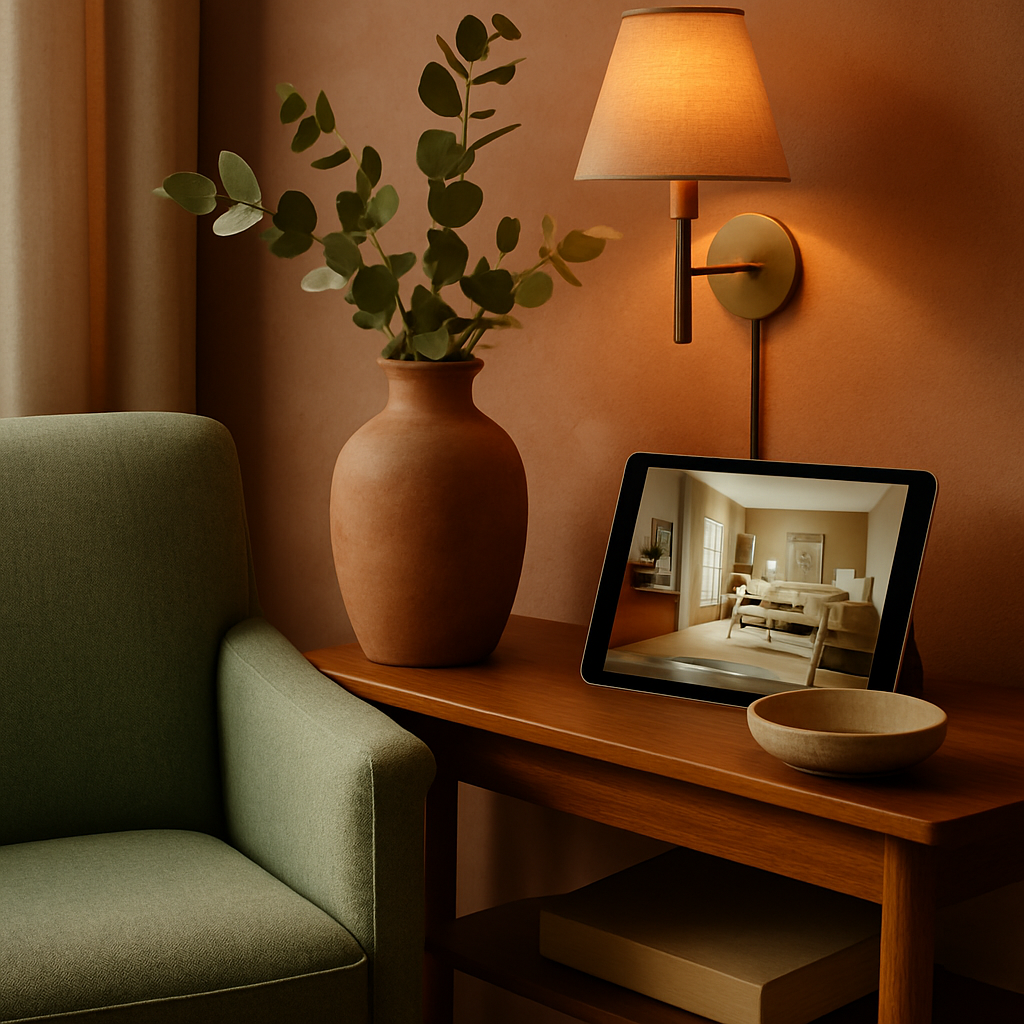
Have you ever stood in a room and wished you could snap your fingers to see how a new sofa, wall color, or lighting fixture would look before spending a single dollar? That frustration is exactly what drove software developers and interior designers to collaborate on a new generation of mobile applications. Whether you are a homeowner planning a weekend refresh or a professional designer managing multiple client projects, interior design apps have become indispensable tools that bridge the gap between imagination and execution. According to the American Society of Interior Designers (ASID), more than 73 percent of design professionals now incorporate at least one digital visualization tool into their client workflow. The convenience is undeniable: augmented reality overlays, drag-and-drop floor planners, and curated product catalogs sit right in your pocket. In this article, you will learn which apps deserve a spot on your home screen, how each one addresses a different stage of the design process, and what features separate a good app from a truly great one.
Augmented Reality Apps That Let You Preview Furniture in Real Time
Augmented reality has moved from a novelty feature to a core expectation in interior design applications. Apps such as Houzz and IKEA Place allow users to point their smartphone camera at any corner of a room and overlay three-dimensional furniture models with accurate scaling. The result is a realistic preview that shows how a statement armchair or a minimalist Japandi-style console table will fit before you commit to a purchase. For homeowners who struggle to judge proportions from catalog images alone, this technology eliminates the most common source of buyer regret.
Professional designers affiliated with the International Interior Design Association (IIDA) have noted that AR previews reduce the number of product returns by a significant margin, saving both time and shipping costs. The technology works best in well-lit environments where the camera can detect floor planes and wall edges accurately. Some apps even allow you to save multiple configurations so you can compare a biophilic design arrangement featuring natural wood tones against a sleek monochromatic layout without moving a single piece of real furniture. Have you considered how much time and money you could save by testing layouts digitally before placing an order?
Beyond furniture placement, augmented reality is expanding into paint visualization and material sampling. Imagine holding your phone up to a bare wall and cycling through dozens of paint swatches to see which shade of terracotta complements your existing flooring. Several apps now offer this capability with color-matching algorithms that account for ambient lighting conditions throughout the day. The practical benefit is enormous: instead of taping small paint chips to your wall and squinting at them for a week, you get an instant, full-wall preview that updates as you swipe through options. Designers working within the quiet luxury aesthetic find this especially useful when selecting muted, tone-on-tone palettes where subtle differences matter greatly.
Floor Planning Tools for Accurate Room Layouts
A well-designed room begins with an accurate floor plan, and several apps specialize in turning measurements into precise digital blueprints. Magicplan, for example, uses your phone's camera and LiDAR sensor to scan a room and generate a dimensioned plan in minutes. RoomSketcher offers a more traditional approach where you input measurements manually and then drag walls, doors, and windows into position on a grid. Both methods produce plans that can be exported as PDF files or shared with contractors, making the handoff from concept to construction seamless.
The National Council for Interior Design Qualification (NCIDQ) emphasizes that spatial planning is a foundational competency for certified designers, and these apps bring that same discipline to do-it-yourself enthusiasts. A common mistake homeowners make is underestimating traffic flow: they choose furniture that looks beautiful in isolation but blocks natural pathways through a room. Floor planning apps solve this by displaying clearance zones and highlighting areas where circulation would be restricted. Studies from Houzz indicate that homeowners who use digital floor plans before purchasing furniture report 40 percent fewer layout-related frustrations after move-in day.
Advanced features in premium tiers of these apps include the ability to add electrical outlet locations, plumbing lines, and HVAC registers to your plan. This level of detail matters when you are coordinating with an electrician about where to install recessed lighting for a smart home setup or when you need to confirm that a kitchen island will not obstruct an existing gas line. For professionals billing between $150 and $500 per hour, the efficiency gained by presenting clients with a polished digital plan rather than a hand sketch translates directly into stronger proposals and faster approvals. What would it mean for your next renovation if you could see every measurement and clearance mapped out before demolition begins?
Color Palette and Material Selection Apps
Choosing colors and materials is one of the most emotionally charged parts of any design project, and the right app can transform that anxiety into confidence. Palette-focused apps like Coolors and Adobe Color generate harmonious color schemes from a single starting hue, while material-centric platforms like Material Bank let designers order free samples that arrive the next morning. The combination of digital palette generation and physical sample verification creates a workflow that is both fast and reliable, reducing the likelihood of a costly mismatch between what you see on screen and what arrives at your door.
For those pursuing a biophilic design philosophy, color palette apps are invaluable for identifying earth tones, moss greens, and warm timber shades that evoke a connection to nature without making a room feel dark or heavy. ASID research suggests that spaces incorporating biophilic color palettes see measurable improvements in occupant well-being and productivity, which is why commercial designers increasingly rely on these digital tools for office and hospitality projects. The apps also store your selections in shareable boards, so a client in one city and a fabric supplier in another can view the exact same palette simultaneously.
Material selection apps go a step further by integrating sustainability ratings and origin data for each product. If you are committed to specifying low-VOC paints, FSC-certified woods, or recycled-content textiles, these platforms let you filter by environmental criteria before you even see a swatch. The transparency is refreshing in an industry where greenwashing can be difficult to detect. Designers who embrace quiet luxury, where restrained elegance relies on the quality of materials rather than overt branding, find that these apps help them source exactly the right linen, stone, or leather without wading through pages of irrelevant options.
Smart Home Integration and Lighting Design Apps
The modern interior is increasingly a connected interior, and a dedicated category of apps focuses on planning and controlling smart home systems. Platforms like Savant and Lutron allow you to map every light fixture, motorized shade, and thermostat in your home, then program scenes that adjust all of them simultaneously with a single tap. The design implications are significant: lighting affects how colors read, how textures are perceived, and how spacious a room feels. An app that lets you simulate warm evening lighting versus bright task lighting helps you make better decisions about fixture placement and bulb temperature.
IIDA professionals working on high-end residential projects routinely specify tunable white lighting that shifts from cool daylight tones during work hours to warm amber tones in the evening. Smart home apps make this specification tangible for clients who might otherwise struggle to understand the difference between 2700K and 5000K color temperatures. By previewing scenes on a tablet during a design presentation, the designer can walk the client through a full day of lighting transitions without visiting the actual space. This capability is especially powerful for Japandi-inspired interiors where the interplay of natural light and shadow is central to the aesthetic.
Beyond lighting, smart home apps now integrate with voice assistants and occupancy sensors to automate climate control, security, and entertainment systems. The interior designer's role has expanded to include advising on where sensors should be placed so they are concealed within the design rather than mounted conspicuously on walls. Some apps provide three-dimensional room views with sensor coverage overlays, showing dead zones where motion detection might fail. For a homeowner investing in a comprehensive smart home upgrade, this kind of visual planning prevents the frustration of discovering blind spots after installation is complete. Have you thought about how lighting automation could change the mood of your living space throughout the day?
Collaboration and Client Communication Platforms
Interior design is inherently collaborative, involving homeowners, designers, contractors, and suppliers who all need to stay aligned on vision, budget, and timeline. Apps like Houzz Pro and Studio Designer centralize communication by combining mood boards, purchase orders, invoices, and messaging in a single platform. When a designer shares a mood board through the app, the client can leave comments on specific images, approve selections, or flag concerns without sending a separate email. This streamlined feedback loop saves hours each week and reduces the risk of miscommunication that leads to costly ordering errors.
For design firms charging between $150 and $500 per hour, time tracking and invoicing features built into these platforms are equally valuable. Instead of reconciling hours across spreadsheets and billing software, the designer logs time against specific project phases within the same app where design decisions are documented. AD PRO, the professional arm of Architectural Digest, has highlighted how integrated project management tools are reshaping the business side of interior design by giving small firms the operational infrastructure that was once available only to large studios. The efficiency gains free designers to spend more time on creative work and less on administrative tasks.
Client communication apps also address a common pain point in the design process: decision fatigue. By presenting curated selections rather than overwhelming catalogs, these platforms guide clients toward confident choices. A designer can share three carefully chosen sofa options rather than a link to a retailer's full inventory, keeping the project focused and moving forward. The visual nature of these apps, with side-by-side comparisons, annotated floor plans, and linked product specifications, ensures that every stakeholder sees the same information in the same context. This transparency builds trust and reduces the back-and-forth that can stall a project for weeks.
Budget Tracking and Shopping Apps for Design Projects
Even the most inspired design concept can unravel if the budget is not managed carefully, and a growing number of apps address this need directly. Platforms like Ivy and Mydoma Studio allow designers to build itemized budgets linked to specific rooms and product categories, then track spending in real time as orders are placed. Homeowners working without a designer can use simpler tools like HomeZada to set a renovation budget, log expenses, and compare actual costs against projections. The discipline of tracking every purchase, from a statement light fixture to a box of cabinet hardware, prevents the incremental overspending that quietly turns a manageable project into a financial strain.
Shopping integrations within design apps have matured to the point where you can browse, compare, and purchase products without leaving the platform. Some apps aggregate pricing from multiple retailers, so you can see whether a particular dining table is available at a lower price from an alternative vendor. Others offer trade pricing for professionals who hold ASID or IIDA membership, passing along discounts that can represent significant savings on large orders. The convenience of one-click purchasing, combined with order tracking and delivery scheduling within the same interface, reduces the logistical complexity that once required a dedicated procurement coordinator.
Budget apps also serve an educational purpose by helping homeowners understand where their money goes in a typical renovation. When you see that cabinetry consumes 35 percent of a kitchen budget while lighting accounts for only 5 percent, you gain perspective that informs smarter trade-offs. Perhaps you choose stock cabinets with custom fronts to save money that can then be redirected toward the high-quality pendant lights that will define the room's character. This kind of informed decision-making is exactly what distinguishes a satisfying renovation from one plagued by regret, and the right app puts the data you need at your fingertips. Do you know where the largest portion of your current renovation budget is being allocated?
Conclusion
The landscape of interior design apps has expanded far beyond simple mood board creators. From augmented reality furniture previews and precise floor planning tools to smart home lighting simulators and integrated budget trackers, there is now an app for virtually every stage of the design process. Organizations like ASID, IIDA, and NCIDQ recognize the role these tools play in raising the standard of both professional practice and homeowner projects. The key is selecting apps that match your specific needs: a weekend decorator and a credentialed designer managing a multi-room renovation will benefit from different features, but both deserve tools that are intuitive, accurate, and visually clear. As you plan your next project, take time to download two or three of the apps discussed here, experiment with their free tiers, and see which ones feel like natural extensions of your creative process. Your ideal space is closer than you think, and the right technology can help you reach it with fewer missteps, lower costs, and greater confidence in every decision you make.
More Articles You May Like



Comments
Post a Comment