Exploring the Best Smartphones for Capturing Stunning Interior Design Photos
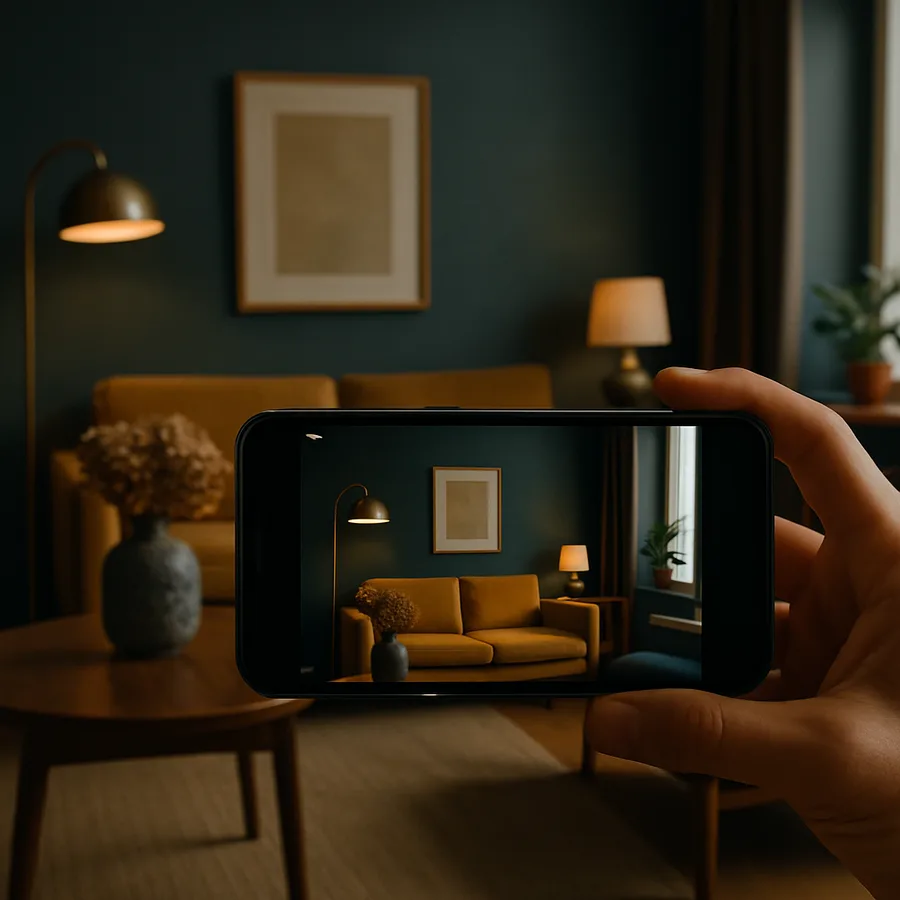
Photography has become an inseparable companion to interior design, serving as the primary medium through which designers showcase their work, communicate ideas to clients, and build professional portfolios that attract new business. The evolution of smartphone cameras has democratized high-quality interior photography, making it possible for designers at every level to produce images that rival those taken with dedicated professional equipment. The American Society of Interior Designers (ASID) reports that visual content drives over 90% of initial client engagement in the design industry, which means that the ability to capture compelling interior photographs is no longer a luxury but a professional necessity. Understanding which smartphones excel at this task, and how to use their features effectively, can make a meaningful difference in the quality and impact of your design documentation.
Interior photography presents unique challenges that distinguish it from other genres of mobile photography. The need to accurately represent colors, textures, and spatial relationships in environments with complex lighting conditions demands a camera system that offers exceptional dynamic range, precise white balance control, and versatile lens options. The International Interior Design Association (IIDA) has emphasized that visual misrepresentation of design work, whether through inaccurate colors or distorted proportions, can undermine client trust and diminish the perceived value of a project. The best smartphones for interior design photography address these challenges through a combination of hardware excellence and software intelligence, delivering images that faithfully capture the beauty and intention of a well-designed space.
This article provides a comprehensive exploration of the smartphone features, techniques, and applications that matter most for interior design photography. We will examine the camera specifications that distinguish a capable device from an exceptional one, discuss the software tools that enhance photographic results, and offer practical guidance for capturing images that do justice to your design work. Whether you are documenting a completed project for your portfolio, sharing progress updates with a client, or simply collecting visual inspiration during a showroom visit, the insights that follow will help you make the most of your smartphone's photographic capabilities.
Understanding Camera Specifications That Matter for Interior Shots
The camera specifications that make a smartphone exceptional for interior design photography differ from those that might matter most for landscape or portrait work, and understanding these distinctions is essential for making an informed purchasing decision. Sensor size is perhaps the most important factor, as a larger sensor captures more light and produces images with greater dynamic range, which is critical for interiors where bright windows and shadowy corners often coexist in the same frame. Pixel size, measured in micrometers, directly influences low-light performance, and smartphones with larger individual pixels tend to produce cleaner, more detailed images in the ambient lighting conditions that characterize most interior spaces. The NCIDQ recommends that design professionals invest in tools that support accurate visual documentation, and a smartphone with a superior sensor is a foundational element of that investment.
Lens versatility is another critical consideration for interior design photography. An ultra-wide lens, typically offering a field of view between 120 and 140 degrees, is indispensable for capturing entire rooms in a single frame without the extreme distortion that can make spaces look unrealistic. A standard wide lens provides a more natural perspective for detail shots and vignettes, while a telephoto lens allows designers to isolate specific elements, such as a beautifully styled shelf or a carefully chosen hardware detail, from across a room. The best smartphones for interior photography offer all three lens options with consistent color science across them, ensuring that images taken with different lenses can be combined in a portfolio or presentation without jarring visual discrepancies. According to Houzz data, listings and portfolio entries with multiple perspectives receive 60% more engagement than those with a single photograph, underscoring the value of lens versatility.
Processing power and computational photography capabilities round out the trio of specifications that matter most for interior design photography. Modern smartphones use advanced algorithms to merge multiple exposures, reduce noise, correct lens distortion, and optimize white balance, all in the fraction of a second between pressing the shutter button and seeing the final image. For interior photographers, the most valuable computational feature is HDR processing, which balances the exposure between bright and dark areas of a room to produce an image that closely matches what the human eye perceives. The ASID has observed that the gap between smartphone and professional camera quality has narrowed dramatically in recent years, and for many design documentation purposes, a flagship smartphone now produces results that are entirely sufficient for professional use.
Mastering Lighting Challenges in Interior Photography
Lighting is the single most influential factor in interior photography, and the ability to work with and adapt to diverse lighting conditions separates competent interior photographs from truly exceptional ones. Interior spaces typically feature a combination of natural light from windows, artificial light from fixtures, and ambient light reflected from surfaces, and these sources often have different color temperatures that can confuse a camera's automatic white balance. The best smartphones for interior photography offer manual or semi-automatic white balance controls that allow photographers to set a consistent color temperature, ensuring that a warm-toned room reads as warm and a cool-toned space maintains its intended atmosphere. Understanding how to manage these settings is a skill that pays immediate dividends in the quality of your design photographs.
Night mode and low-light capabilities have become defining features of flagship smartphones, and for interior design photography, these features are particularly valuable when documenting spaces with intentionally subdued lighting schemes. A bedroom designed around soft, warm ambient light, a restaurant interior with moody pendant fixtures, or a bathroom with carefully concealed LED accents all require a camera that can capture the atmosphere without flooding the scene with harsh, mood-destroying flash. The computational night modes available on current flagship devices use multi-frame stacking and AI-driven noise reduction to produce bright, detailed images in conditions that would have been impossible for smartphones just a few generations ago. The IIDA has noted that atmosphere and mood are among the most important qualities that clients evaluate when reviewing design proposals, and photographs that accurately convey these qualities are essential for effective communication.
Natural light management is equally important, and designers who understand how to schedule their photography sessions to take advantage of optimal light conditions will consistently produce better results. The golden hours shortly after sunrise and before sunset provide warm, directional light that adds depth and dimension to interior spaces, while overcast conditions create soft, even illumination that minimizes harsh shadows and hot spots. Smartphone features such as exposure compensation and focus lock give photographers control over how the camera interprets the available light, allowing them to highlight specific elements of a room or balance the exposure across a complex scene. Have you noticed how the same room can look dramatically different depending on the time of day and the quality of light? Mastering this variable through your smartphone camera is one of the most impactful skills you can develop as a design photographer.
Composition Techniques for Compelling Interior Photographs
Composition is the art of arranging visual elements within a frame to create an image that is both aesthetically pleasing and informative, and in interior design photography, strong composition is what transforms a simple room snapshot into a compelling visual narrative. The rule of thirds, which involves placing key elements along imaginary lines that divide the frame into a three-by-three grid, provides a reliable starting point for interior compositions, but the most effective design photographs often incorporate more sophisticated techniques such as leading lines, framing within frames, and deliberate use of negative space. The grid overlay available on virtually every smartphone camera app is an invaluable aid for implementing these compositional principles, and designers who habitually use it will find that their photographs become more polished and intentional over time.
Camera height and angle have a profound impact on how an interior space is perceived in a photograph, and the portability of a smartphone makes it easy to experiment with different perspectives. Shooting from a slightly elevated position, approximately chest height, tends to produce the most natural and flattering representation of a room, as it approximates the perspective of a person standing in the space. Lower angles can add drama and emphasize the height of a room, while higher angles provide a broader overview that is useful for documenting furniture layouts and spatial relationships. The NCIDQ includes visual communication among its core competency areas, and developing an eye for effective photographic composition is an important aspect of this competency. A smartphone tripod or stabilizer can help ensure consistency across multiple shots, which is especially important when building a cohesive portfolio or documenting a project from start to finish.
Staging and styling a space before photographing it is an essential step that separates professional-quality interior photographs from casual snapshots, and the smartphone's screen serves as an effective preview tool for evaluating styling choices before committing to a shot. Removing personal items, straightening textiles, adjusting decorative objects, and ensuring that all visible surfaces are clean and well-arranged are fundamental staging practices that dramatically improve the quality of interior photographs. The real-time preview on a smartphone screen allows photographers to assess the impact of each styling adjustment immediately, fine-tuning the arrangement until every element contributes positively to the overall composition. Houzz editorial guidelines recommend what they call the "camera-ready room" approach, in which every visible detail is intentionally considered and curated before the shutter is pressed, and the smartphone preview screen is the perfect tool for implementing this approach.
Editing Applications That Elevate Interior Design Photography
The photographs captured by even the best smartphone cameras benefit from thoughtful post-processing, and the editing applications available on mobile platforms now offer capabilities that were once exclusive to professional desktop software. Adobe Lightroom Mobile stands as the most comprehensive option for interior design photography, providing precise controls for exposure, contrast, color temperature, tint, saturation, and luminance that allow photographers to fine-tune every aspect of an image. The ability to create and save custom presets means that designers can develop a consistent visual style across their portfolio, which strengthens brand identity and creates a professional, cohesive body of work. The ASID has noted that visual consistency is a key factor in establishing a recognizable design brand, and Lightroom's preset functionality directly supports this goal.
Perspective correction is one of the most important editing tasks for interior design photography, as the wide-angle lenses commonly used for room shots can introduce noticeable distortion that makes walls appear to lean inward and straight lines appear curved. Applications such as SKRWT and the geometry tools within Lightroom Mobile provide precise controls for correcting vertical and horizontal perspective, ensuring that the architectural lines in your photographs are true and parallel. This correction is not merely cosmetic; it ensures that the spatial proportions represented in your photographs are accurate, which matters both for portfolio presentation and for practical documentation purposes. The IIDA includes accurate spatial representation among its standards for professional design documentation, and perspective correction is essential for meeting this standard in photographic work.
Color grading, the practice of applying subtle color shifts to the highlights, midtones, and shadows of an image, is an advanced editing technique that can infuse interior design photographs with mood, atmosphere, and emotional resonance. A warm color grade applied to the highlights of a cozy living room photograph can amplify the sense of comfort and intimacy, while cool tones in the shadows of a minimalist space can reinforce a feeling of calm and order. Applications such as VSCO, Darkroom, and Lightroom Mobile all offer intuitive color grading tools that make this technique accessible to photographers at every skill level. The key is subtlety: the goal is to enhance the mood that already exists in the designed space, not to impose an artificial aesthetic that contradicts the designer's intent. When applied with restraint and intention, color grading transforms good interior photographs into evocative visual stories that resonate with viewers on an emotional level.
Building a Professional Portfolio with Smartphone Photography
A professional portfolio is the most important marketing asset for any interior designer, and the quality of smartphone cameras now makes it entirely feasible to build a portfolio that meets professional standards using only a mobile device. The key is consistency in approach, which includes using the same compositional techniques, editing style, and presentation format across all portfolio entries. Designers should aim to photograph each completed project from multiple perspectives, including wide establishing shots that show the overall room layout, medium shots that highlight furniture groupings and design vignettes, and close-up details that showcase material choices, textures, and finishing touches. According to research published by the ASID, portfolios that include this range of perspectives receive significantly higher engagement from potential clients compared to those that rely primarily on wide-angle room shots.
The platforms through which a portfolio is presented matter as much as the quality of the photographs themselves, and smartphones offer native access to the most important portfolio channels in the design industry. Instagram remains the dominant visual platform for interior designers, with its grid layout providing an immediately visible representation of a designer's aesthetic sensibility and range. Houzz serves as a specialized portfolio platform where potential clients actively search for designers, and its project-based organization encourages comprehensive documentation that showcases the full scope of each engagement. A professional website, accessible and manageable through smartphone-based website builders and content management systems, provides a permanent, customizable home for your best work. The NCIDQ recommends that design professionals maintain an active and up-to-date portfolio across multiple platforms, and smartphone tools make this multi-platform presence manageable and sustainable.
Consistency in photographic style is what transforms a collection of individual project images into a recognizable brand identity, and developing this consistency requires intentional practice and self-reflection. Review your photographs regularly, identify the images that best represent your design aesthetic and photographic skill, and analyze what makes those images successful. Are they characterized by a particular color palette, lighting quality, composition style, or editing approach? Once you identify these patterns, codify them into a repeatable process that you apply to every project you photograph. Over time, this consistency will become second nature, and your portfolio will project a clear, compelling, and professional identity that attracts clients who resonate with your particular design sensibility. What impression does your current portfolio make in the first three seconds of viewing, and does that impression accurately reflect the quality and character of your work?
Accessories and Techniques for Professional Results
While the smartphone itself is the primary tool, a small investment in accessories can dramatically improve the quality and consistency of interior design photography. A compact tripod with a smartphone mount provides stability that eliminates camera shake, enables longer exposures in low-light conditions, and ensures consistent framing across multiple shots of the same space. Bluetooth remote shutters allow photographers to trigger the camera without touching the phone, which prevents the micro-movements that can soften an otherwise sharp image. These accessories are lightweight, inexpensive, and easily portable, making them practical additions to a designer's everyday kit. The IIDA has documented that visual documentation quality is directly correlated with client satisfaction scores, which means that even modest investments in photographic accessories can yield meaningful returns in professional practice.
External lighting tools designed for smartphone photography offer another avenue for improving interior design photographs, particularly in spaces where the ambient lighting is insufficient or unflattering. Small, portable LED panels with adjustable color temperature and brightness can fill shadows, highlight specific design elements, and create the kind of balanced, even illumination that produces the most appealing interior photographs. Light diffusers and reflectors, available in compact, foldable formats, help manage harsh light sources and bounce fill light into dark areas of a room. The investment required for a basic portable lighting kit is minimal compared to the improvement it can bring to photographic quality, and for designers who regularly photograph their work, it is an investment that pays for itself quickly through enhanced portfolio images and more effective client presentations.
Technique ultimately matters more than equipment, and the most impactful improvement any designer can make to their interior photography is simply to shoot more and review critically. Take multiple photographs of every scene from different angles, heights, and focal lengths, then compare the results to identify which approaches produce the strongest images. Study the interior photography published in leading design magazines and on platforms like Architectural Digest and Elle Decor, paying attention to the compositional choices, lighting qualities, and styling decisions that make those images compelling. Practice replicating the techniques you admire using your smartphone, and gradually incorporate the lessons learned into your own photographic practice. The gap between a casual snapshot and a professional-quality interior photograph is bridged not by expensive equipment but by intentional practice, critical self-assessment, and a commitment to continuous improvement. Are you ready to elevate your interior design photography by dedicating focused time to developing your skills with the smartphone you already own?
Conclusion
The best smartphones for interior design photography combine advanced sensor technology, versatile multi-lens systems, powerful computational photography, and intuitive software tools to deliver a photographic capability that meets the demands of professional design documentation. The camera specifications that matter most for this specialized application, including sensor size, pixel quality, ultra-wide lens options, and HDR processing, are now available in several flagship devices, giving designers a genuine choice of platforms that can serve their needs effectively. Organizations such as ASID, IIDA, NCIDQ, and Houzz have all acknowledged the growing importance of photographic skill in the design profession, and the statistics consistently show that high-quality visual content drives client engagement, project approvals, and professional reputation.
The techniques discussed in this article, from mastering lighting conditions and compositional principles to leveraging editing applications and building consistent portfolio presentations, represent a comprehensive approach to smartphone-based interior photography that any designer can adopt. The investment required is primarily one of time and attention rather than money, as the smartphone you already carry likely possesses the technical capability to produce professional-quality results when used with knowledge and intention. The accessories and editing tools that further enhance this capability are accessible and affordable, making excellent interior photography more attainable than it has ever been.
Begin your journey toward better interior design photography by applying one or two of the techniques discussed here to your next project documentation session. Notice how small changes in camera height, lighting awareness, or compositional framing can transform the quality of your images. Build on each success, gradually incorporating more advanced techniques and editing practices into your workflow, and watch as your photographic portfolio evolves into a powerful representation of your design talent and vision. Reach out to a local ASID chapter or design community group to connect with peers who can offer feedback, share techniques, and inspire your continued growth as a design photographer.
More Articles You May Like



Comments
Post a Comment