Transform Your Space: The Top Interior Design Apps
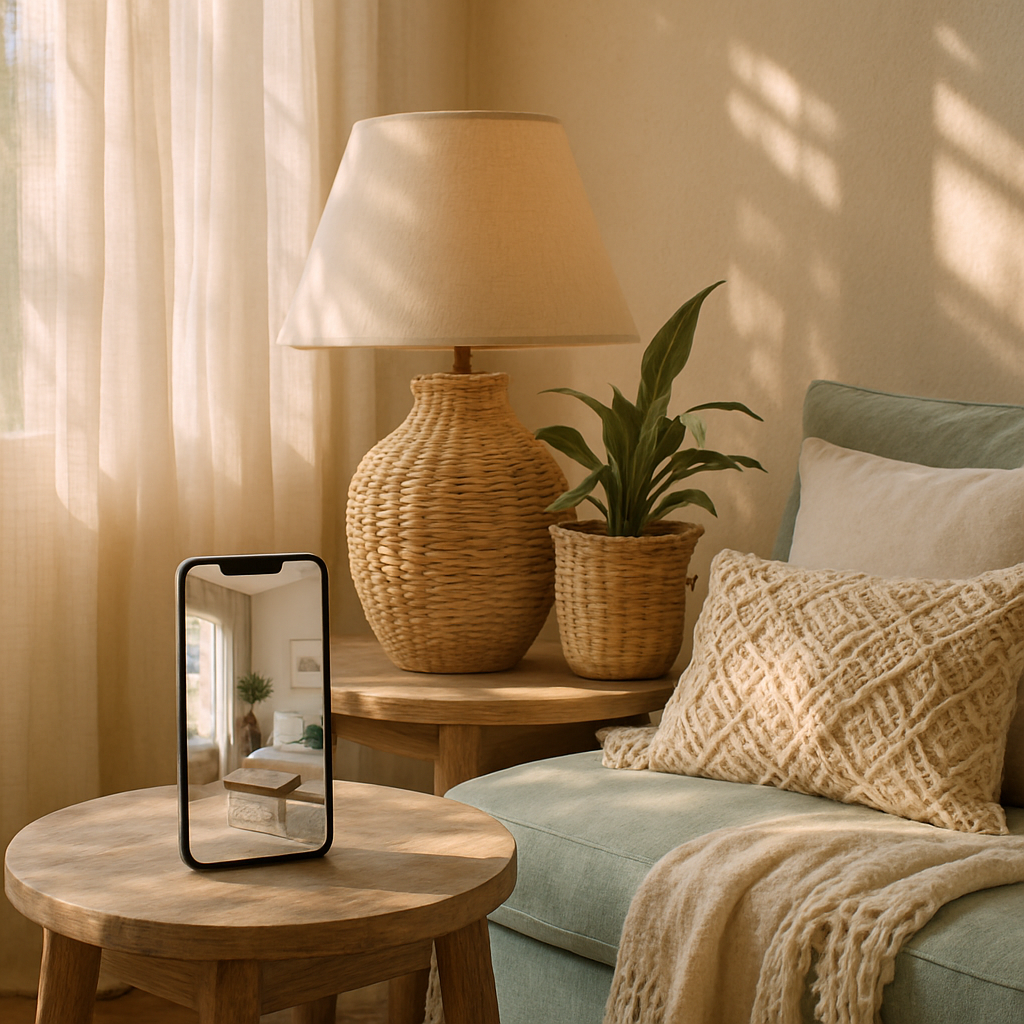
The tools available to homeowners who want to take an active role in designing their spaces have evolved dramatically in recent times. What once required expensive software and professional training is now accessible through intuitive applications that fit in your pocket and respond to a tap of your finger. Interior design apps have democratized the early stages of the design process, allowing anyone to experiment with layouts, visualize color palettes, test furniture arrangements, and even create augmented reality previews of how new pieces will look in their actual rooms. Whether you are planning a complete home renovation, refreshing a single room, or simply exploring ideas before engaging a professional designer, the right app can transform your approach from guesswork to informed decision-making. But with dozens of options available, knowing which apps deliver genuine value and which are glorified toy stores requires careful evaluation. This guide examines the top interior design apps across different categories, helping you choose the tools that match your goals, skill level, and design ambitions.
Room Planning Apps: Laying the Spatial Foundation
The foundation of any successful interior design project is an accurate understanding of your space, and room planning apps provide the tools to capture and work with that information digitally. These applications allow you to input room dimensions, either manually or through your phone's camera and LiDAR sensors, and then experiment with furniture placement, wall configurations, and spatial arrangements in a digital environment. The ability to try dozens of layouts without moving a single piece of physical furniture saves enormous time and energy while revealing possibilities that you might never have considered. Some of the most capable room planning apps now produce floor plans that are detailed enough to share with professional designers or contractors as a starting point for formal design work.
Planner 5D stands out in this category for its combination of accessibility and depth. The app allows users to create floor plans from scratch or scan existing rooms, then furnish and decorate them using an extensive library of items. What distinguishes Planner 5D from simpler alternatives is its ability to render realistic 3D visualizations of your plans, giving you a walkthrough-style preview of how your space will look and feel from eye level rather than just a bird's-eye diagram. The American Society of Interior Designers (ASID) has noted the increasing quality of consumer-facing design tools as a positive development for the industry, since homeowners who arrive at professional consultations with clearly articulated spatial ideas tend to have more productive and efficient design processes.
RoomSketcher offers another strong option for homeowners who want to go beyond basic floor planning into more detailed spatial analysis. The app supports both 2D and 3D visualization modes, includes measurement tools that help maintain accuracy, and provides a library of branded furniture and materials that reflect real-world products and dimensions. For anyone considering a renovation that involves wall removal, room expansion, or layout reconfiguration, working through the possibilities in a room planning app before engaging a contractor can clarify your priorities and prevent the expensive mid-project changes that occur when homeowners realize too late that a layout does not function as imagined. How many times have you rearranged furniture in your head only to discover the reality does not match? Room planning apps eliminate that disconnect by letting you test ideas virtually before committing physically.
Augmented Reality Apps: Seeing Before You Buy
Augmented reality has moved from a futuristic novelty to a practical design tool that fundamentally changes how homeowners make purchasing decisions. AR-enabled interior design apps use your phone's camera to overlay virtual furniture, art, lighting, and accessories onto a live view of your actual room, showing you exactly how a specific product will look in your space before you spend a cent. The accuracy of these visualizations has improved dramatically, with leading apps now rendering realistic shadows, reflections, and material textures that make virtual objects nearly indistinguishable from physical ones in the camera view. This capability addresses one of the most common and costly mistakes in home furnishing: buying something that looks perfect online or in a showroom but is completely wrong for your room's scale, lighting, or color environment.
Houzz has built one of the most comprehensive AR experiences in the design app space, combining augmented reality visualization with its massive product marketplace and professional directory. The View in My Room feature allows you to place products from Houzz's catalog directly into your space through your phone's camera, adjusting position, rotation, and scale in real time. Because the product catalog includes items from thousands of retailers and trade vendors, the range of items you can visualize is exceptionally broad, from sofas and dining tables to light fixtures and area rugs. According to Houzz usage data, homeowners who use the AR feature before purchasing report significantly higher satisfaction with their selections and dramatically lower return rates compared to those who buy based on product photos alone.
The IKEA Place app deserves mention for making AR accessible to the widest possible audience by combining accurate visualization technology with one of the world's most familiar furniture catalogs. While limited to IKEA products, the app's AR engine is remarkably precise, rendering items at true-to-life scale with material textures that closely match the physical products. For homeowners working within moderate budgets who want to furnish or refresh rooms with confidence, it removes much of the guesswork from the selection process. Beyond individual product visualization, more advanced AR apps are beginning to support full-room visualization where entire design concepts can be previewed as immersive overlays. This technology is rapidly closing the gap between professional design presentations and what consumers can achieve independently, giving homeowners increasingly powerful tools to participate actively in the design of their own spaces.
Color and Material Visualization Apps: Getting the Palette Right
Color is one of the most impactful and most frequently botched elements of home design. The disconnect between how a paint color looks on a small swatch under fluorescent store lighting and how it reads across an entire wall in your home's unique light conditions has led to countless repainting jobs and lingering dissatisfaction. Color visualization apps address this problem by allowing you to preview paint colors on your actual walls using your phone's camera, simulating how different shades will appear in the specific lighting conditions of each room. The best of these apps account for natural light direction, time of day, and surrounding surface colors to produce previews that closely match real-world results.
Benjamin Moore's Color Portfolio app and Sherwin-Williams' ColorSnap Visualizer represent the leading brand-specific options in this category, each offering extensive color libraries tied to their respective paint lines along with AR-powered wall visualization. These apps also include color matching features that let you photograph any color you encounter in the world, whether it is a fabric, a flower, a sunset, or a tile, and identify the closest matching paint color from the brand's catalog. For homeowners exploring the quiet luxury palette of muted, sophisticated tones or the nature-inspired hues central to biophilic design, these tools make it possible to test dozens of options on your actual walls without opening a single paint can. The NCIDQ body of knowledge includes color theory and its psychological impacts as a core competency area, and these apps bring a simplified version of that expertise to consumer fingertips.
Coolors and Adobe Color extend the palette conversation beyond individual paint selection into comprehensive color scheme development. These apps help you build harmonious multi-color palettes using color theory principles like complementary, analogous, triadic, and split-complementary relationships. While they are not interior design tools specifically, they are invaluable for homeowners who want to develop a cohesive color story that flows throughout their home rather than choosing room-by-room colors in isolation. A well-developed color palette ensures that the transition between spaces feels intentional and connected, which is one of the hallmarks of professional interior design. What colors make you feel most at home, and have you ever tried to identify what makes those specific shades resonate with you? Color visualization apps help you answer that question with precision rather than intuition alone.
Inspiration and Idea Curation Apps: Building Your Design Vision
Before you can design a room, you need to know what you want, and inspiration apps serve as the digital equivalent of flipping through design magazines with the added power of personalization algorithms that learn your preferences over time. These platforms aggregate millions of design images, organize them by style, room type, color, and feature, and present them in ways that help you refine your taste and build a clear vision. The best inspiration apps go beyond passive browsing to offer tools for organizing and annotating your saves, creating a structured design brief that communicates your vision to professional designers or guides your own DIY projects.
Pinterest remains the dominant platform for design inspiration collection, and its strength lies in the visual search technology that suggests related images based on the specific elements within pins you save. If you pin a living room with a particular style of built-in bookcase, Pinterest will surface other images featuring similar bookcase designs across different room styles and settings, helping you explore variations and discover options you would not have found through text-based searching. Architectural Digest (AD PRO) has reported that Pinterest boards are now one of the most common materials clients bring to initial designer consultations, and that well-organized boards significantly accelerate the concept development phase by giving designers clear visual evidence of their client's preferences and aesthetic direction.
The Havenly and Modsy apps take inspiration a step further by connecting browsing activity with actionable design services. These platforms allow you to explore curated room designs, save elements that appeal to you, and then work with professional designers through the app to develop personalized design plans based on your selections. While these services operate differently from traditional full-service interior design companies, they offer an accessible entry point for homeowners who want professional input without the commitment of a comprehensive engagement. The International Interior Design Association (IIDA) recognizes that technology platforms like these are expanding public awareness of professional design services and often serve as a gateway for clients who eventually engage full-service firms for larger projects. Whether you use these apps as standalone tools or as preparation for a professional partnership, the act of systematically curating your design preferences creates clarity that makes every subsequent decision easier and more confident.
Smart Home Integration Apps: Designing for Technology
As smart home technology becomes increasingly central to modern residential design, apps that help you plan, configure, and manage home automation systems deserve a place in any discussion of interior design tools. The integration of lighting control, climate management, security systems, and entertainment infrastructure into a cohesive smart home ecosystem requires thoughtful planning that begins long before devices are purchased or installed. Smart home planning apps help you map out your automation strategy, ensuring that the technology serves your lifestyle goals and integrates with the physical design of your spaces rather than cluttering them with visible gadgets and tangled wires.
Apple Home and Google Home serve as the primary ecosystem management apps for most homeowners entering the smart home space. These platforms allow you to organize devices by room, create automated scenes that adjust multiple systems simultaneously, and control your entire home from a single interface. From an interior design perspective, the choice between ecosystems affects hardware options and therefore the visual presence of technology in your spaces. A design-conscious homeowner should evaluate not just the functionality of smart devices but their physical form, mounting options, and color availability. The most successful smart home integrations are the ones you forget are there because the technology disappears into the architecture. Wall-mounted tablets replace banks of switches, speakers hide behind acoustically transparent fabric panels, and motorized window treatments respond to light sensors without visible controls.
For homeowners planning more ambitious smart home installations, apps like Savant and Control4 offer professional-grade home automation planning and management. These platforms are typically implemented through certified integrators, but their companion apps give homeowners visibility into the full scope of what automated living can look like. Automated lighting that shifts color temperature from energizing cool tones in the morning to warm, relaxing amber in the evening supports circadian rhythms and contributes to the biophilic design principle of connecting interior environments with natural patterns. According to a survey conducted by the Consumer Technology Association, homes with integrated smart technology command measurably higher resale values and attract greater buyer interest, making smart home planning not just a lifestyle investment but a financial one. What aspects of your daily routine would benefit most from automation, and how could that technology be integrated without compromising the visual design of your rooms?
Professional-Grade Design Apps: When You Want to Go Deeper
For homeowners who want to move beyond basic visualization into detailed design work that approaches professional quality, several apps bring scaled-down versions of industry-standard tools to consumer devices. These applications require more time investment to learn but reward that effort with capabilities that produce presentation-quality floor plans, realistic 3D renderings, and detailed material specifications. They are particularly valuable for homeowners who enjoy the design process itself and want to develop their skills, as well as for those collaborating remotely with designers who need to review and annotate plans digitally.
SketchUp, long a staple of professional design practice, offers a free web-based version and a mobile app that brings powerful 3D modeling to nonprofessional users. The learning curve is steeper than casual room planning apps, but the payoff is the ability to model spaces with architectural accuracy, experiment with complex geometries, and produce renderings that convey spatial relationships with remarkable clarity. The ASID has included digital design literacy in its continuing education recommendations, recognizing that the tools professionals and consumers use are converging. Homeowners who develop proficiency with apps like SketchUp can communicate with their professional design teams in a shared visual language, which accelerates the design process and reduces the misunderstandings that arise when complex spatial ideas are described only in words.
Morpholio Board offers a uniquely design-oriented experience that bridges the gap between inspiration curation and professional presentation. The app allows you to create polished mood boards and concept presentations using imported images, built-in furniture and material libraries, and professional layout templates. What sets Morpholio apart is its attention to the design process itself, providing tools for scaling items accurately, building palettes from sampled colors, and annotating boards with notes and specifications. For homeowners working with Japandi or quiet luxury aesthetics where material quality and proportion are paramount, the ability to create precise, well-organized concept presentations helps maintain clarity of vision throughout a project. Whether you share these boards with a professional designer or use them as your own reference during a DIY renovation, the discipline of organizing your design thinking into a structured presentation invariably leads to more cohesive and intentional results.
Making the Most of Design Apps in Your Project Workflow
- Start with inspiration apps to build a clear picture of your aesthetic direction before moving to planning tools
- Use room planning apps to test layouts and spatial arrangements before purchasing any furniture or beginning construction
- Leverage AR visualization for every significant furniture and fixture purchase to confirm scale, color, and style compatibility with your space
- Develop color palettes using dedicated color apps before committing to paint, and test your selections on actual walls through AR preview features
- Plan smart home infrastructure early in the design process, not as an afterthought, to ensure technology integrates seamlessly with your aesthetic vision
- Organize your work in professional-grade apps if you plan to collaborate with designers or contractors, so your ideas translate clearly into actionable plans
The most effective approach to using interior design apps is to treat them as complementary tools within a structured workflow rather than isolated experiences. Begin with inspiration and curation apps to clarify your vision, move to room planning and color visualization apps to test ideas against reality, use AR tools to validate purchasing decisions, and integrate smart home planning from the earliest stages. Each category of app addresses a different phase of the design process, and using them in sequence creates a feedback loop where insights from one tool inform your work in the next. This systematic approach produces more thoughtful and cohesive results than randomly browsing apps without a clear methodology.
It is worth noting that even the most sophisticated design apps have limitations that professional designers transcend through training, experience, and spatial intuition. Apps cannot assess the structural feasibility of a renovation, evaluate the quality of a material sample, or sense the subtle proportional relationships that make a room feel balanced rather than merely filled with furniture. They are powerful for exploration, visualization, and communication, but they are most effective when used in combination with professional guidance for projects of significant scope. Have you considered using these apps to prepare for a consultation with a professional design firm? Arriving at that meeting with organized boards, tested layouts, and a clear color direction allows the designer to focus their expertise on the higher-order decisions that genuinely require professional judgment, making the entire engagement more efficient and cost-effective.
Conclusion
The landscape of interior design apps offers homeowners an unprecedented toolkit for envisioning, planning, and refining their living spaces. From room planning applications that let you test spatial arrangements digitally to augmented reality tools that preview purchases in your actual rooms, from color visualization apps that eliminate painting guesswork to smart home platforms that plan your technology integration, each category of app addresses a specific need in the design journey. The key is approaching these tools with intentionality, using them as part of a structured workflow that moves from broad inspiration through specific visualization to informed decision-making. Whether you are a committed DIY designer or preparing to partner with a professional firm, investing time in the right apps will sharpen your design vision, prevent costly mistakes, and ultimately contribute to a home that reflects your personal style with confidence and precision. Download two or three apps from the categories that match your current project needs, spend time learning their capabilities, and begin exploring the possibilities for your space with the knowledge that professional-quality design thinking is now genuinely at your fingertips.
More Articles You May Like


Comments
Post a Comment