Transform Your Space: 10 Best Free Interior Design Tools You Need Now
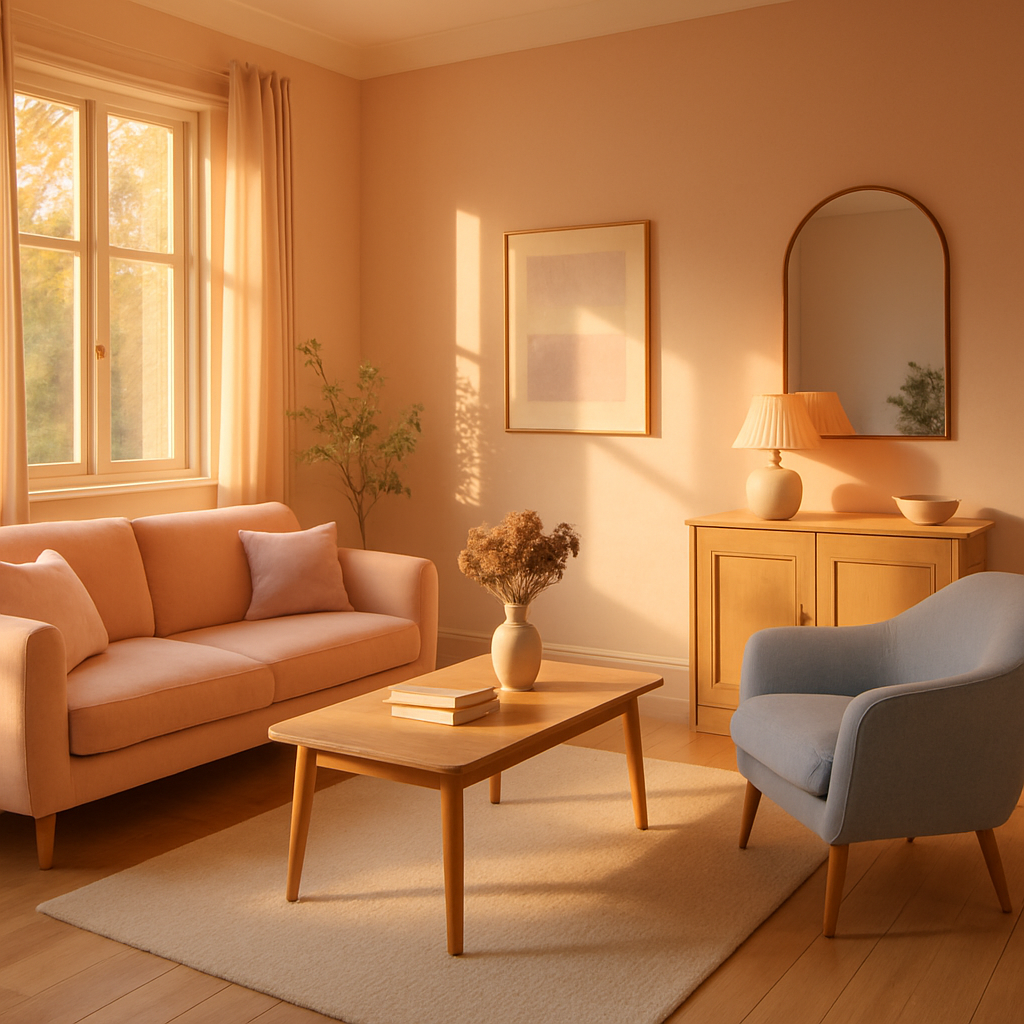
Have you ever stared at a blank room and wished you could see your design ideas come to life before committing a single dollar? The gap between imagination and execution has always been one of the greatest challenges in interior design, but a new generation of free digital tools is closing that divide with remarkable speed. Professional designers who charge between $150 and $500 per hour rely on sophisticated software to visualize concepts, test color combinations, and plan spatial layouts before touching a single piece of furniture. Now, many of these same capabilities are available at no cost to homeowners, renters, and aspiring designers who want professional-quality results without the professional price tag. The American Society of Interior Designers (ASID) has recognized digital literacy as an essential competency for modern design practice, and these tools put that capability within everyone's reach. This guide presents the ten most powerful free interior design tools available, explaining what each does best and how you can integrate them into your own design workflow.
Room Planning and Floor Layout Tools
The foundation of every successful interior design project is an accurate, thoughtful floor plan that accounts for traffic flow, furniture dimensions, and spatial relationships between functional zones. Free room planning tools have advanced to the point where homeowners can create detailed, to-scale layouts that rival what professional designers produced just a decade ago with expensive licensed software. These applications typically work by allowing you to input room dimensions, place walls and architectural features, and then drag and drop furniture items from extensive libraries of accurately sized pieces. The result is a bird's-eye view of your proposed layout that reveals potential problems, such as blocked pathways, crowded arrangements, or wasted space, before you move a single piece of real furniture.
Floorplanner stands out as one of the most accessible and visually polished free room planning tools available. Its intuitive drag-and-drop interface allows users to construct detailed two-dimensional floor plans and then switch to a three-dimensional walkthrough view that provides an immersive sense of how the finished room will feel. The furniture library includes thousands of items spanning contemporary, traditional, and Japandi aesthetics, with accurate dimensions that ensure your digital layout translates reliably to physical reality. Houzz has featured Floorplanner among its recommended design planning resources, noting the tool's particular strength in helping homeowners communicate their vision to contractors and professional designers. The free tier provides generous functionality for residential projects, making it an excellent starting point for anyone beginning a design journey.
RoomSketcher offers another compelling free option with strengths in generating professional-quality floor plans and high-resolution three-dimensional images. Its snap-to-grid functionality ensures precise measurements, while the materials library allows users to experiment with different flooring, wall finishes, and countertop options within their layouts. The tool excels at helping users understand proportional relationships, answering critical questions about whether a sectional sofa will overwhelm a living room or whether a dining table allows adequate clearance for chair movement. For those working with compact spaces, which increasingly characterize urban living environments, this kind of precise spatial planning prevents costly mistakes. Can you accurately estimate how much clearance your current dining arrangement provides, or might a digital measurement reveal surprising constraints?
Color Visualization and Palette Generation Tools
Color decisions carry enormous weight in interior design, influencing mood, perceived space, and the overall coherence of a room's aesthetic identity. Free color visualization tools eliminate the guesswork from these critical choices by allowing users to preview paint colors on virtual walls, generate harmonious palettes from inspiration images, and understand how different hues interact under various lighting conditions. The National Council for Interior Design Qualification (NCIDQ) emphasizes color theory as a foundational competency, and these digital tools make sophisticated color planning accessible to anyone with a smartphone or computer. Moving beyond the limitations of small paint swatches held against a wall in hardware store lighting, digital color tools provide context-rich previews that dramatically improve decision confidence.
Coolors has established itself as the premier free palette generation tool, beloved by both professional designers and enthusiastic amateurs for its elegant simplicity and powerful results. The application generates five-color palettes with a single keypress, locking colors you love and regenerating others until the perfect combination emerges. Its explore feature reveals trending palettes curated by the design community, offering immediate inspiration for projects ranging from serene bedroom retreats to vibrant home office environments. Architectural Digest (AD PRO) has highlighted palette generation tools as transformative for residential design, noting that coordinated color schemes historically required years of training to develop intuitively. Coolors democratizes that expertise, helping users discover sophisticated combinations they might never have considered through traditional browsing of paint chip displays.
Paint manufacturer apps from brands like Benjamin Moore and Sherwin-Williams offer augmented reality features that project their specific paint colors onto your actual walls through your phone camera. This technology moves color selection from abstract swatches to concrete, room-specific visualization, showing exactly how a particular shade of sage green or warm terracotta will look against your flooring, furniture, and natural light conditions. The biophilic design movement has popularized earthy, nature-inspired color palettes that connect interior spaces to outdoor environments, and these visualization tools make it easy to test whether those trending tones work in your specific context. What color is currently dominating your main living space, and have you ever digitally tested alternatives to see how a different palette might transform the atmosphere?
Three-Dimensional Rendering and Virtual Staging Platforms
Three-dimensional rendering tools have undergone a revolution in accessibility, with platforms that once demanded professional training and expensive hardware now offering free tiers capable of producing photorealistic room visualizations. These tools allow users to construct detailed virtual rooms, apply realistic materials and lighting, and generate images that convey the look and feel of a finished design with striking accuracy. The IIDA has documented how three-dimensional visualization reduces costly design errors by allowing clients and designers to identify issues and refine preferences before any physical work begins. For homeowners undertaking significant renovations or redecorations, this preview capability can save thousands of dollars in avoided mistakes and changed orders.
HomeByMe provides a particularly user-friendly path from floor plan to photorealistic rendering, guiding users through room construction, furniture placement, and material selection before generating high-quality images of their proposed designs. The platform's furniture catalog includes real products from actual manufacturers, allowing users to see specific items in context before purchasing. This practical connection between visualization and shopping streamlines the design process and reduces the risk of buying furniture that looks different in a room than it did in a catalog photograph. The quiet luxury aesthetic, which emphasizes rich textures and sophisticated neutrals over flashy statement pieces, translates particularly well in three-dimensional renderings where subtle material qualities become visible and compelling.
Planner 5D rounds out the three-dimensional rendering category with a tool that offers both web and mobile access, allowing users to work on their designs from any device at any time. Its AI-powered design suggestions analyze room dimensions and user preferences to recommend furniture arrangements and decor combinations that optimize both aesthetics and functionality. The free version provides sufficient capability for most residential projects, with a catalog of furniture and materials that spans multiple design styles from mid-century modern to contemporary minimalism. According to design industry research, homeowners who visualize their designs in three dimensions before purchasing report significantly higher satisfaction with their final results compared to those who rely solely on imagination and inspiration images. Have you ever bought a piece of furniture that looked perfect online but felt completely wrong once it arrived in your actual space?
Augmented Reality Furniture Placement Applications
Augmented reality has transformed furniture shopping from a leap of faith into a precise, visual experience where proposed pieces appear in your actual room through your phone or tablet screen. These applications overlay three-dimensional furniture models onto live camera views of your space, showing exactly how a particular sofa, table, or bookshelf will look in terms of scale, color, and stylistic compatibility with your existing decor. The technology has matured rapidly, with accurate scaling, realistic shadow rendering, and extensive product libraries that make virtual placement genuinely reliable as a decision-making tool. ASID professionals increasingly recommend augmented reality tools to clients as a standard part of the selection process, recognizing that seeing a piece in context prevents the disappointment and waste of returns.
The IKEA Place application pioneered consumer augmented reality furniture placement and remains one of the most polished implementations available. Its catalog of thousands of products renders with impressive accuracy, capturing material textures, proportional relationships, and even the way light interacts with different surfaces. Users can place multiple items simultaneously, building complete room compositions on their phone screen while standing in the actual space. The ability to walk around placed virtual furniture, viewing it from different angles and distances, provides spatial understanding that flat photographs and dimension specifications simply cannot convey. This experiential preview is particularly valuable for large purchases such as sofas, dining tables, and storage systems where scale misjudgments carry significant financial consequences.
Beyond single-brand applications, general augmented reality platforms now allow users to place products from multiple manufacturers in the same virtual scene, facilitating the kind of cross-brand mixing that characterizes most real-world interior design. Houzz offers augmented reality features that draw from its vast marketplace of furniture and decor products, creating a comprehensive virtual showroom that follows you into every room of your home. Smart home integration is increasingly visible in these tools as well, with some platforms allowing users to preview not just furniture but also smart lighting fixtures, automated window treatments, and integrated technology panels in their augmented views. The convergence of augmented reality and smart home design visualization represents a frontier where technology enhances both the planning process and the lived experience of interior spaces. What piece of furniture in your home would you most like to replace, and have you considered using augmented reality to test alternatives before committing?
Mood Board and Design Inspiration Platforms
The creative process in interior design often begins not with measurements and floor plans but with the gathering and curation of visual inspiration that captures the feeling, palette, and aesthetic direction of a project. Free mood board tools formalize this inspiration phase, providing digital canvases where images, color swatches, material samples, and text annotations can be arranged into coherent visual narratives that guide subsequent design decisions. The NCIDQ recognizes mood boarding as a fundamental design communication tool, essential for aligning the visions of designers, clients, and contractors before detailed planning begins. For homeowners working without professional guidance, a well-constructed mood board serves as both compass and anchor, preventing the style drift that often occurs when design decisions are made individually over extended timeframes.
Canva offers a robust free mood board creation environment with drag-and-drop simplicity, extensive template libraries, and the ability to upload personal photographs alongside curated design imagery. Its grid and freeform layout options accommodate different organizational styles, from precise typological arrangements to organic, collage-like compositions that capture emotional resonance alongside specific product references. The platform's collaboration features allow multiple household members to contribute to and comment on shared mood boards, democratizing the design conversation and ensuring that everyone who lives in a space has input into its aesthetic direction. Professional designers frequently use tools like Canva to present initial concept directions to clients, and homeowners can adopt the same practice to clarify their own preferences before making purchasing decisions.
Pinterest, while not exclusively a design tool, functions as perhaps the most powerful free inspiration engine available to interior design enthusiasts. Its visual search algorithm surfaces related images and products based on aesthetic similarities rather than text descriptions alone, helping users discover styles and combinations they might never have encountered through traditional searching. Creating dedicated boards for individual rooms or design themes builds a personalized reference library that evolves alongside your taste and project timeline. The platform's integration with retail partners allows seamless transition from inspiration to purchase, with pricing and availability information attached to many design images. A study cited by AD PRO found that homeowners who curate digital inspiration collections before beginning design projects report greater coherence and satisfaction in their finished spaces compared to those who make ad-hoc decisions during the process itself.
Measurement and Spatial Analysis Applications
Accurate measurement is the unglamorous but absolutely essential foundation upon which every successful interior design project rests. Free measurement applications leverage smartphone sensors, LiDAR technology, and photogrammetric algorithms to capture room dimensions with surprising precision, eliminating the need for cumbersome tape measures and the transcription errors that plague manual measurement workflows. The IIDA emphasizes that dimensional accuracy prevents the cascade of problems that follows from even small measurement errors, from furniture that does not fit through doorways to window treatments that fall short of their openings. These tools put professional-grade measurement capability in every pocket, removing one of the most significant barriers between design aspiration and successful execution.
Apple's Measure app, built into every iPhone and iPad, uses augmented reality to calculate distances, areas, and even the dimensions of rectangular objects simply by pointing the camera. Devices equipped with LiDAR sensors achieve accuracy within one to two centimeters, making the results reliable enough for furniture planning and layout design. The app automatically detects room boundaries, door openings, and window positions, generating quick reference measurements that can be exported to other design tools. For Android users, Google's Measure app provides comparable functionality, ensuring that accurate spatial data is accessible regardless of device preference. These built-in tools eliminate excuses for working with approximate dimensions, a practice that professional designers identify as the single most common source of preventable design disappointments.
More specialized measurement apps such as MagicPlan go further by combining individual measurements into complete, annotated floor plans that can be generated in minutes simply by scanning a room with a phone camera. The resulting plans include wall lengths, room areas, window and door positions, and even ceiling heights, providing a comprehensive dimensional foundation for design planning. These digital floor plans can be exported in standard formats compatible with most room planning and rendering tools, creating a seamless workflow from measurement to design visualization. According to industry estimates, approximately 30% of online furniture returns result from size incompatibility with the intended space, a statistic that accurate digital measurement tools can dramatically reduce. When was the last time you measured a room before buying furniture for it, and did the furniture fit as expected?
- Start with measurement before exploring any design or visualization tool, since accurate dimensions are the foundation every other decision builds upon
- Build a mood board first to establish aesthetic direction before diving into floor plans and three-dimensional renderings
- Use augmented reality to test at least three furniture options for major purchases before committing to any single piece
- Combine multiple free tools rather than expecting any single application to handle every aspect of the design process
Conclusion
The landscape of interior design has been fundamentally reshaped by free digital tools that place professional capabilities in the hands of everyone willing to invest time and creativity. From precise room measurement and spatial planning to photorealistic three-dimensional rendering, augmented reality furniture placement, and sophisticated color visualization, the ten categories of tools explored in this guide cover every phase of the design process. Organizations like ASID and IIDA have embraced these technologies as extensions of professional practice, and homeowners who adopt them gain access to planning rigor that was previously available only through expensive professional consultations. The key to success lies not in mastering every tool simultaneously but in building a personal workflow that addresses your specific needs, starting with accurate measurements, progressing through inspiration gathering and spatial planning, and culminating in the confident visualization of your completed design. Each free tool you incorporate reduces risk, prevents costly mistakes, and brings your creative vision closer to physical reality. The barrier between imagining a beautiful room and actually creating one has never been lower. Which of these tools will you try first, and what room in your home is waiting for a digital transformation?
More Articles You May Like



Comments
Post a Comment