5 Essential Python Techniques Every Interior Designer Should Know
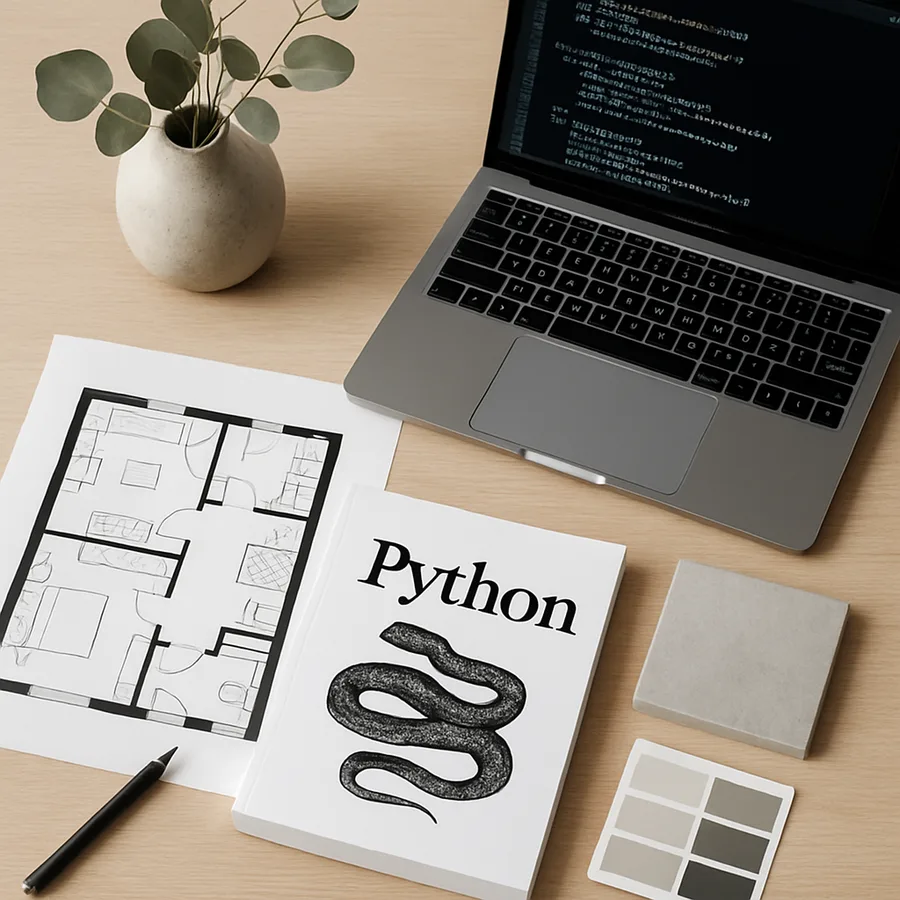
Technique One: Automating Material Takeoffs with Python Data Structures
Material takeoffs, the process of calculating exact quantities of every material needed for an interior design project, represent one of the most time-consuming and error-prone tasks in a designer's workflow. A single residential kitchen renovation might require calculating quantities for countertop material, backsplash tile, cabinet hardware, paint for walls and ceiling, flooring, grout, trim molding, and adhesives, each with its own unit of measurement, waste factor, and pricing structure. Performing these calculations manually for a multi-room project can consume an entire day, and a single arithmetic error can result in costly material shortages or overages. Python's built-in data structures, specifically dictionaries and lists, provide an elegant solution that automates these calculations with perfect accuracy every time. The American Society of Interior Designers (ASID) estimates that material calculation errors cost the average design firm between 3% and 7% of annual revenue, making automation not just a convenience but a financial imperative.
The Python dictionary is the ideal data structure for representing room specifications and material requirements. A room can be modeled as a dictionary with keys for each relevant dimension and property: kitchen = {"length": 15.5, "width": 12.0, "ceiling_height": 9.0, "windows": 2, "doors": 1, "window_area": 24, "door_area": 21}. Material specifications can be stored in their own dictionaries: paint = {"coverage_per_gallon": 350, "coats": 2, "waste_factor": 1.10, "price_per_gallon": 68.99}. A Python function can then combine these data structures to calculate exactly how many gallons of paint are needed, accounting for wall area, window and door cutouts, number of coats, and the waste factor. This approach is not only faster than manual calculation but also completely reproducible. Run the same script on the same inputs next week, next month, or next year, and you get the exact same result. That consistency is invaluable for maintaining professional credibility with clients and contractors.
Scaling this technique across an entire project is where its power becomes truly apparent. By storing all rooms in a list of dictionaries, you can use a Python for loop to iterate through every room, calculate material quantities for each, and produce a comprehensive project-wide bill of quantities in seconds. The script can be extended to read room data from a CSV file exported from your measurement app, eliminating manual data entry entirely. Houzz's technology adoption survey found that designers who automate material calculations complete takeoffs 74% faster than those using manual methods, with a 91% reduction in calculation errors. That combination of speed and accuracy translates directly into better project margins, fewer change orders, and happier clients. The technique requires only the most basic Python knowledge, variables, dictionaries, lists, for loops, and arithmetic operators, making it accessible to absolute beginners while delivering immediate, tangible professional value.
Technique Two: Web Scraping for Furniture and Material Research
Product research and sourcing occupy a significant portion of every interior designer's workweek. Comparing prices across multiple vendors, checking stock availability, tracking new arrivals from preferred manufacturers, and building specification sheets with current pricing all require visiting dozens of websites and manually extracting information. Python's web scraping capabilities, powered by libraries like BeautifulSoup and requests, allow designers to automate this research, collecting product data from supplier websites and organizing it into structured, searchable formats. The International Interior Design Association (IIDA) identifies product sourcing efficiency as a key differentiator between highly profitable design firms and those that struggle with overhead, and automated web scraping is one of the most impactful tools for improving sourcing workflows.
A practical web scraping script for interior designers might target a furniture retailer's website, extracting product names, dimensions, materials, prices, and availability status from catalog pages and storing the results in a CSV file or Excel spreadsheet. The requests library fetches the web page's HTML content, and BeautifulSoup parses that content, allowing you to navigate the page structure and extract specific data elements using CSS selectors or HTML tag names. For example, if a retailer lists dining tables on a page where each product is wrapped in a div with the class product-card, you can write a script that finds every such div and extracts the product name from the h3 tag, the price from the span with class price, and the dimensions from the product description paragraph. The result is a structured dataset that would have taken hours to compile manually.
It is important to note that web scraping should be practiced responsibly and ethically. Always check a website's robots.txt file and terms of service before scraping, as some sites explicitly prohibit automated data collection. Many furniture manufacturers and design-trade suppliers offer API access or downloadable product catalogs that are both more reliable and more respectful alternatives to scraping. When scraping is appropriate, limit your request frequency to avoid overwhelming the target server, typically one request per second is a reasonable pace. NCIDQ professional ethics guidelines extend to digital practices, and responsible use of technology reflects the professionalism that clients expect from certified designers. Have you ever spent an entire afternoon comparing sofa options across six different vendor websites, copying dimensions and prices into a spreadsheet cell by cell? A well-crafted Python scraping script can accomplish that same task during your lunch break, leaving you free to focus on the design decisions that require your creative expertise.
Technique Three: Image Processing for Mood Board Analysis
Mood boards are the visual language through which interior designers communicate design concepts to clients, and Python's image processing capabilities add a new dimension of analytical precision to this creative tool. The Pillow library (Python Imaging Library) and colorthief package enable designers to extract dominant color palettes from inspiration images, calculate color proportions, and generate data-driven mood board analyses that support design decisions with objective evidence. According to ASID research, client approval rates increase by 23% when designers present mood boards accompanied by quantitative color analysis, as the combination of visual inspiration and data-backed color ratios gives clients greater confidence in the proposed design direction.
The color extraction process works by analyzing every pixel in an image and clustering similar colors together using an algorithm called median cut quantization. The result is a simplified palette of the most prominent colors in the image, each accompanied by its percentage of the total color composition. For an interior designer, this means you can analyze a client's Pinterest board of inspiration images, extract the common color threads that run through their selections, and use that data to build a color specification that authentically reflects their aesthetic preferences. This technique is especially powerful when clients struggle to articulate their color preferences verbally but can easily identify images that appeal to them. The Python script translates their visual intuition into concrete, specifiable color values that can be matched to paint manufacturers' catalogs, fabric swatches, and material samples.
Beyond color extraction, Python image processing opens doors to more advanced mood board analysis. You can calculate the average brightness of inspiration images to gauge whether a client gravitates toward light, airy spaces or dark, moody interiors. You can analyze the distribution of warm versus cool tones to determine the overall temperature of their preferred palette. You can even compare the color profiles of multiple mood board images to identify areas of strong consensus and potential conflict in a client's design preferences. Do you ever encounter clients who pin dozens of conflicting inspiration images and then expect you to synthesize a coherent design direction from the chaos? Python-powered mood board analysis provides the objective framework for that synthesis, identifying the statistical threads of consistency that run through even the most eclectic collection of inspirations. IIDA professional development programs increasingly include digital analysis techniques in their curriculum, recognizing that the designer's eye and the computer's analytical precision are complementary strengths that produce better outcomes together than either could achieve alone.
Technique Four: Generating Client Reports with Python Automation
Client communication is a cornerstone of successful interior design practice, and professional, well-formatted reports are essential for maintaining client confidence throughout a project. Python's document generation capabilities, powered by libraries like python-docx for Word documents, openpyxl for Excel spreadsheets, and reportlab for PDFs, allow designers to automate the creation of polished, data-rich reports that would take hours to produce manually. A monthly project status report, for instance, might include a budget summary table, a list of pending material orders, a timeline of upcoming milestones, photographs of work in progress, and a summary of design decisions made since the last report. Building this report manually requires pulling data from multiple sources, formatting tables, inserting images, and ensuring consistency across sections. A Python script can do all of this automatically, generating a publication-ready document in seconds.
The python-docx library is particularly powerful for interior designers because it produces Word documents that clients can open without any special software. Your script can create a document from a professional template, populate it with current project data pulled from your tracking spreadsheet or database, insert formatted tables for budget breakdowns and material schedules, add headers and footers with your firm's branding, and save the finished document ready for email delivery. ASID practice management guidelines recommend that designers provide clients with structured project updates at least monthly for projects longer than eight weeks. Automating these reports ensures consistency, reduces the administrative burden on the designer, and demonstrates a level of professional organization that builds client trust. Houzz client satisfaction surveys consistently identify communication quality as the single strongest predictor of positive project reviews, and automated, data-accurate reports are one of the most effective tools for maintaining high communication standards.
The real power of automated report generation emerges when you combine it with the other Python techniques discussed in this article. Your material takeoff script feeds accurate quantity data into the budget section of the report. Your web scraping script provides current pricing for materials still to be ordered. Your color analysis data illustrates the design palette in the concept section. Each technique, useful on its own, becomes exponentially more valuable when integrated into a unified reporting workflow. This integration represents a sophistication that manual processes simply cannot match. What would it mean for your practice if you could generate a comprehensive, beautiful, data-accurate client report with a single command? That is the promise of Python automation for interior designers, and it is fully achievable with the techniques covered in this article.
Technique Five: Building Interactive Project Dashboards
The most advanced Python technique in this guide, building interactive project dashboards, represents the pinnacle of what technology can do for interior design practice management. A dashboard is a visual display of the most important information about a project, consolidated and arranged on a single screen so that everything you need to know is available at a glance. Python's streamlit library makes dashboard creation accessible to non-programmers by providing a simple framework for building web-based applications with just a few lines of code. An interior design project dashboard might display budget utilization as a progress bar, timeline status with upcoming deadlines highlighted, material order status with delivery tracking, room-by-room completion percentages, and client approval pending items. All of this information, pulled from your project data files, is presented in a clean, interactive interface that updates automatically when the underlying data changes.
Creating a basic dashboard with Streamlit is remarkably straightforward. After installing the library with pip install streamlit, you write a Python script that imports your project data, processes it into display-ready formats, and uses Streamlit's built-in components to create charts, tables, metrics, and interactive filters. The entire application runs in a web browser and can be shared with clients or team members via a simple URL. NCIDQ technology competency standards identify digital project management as an increasingly important skill for design professionals, and custom dashboards represent the most sophisticated expression of that competency. Unlike generic project management tools that force design workflows into pre-built structures, a Python dashboard can be tailored precisely to the way you work, displaying exactly the information that matters most to your practice.
The client-facing potential of custom dashboards is equally compelling. Imagine providing each client with a private URL where they can check their project's progress at any time, view the current budget status, see photographs of recent installations, and submit feedback on pending design decisions. This level of transparency and accessibility transforms the client relationship from one of periodic, designer-initiated updates to one of continuous, self-service engagement. ASID research indicates that firms offering digital project tracking tools retain clients at a 35% higher rate and receive an average of 28% more referrals than firms relying on traditional communication methods alone. Have you ever fielded anxious client calls asking for project status updates that you could have preempted with better visibility tools? A Python-built dashboard eliminates those calls by providing always-current project information in a beautiful, branded interface that reflects the design quality your clients expect from every aspect of your service. The IIDA's Innovation Award has recognized several design firms whose custom-built project dashboards have set new standards for client experience in the industry.
Bringing It All Together: A Python-Powered Design Practice
The five Python techniques explored in this article, automated material takeoffs, web scraping for product research, image processing for mood board analysis, automated client report generation, and interactive project dashboards, are not isolated tools but components of an integrated technology strategy that can transform every aspect of an interior design practice. Each technique addresses a specific pain point in the design workflow, and together they create a practice that is more efficient, more accurate, more professional, and more profitable than one relying solely on manual processes and off-the-shelf software. The transition from traditional to Python-augmented practice does not happen overnight, nor does it need to. Each technique can be adopted independently, and even partial implementation delivers meaningful benefits.
The interior design industry stands at an inflection point where technology adoption separates firms that thrive from those that struggle to compete. ASID, IIDA, NCIDQ, and Houzz all recognize this reality in their educational programs, professional development requirements, and industry research. The designers who embrace tools like Python are not abandoning their creative identity; they are strengthening it by eliminating the mechanical, repetitive, and error-prone aspects of their work that consume time better spent on design. The data is clear: technology-empowered designers deliver projects faster, manage budgets more accurately, communicate more effectively with clients, and spend more of their time doing the creative work that distinguishes exceptional design from mere decoration.
Your path forward begins with choosing one technique from this article and implementing it on your current project. Start with the one that addresses your biggest pain point. If material calculations consume too much of your time, build the automated takeoff script this week. If product research is your bottleneck, write your first web scraping script. If client communication is where you want to improve, create an automated report template. Each technique you master builds confidence for the next, and before long, Python will feel as natural and essential to your design practice as your favorite CAD software. The fusion of creative vision and technical capability is not the future of interior design; it is the present, and the designers who recognize this will define the profession's next chapter. Begin today by opening your Python editor, choosing your first technique, and writing the code that will transform your practice.
Conclusion: The Competitive Edge of Technical Fluency
The five Python techniques presented in this guide represent a practical, achievable path toward technical fluency for interior designers at any stage of their career. From the straightforward automation of material calculations to the sophisticated creation of interactive client dashboards, each technique builds on fundamental programming concepts that can be learned in weeks, not years. The investment of time required to master these skills is modest compared to the returns they deliver: faster project completion, fewer costly errors, more professional client communications, and a competitive advantage that grows more significant with each passing season as the industry's digital transformation accelerates.
The organizations that define professional standards in interior design, from ASID and IIDA to NCIDQ and the broader design community represented on platforms like Houzz, have collectively signaled that technical competency is no longer optional for serious design professionals. Their educational programs, certification requirements, and industry research all point toward a future where the most successful designers are those who combine aesthetic mastery with technological capability. Python, with its gentle learning curve, vast library ecosystem, and direct applicability to design workflows, is the ideal vehicle for this transformation.
Take the first step this week. Install Python on your computer, open a code editor, and write a script that solves a real problem in your current project. It might be as simple as calculating the total wall area across all rooms in a client's home, or as ambitious as scraping current pricing from your three favorite furniture vendors. Whatever you choose, the act of solving a design problem with code will shift your perspective on what is possible in your practice. Join the growing community of Python-proficient interior designers by sharing your scripts, asking questions in online forums, and mentoring colleagues who are just beginning their coding journey. The competitive edge you build today will define your career trajectory tomorrow. Start coding, and start designing a better practice.
More Articles You May Like



Comments
Post a Comment