Transform Your Space: The Ultimate Guide to Interior Design Apps
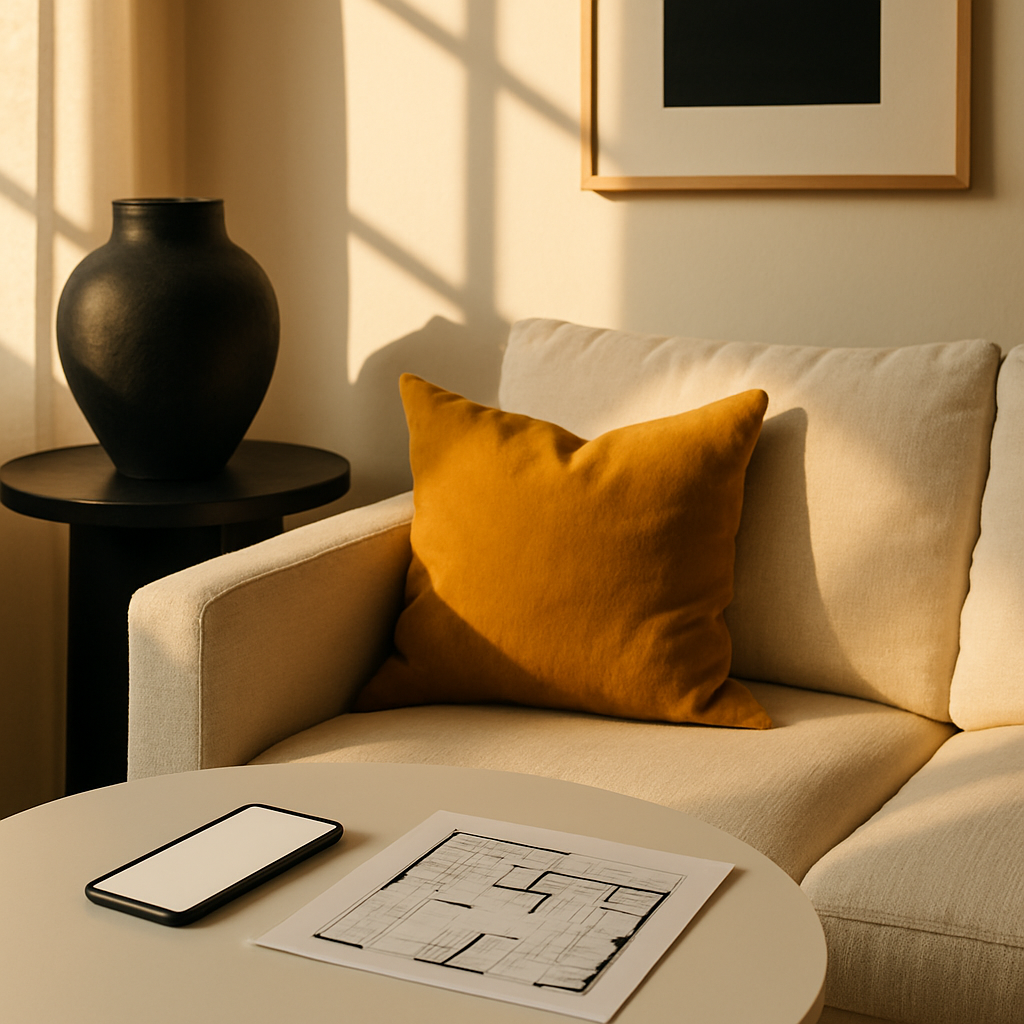
The gap between imagining a beautifully designed room and actually creating one has historically been wide, expensive, and filled with trial-and-error frustration. Professional interior designers spend years developing the spatial awareness, color sensitivity, and material knowledge needed to translate a client's vision into reality. But what if you could access a meaningful portion of that expertise through the device already sitting in your pocket? The interior design app market has matured considerably, evolving from basic inspiration galleries into sophisticated platforms capable of 3D rendering, augmented reality placement, and even AI-driven style analysis. A survey conducted in partnership with the American Society of Interior Designers (ASID) found that 65 percent of design professionals now recommend specific apps to their clients as supplementary tools between consultations. This guide provides a thorough overview of the app landscape, helping you identify the platforms that will genuinely accelerate your design journey rather than simply adding digital clutter to the process.
3D Room Modeling: Building Your Vision from the Ground Up
Three-dimensional room modeling apps have transformed the way homeowners conceptualize renovation projects by providing the ability to construct a virtual replica of any space. Unlike two-dimensional floor plans that show layout from above, 3D models allow you to walk through a virtual version of your room, examining proportions, sightlines, and spatial relationships from a human perspective. This capability is particularly valuable when evaluating how ceiling height affects the perceived scale of furniture, how an open floor plan creates visual connections between zones, or how a proposed wall modification might alter the flow of natural light through adjacent spaces.
The learning curve for 3D modeling apps varies significantly across platforms, and choosing the right one depends on your comfort level with digital tools and the complexity of your project. Entry-level options offer drag-and-drop interfaces where you build rooms by selecting wall segments, doors, and windows from a menu, then populate them with furniture from a preset catalog. More advanced platforms provide parametric modeling capabilities, allowing you to specify exact dimensions, customize materials at a granular level, and even simulate structural elements like load-bearing walls and electrical routing. Designers certified by the National Council for Interior Design Qualification (NCIDQ) often use professional-grade versions of these same tools, so the skills you develop with consumer apps translate meaningfully if you later decide to collaborate with a professional.
Rendering quality has improved dramatically in recent years, with some apps producing photorealistic images that are nearly indistinguishable from professional photography. These renders are not merely aesthetic showpieces; they serve as practical decision-making tools that reveal how material finishes interact under specific lighting conditions. A Japandi-inspired room rendered with morning light streaming through sheer curtains will look fundamentally different from the same room rendered under warm evening lamplight, and both views provide valuable information about whether your material and color selections will perform as intended throughout the day. Have you ever committed to a design decision only to realize it looked completely different under evening lighting? 3D rendering eliminates that costly surprise.
Mood Board and Inspiration Management
Before any physical change happens in a room, there is a crucial creative phase where ideas, references, and preferences need to be gathered, organized, and distilled into a coherent vision. Mood board apps serve this purpose by providing digital canvases where you can collect images, color swatches, material samples, product links, and text notes into visual collages that communicate the intended direction of a project. The best mood board platforms go beyond simple image pinning by offering alignment tools, opacity controls, and layering capabilities that allow you to create polished presentations worthy of a professional design meeting.
The value of a well-constructed mood board lies in its ability to externalize and clarify preferences that might otherwise remain vague or contradictory. You might describe your ideal bedroom as both cozy and spacious, both modern and warm, without recognizing that these descriptors could point in different directions. A mood board forces specificity: the particular shade of warmth you mean, the exact quality of modern you are drawn to, the specific balance between intimacy and openness that appeals to you. Designers affiliated with the International Interior Design Association (IIDA) consistently emphasize that clients who arrive at initial consultations with mood boards, even rough ones, make the design process more efficient and produce results that more accurately reflect their personal taste.
Collaborative mood board features have made these tools especially useful for households where multiple people share design authority. Partners, family members, or housemates can contribute to a shared board, adding their own inspirations and commenting on others' selections. This transparent process surfaces disagreements early, before money has been spent, and creates a documented history of the decision-making process. When implemented effectively, mood boards also serve as filters for subsequent design decisions: if a potential purchase aligns with the established mood board, it moves forward; if it deviates, it prompts a conversation about whether the original direction should shift. This discipline prevents the aesthetic drift that often occurs when design decisions are made in isolation over weeks or months.
Color Analysis and Palette Generation
Color is arguably the most emotionally charged element of interior design, capable of transforming a room's atmosphere more rapidly and affordably than any other intervention. Yet choosing colors remains one of the most paralyzing decisions for homeowners, partly because the same pigment can appear dramatically different depending on the light source, surface texture, and surrounding colors. Color analysis apps address this complexity by using your device camera to capture colors from the real world and match them to specific paint formulas, then generating harmonious palettes that extend a single inspiration color into a complete room scheme.
The science behind these apps draws on established color theory principles that professional designers study extensively. Complementary palettes pair colors from opposite sides of the color wheel for maximum contrast and energy. Analogous palettes group neighboring colors for a serene, unified effect. Triadic schemes select three evenly spaced colors for balanced vibrancy. Understanding which scheme suits your project is the first step, and many apps provide educational content alongside their tools to help users make informed choices. ASID has published guidelines noting that rooms with intentionally composed color schemes are perceived as more professionally designed than those with randomly selected colors, regardless of the actual furnishings present.
Where do these tools become especially powerful? Consider the biophilic design approach, which draws color inspiration from natural environments. You might photograph a forest floor and extract a palette of moss green, bark brown, lichen gray, and dappled gold. Or capture a coastal scene and derive shades of wet sand, sea glass, driftwood, and horizon blue. These nature-derived palettes carry an inherent harmony because they already exist in balance within their source environment. The app simply translates that balance into paint formulas and material specifications that you can apply to your interior spaces. According to research cited by Houzz, rooms designed with nature-derived color palettes consistently score higher in occupant satisfaction surveys than those using purely trend-driven color selections.
Augmented Reality: Try Before You Buy
Augmented reality functionality in design apps has reached a level of sophistication that makes it genuinely useful rather than merely novel. Current AR platforms can place a virtual sofa in your living room with accurate proportions, correct shadow casting, and realistic material rendering. You can walk around the virtual object, viewing it from different angles, and some apps even allow you to switch between fabric options in real time, watching the same chair morph from leather to velvet to linen as you tap through the material library. This capability directly addresses one of the most persistent problems in furniture shopping: the disconnect between showroom context and home context.
The financial implications of AR visualization are substantial. Furniture returns cost retailers billions annually, and consumers bear a significant share of that burden through restocking fees, shipping charges, and the time lost to processing exchanges. Research highlighted by AD PRO indicates that retailers who offer AR preview features experience return rates up to 35 percent lower than those relying solely on static product photography. For homeowners, this translates into fewer expensive mistakes, particularly when shopping for large items like sectional sofas, dining tables, or area rugs where the financial commitment is significant and the consequences of a misjudgment are difficult to reverse.
AR tools are also transforming how people evaluate the quiet luxury aesthetic in their own homes. A hallmark of quiet luxury is the quality of materials and finishes, which can be difficult to assess from a catalog image alone. AR visualization apps that render accurate material textures allow you to evaluate whether a marble-topped console table will complement or clash with your existing stone flooring, or whether the grain pattern of a walnut credenza creates the right visual rhythm against a painted wall. What looks cohesive in a styled showroom photograph may not work in the specific conditions of your space, and AR eliminates that uncertainty by placing virtual objects directly into your actual environment for evaluation.
Professional-Grade Planning Tools for Ambitious Projects
For homeowners undertaking significant renovations, consumer-grade apps may not provide the depth of functionality required to coordinate structural changes, material specifications, and contractor communications. Professional-grade planning tools bridge this gap by offering features like CAD-level precision drawing, material quantity calculators, specification sheets for contractor reference, and integration with building code databases. While these platforms typically carry subscription costs and steeper learning curves, they can prevent errors that would cost far more to correct during construction than they would to avoid during the planning phase.
Material estimation is one of the most practically valuable features in professional planning apps. By calculating the exact square footage of flooring, the linear feet of trim, the number of tiles required for a backsplash, and the gallons of paint needed for a given surface area, these tools minimize waste and prevent the costly delays caused by mid-project material shortages. Interior designers holding NCIDQ certification routinely use material calculators as part of their specification process, and having access to similar functionality allows homeowners to verify quotes from contractors and suppliers, ensuring accuracy and fair pricing. With professional interior design fees ranging from $150 to $500 per hour, the ability to handle some of this planning independently represents genuine savings.
Integration with smart home planning is another area where professional tools distinguish themselves from simpler alternatives. As homes become increasingly connected, the placement of wiring, network access points, sensor locations, and control panel positions needs to be coordinated with the overall design scheme. Professional planning apps allow you to overlay electrical and data infrastructure onto your floor plan, ensuring that switch locations are convenient, speaker placements are acoustically optimized, and sensor positions provide adequate coverage without being visually intrusive. The IIDA has published design integration standards for smart home technology that these tools incorporate, helping homeowners achieve the seamless technology integration that defines contemporary premium living spaces.
Budget Tracking and Purchase Coordination
Even the most inspired design vision can collapse under the weight of poor budget management. Budget tracking apps designed for interior design projects provide the financial discipline that separates successful renovations from stressful ones. These platforms allow you to set an overall project budget, allocate percentages to different categories such as furniture, materials, labor, and accessories, and then track actual expenditures against those allocations in real time. Visual dashboards show at a glance whether you are on track, overspending in particular categories, or have headroom for an upgrade you had not initially planned.
Purchase coordination features address the logistical complexity of furnishing a room from multiple sources. When you are ordering a dining table from one retailer, chairs from another, a rug from a third, and a light fixture from a fourth, keeping track of order confirmations, estimated delivery dates, and return windows becomes a project management challenge in its own right. Dedicated design budget apps consolidate this information, sending reminders when return windows are closing, flagging delivery date conflicts that might require someone to be home on multiple days, and maintaining a centralized record of all transactions associated with the project. How many times have you lost track of a delivery date or missed a return deadline? These tools prevent those costly oversights.
The most advanced budget platforms incorporate price comparison features that can identify the same or similar products across multiple retailers, highlighting potential savings. This is particularly relevant for the quiet luxury approach, where the quality of materials matters more than the brand name. A linen curtain panel from a specialty retailer might be identical in quality to one from a direct-to-consumer brand at half the price, and comparison tools surface these alternatives without requiring hours of manual research. According to Houzz market research, homeowners who use budget tracking tools during renovation projects spend an average of 12 percent less than those who manage finances informally, while reporting equal or higher satisfaction with the final result.
Conclusion: Building Your Personal Design Toolkit
The interior design app ecosystem offers tools for every stage of the design process, from the earliest sparks of inspiration through spatial planning, color selection, product visualization, and financial management. The mistake many homeowners make is downloading a dozen apps simultaneously and feeling overwhelmed by the sheer volume of options and features. A more effective approach is to build your toolkit incrementally, starting with the tool that addresses your most immediate need and expanding only when you have genuinely mastered and benefited from each addition. If you are at the very beginning of a project, start with a mood board app to clarify your aesthetic direction. If you have a clear vision but struggle with spatial decisions, move directly to a 3D modeling or AR platform.
Take one concrete step today: download a single app from the categories described in this guide and spend thirty minutes exploring a room in your home through its lens. Whether you model your living room in 3D, generate a color palette from your favorite piece of artwork, or use AR to preview a piece of furniture you have been considering, the act of engaging with your space through a design tool will shift your perspective and clarify your priorities. For additional guidance, consult the professional directories maintained by ASID and IIDA to find certified designers in your area who can complement your app-based exploration with expert insight. The tools are accessible, the technology is proven, and the only barrier remaining is the decision to begin.
More Articles You May Like


Comments
Post a Comment